Clipping Path for Amazon Product Listings
In the Amazon FBA, your product image is not just a picture, it is your conversion engine. By the time we hit 2026, the landscape of Amazon has shifted from simple keyword matching to an AI-driven, visually heavy ecosystem. With the integration of Rufus, Amazon’s AI shopping assistant and the refined COSMO algorithm, the retail-readiness of your images is no longer a suggestion; it is a survival requirement. Clipping Path here can play a major role offering premium quality product images for Amazon product listings.
As a professional ecommerce product photo editing service provider who has handled millions of Amazon SKUs, we have seen firsthand how a single jagged edge or a grayish-white background can tank a listing’s click through rate (CTR). Let’s go through, we are going to talk about the technical backbone of Amazon success, the clipping path.
-
What is the Amazon Visual Standard in 2026? Why Good is No Longer Enough?
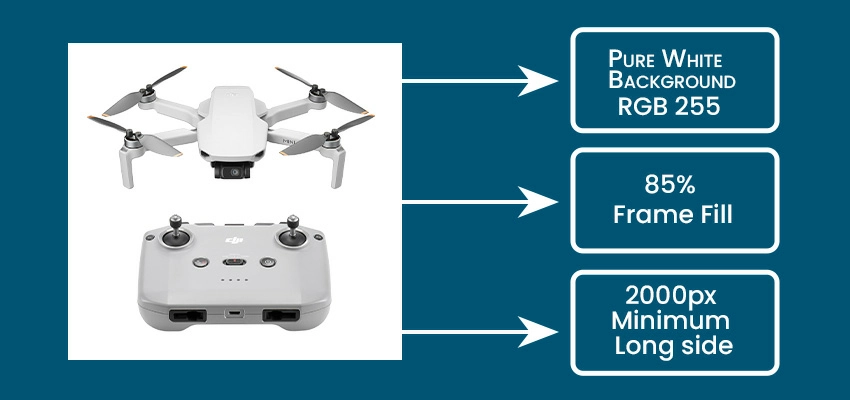
Amazon’s 2026 image guidelines demand zero-distraction visuals. Products must use pure white backgrounds, fill 85% of the frame, and be at least 2000px for zoom. Poor clipping paths causing halos can trigger suppression and reduce rankings and conversions.
Amazon’s present image uploading guidelines are stricter than ever. The marketplace has moved toward a “zero-distraction” policy for main product images. If your product does not pop, shoppers and more importantly, Amazon’s automated suppression bots will move on.
The Non-Negotiable Main Image Specs:
- Pure White Background: Must be exactly RGB 255, 255, 255. Anything less (like 253, 254, 255) looks muddy on mobile screens.
- 85% Frame Fill: Your product must dominate the frame. If you leave too much white space, you lose visual real estate in search results.
- 2000px Minimum Long side: This enables the high-definition zoom feature. In 2026, data shows that zoom-enabled images convert 30% higher than static ones.
- No Halo Effects: This is where the clipping path comes in. AI background removal often leaves a halo or ghosting of the original background. Amazon’s new OCR (Optical Character Recognition) and visual recognition systems see these as artifacts, which can lower your organic ranking.
-
What is a Clipping Path and Why Does Your Amazon Business Depend on It?
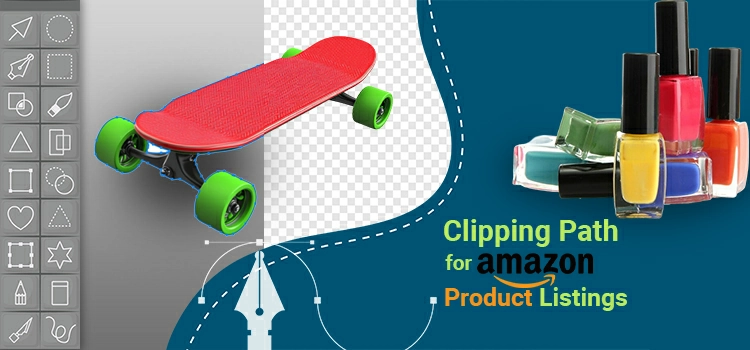
A clipping path is a precise, vector-based selection using the Pen Tool in Photoshop, offering unmatched accuracy. While AI struggles with reflections and fine details, human editors ensure correct interpretation, preserving product aesthetics through manual refinement in a human-in-the-loop workflow.
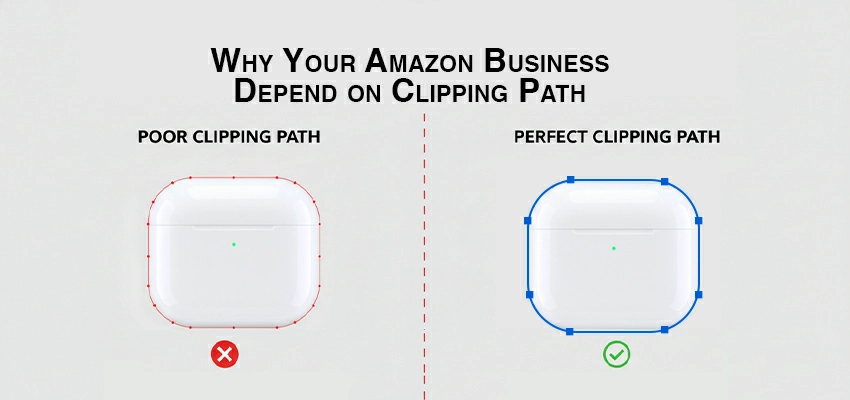
A clipping path is a vector shape or loop, typically created using the Pen Tool in Adobe Photoshop. Think of it as a surgical grade digital scissor. Unlike the Magic Wand or even modern AI Select Subject tools, a manual clipping path is mathematically defined.
The Human-in-the-Loop Advantage
While AI has improved by leaps and bounds in 2026, it still struggles with transparency, fine textures, and material interpretation.
- AI Mistake: Seeing the reflection on a polished chrome toaster as background and cutting it out.
- Human Editor: Recognizes the reflection as part of the product’s premium aesthetic and preserves it with a smooth, manual path.
-
What is the SEO Impact? How Clipping Paths Feed the Amazon Algorithm?
High-quality clipping paths improve SEO by increasing CTR, which boosts rankings in Amazon’s A10 algorithm. Clean, optimized images load faster, reducing bounce rates. Consistent visuals also enhance product categorization in visual search, improving discoverability and overall eCommerce performance.

Most sellers do not realize that high quality clipping paths actually improve your SEO. Here is the technical “why”:
CTR and the A10 Algorithm
Amazon’s A10 algorithm prioritizes relevancy and performance. If your main image is perfectly clipped and visually striking, your Click-Through Rate (CTR) increases. Higher CTR signals to Amazon that your product is relevant to the search query, which boosts your organic ranking.
Image Metadata and Alt-Text
When we create a clipping path and export the image as a WebP or optimized JPEG, the file size is reduced without losing quality. Faster loading times on the Amazon mobile app lead to lower bounce rates. Furthermore, consistent, clean images help Amazon’s visual search feature accurately categorize your product.
-
What are the Categories of Clipping Path Complexity for Amazon Products?
Photo editors categorize Amazon photos by editing time and complexity from basic to super complex. Each level requires different technical skills, from simple curves to intricate details. Multi clipping paths are used for products needing separate adjustments for different parts or colors.
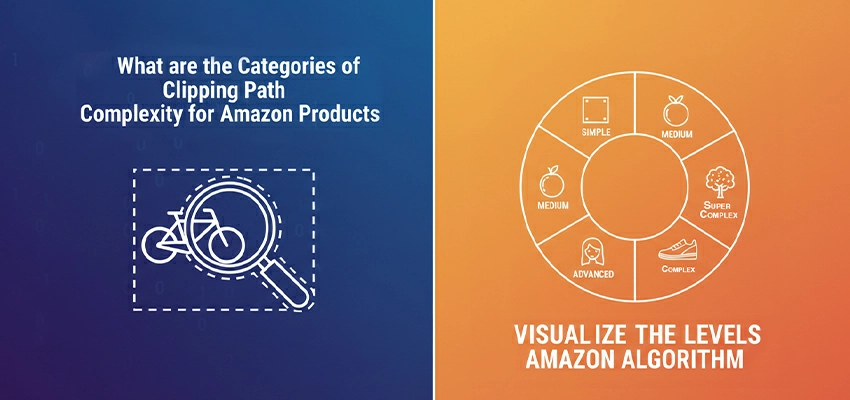
As photo editor, we categorize Amazon projects based on how much editing time they require.
| Category | Typical Amazon Products | Technical Requirement |
| Basic | Phone cases, books, boxes | Straight edges, simple curves. |
| Simple | Bottles, shoes, simple apparel | 10-20 anchor points, smooth Bézier curves. |
| Medium | Handbags, toys, grouped items | Internal holes (compound paths) like handles. |
| Complex | Bicycles, chandeliers, jewelry | Intricate details, fine mesh, hundreds of points. |
| Super Complex | Wire baskets, heavy machinery | The “nightmare” files that require 60+ minutes. |
| Multi Clipping Path | Multi colored or multi parts products that need separately editing, | Needs separate clipping paths for different parts, objects |
-
How to avoid the Amazon Rejection Trap? What are the Common Technical Errors?
Even quality images can be flagged by Amazon due to poor edges or non-white backgrounds. Using the 1-pixel inset rule ensures clean selections without color spill. Avoiding excessive anchor points and maintaining smooth curves is essential for trustworthy product presentation.

Even if you think your image looks good, Amazon’s automated systems might flag it for Non White Background or Poor Edge Quality.
The 1-Pixel Inset Rule
The biggest mistake we see? Placing the path exactly on the edge. This often captures color spill from the original background (e.g., a green tint if you shot on a green screen).
The Expert Fix: We create the clipping path 1 pixel inside the product edge. This ensures that every single pixel in your selection is 100% product, resulting in a razor-sharp finish.
Anchor Point Overload
Amateur editors use too many anchor points, leading to bumpy edges. Professional e-commerce photo editing requires smooth, long Bézier curves. A bumpy product looks cheap and untrustworthy to a savvy US shopper.
-
What is the Market Prediction after Visual AI and the Return to Quality?
AI-generated product images have saturated the market, leading to growing shopper fatigue. Consumers now prefer authentic, realistic visuals. Studies show 65% of Amazon buyers favor real photos, making manual clipping paths essential for preserving natural quality with precise editing.
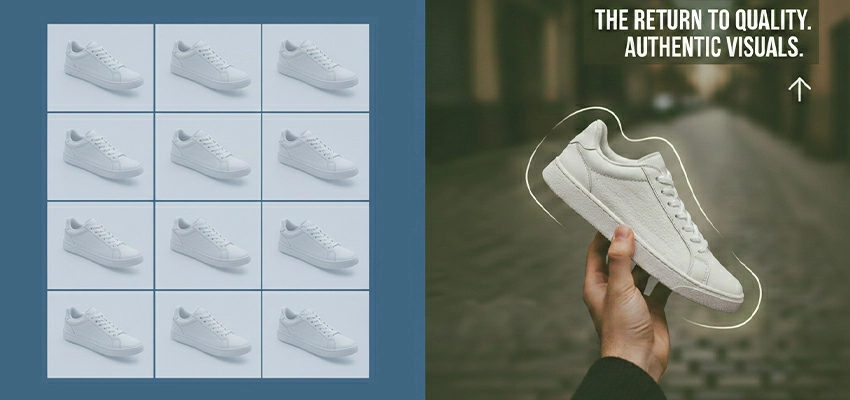
By 2026, AI-generated product images have flooded the market. However, shoppers are developing AI fatigue. They are craving authenticity.
In 2025, it was predicted that about 65% of Amazon shoppers will be more likely to buy a product that looked like a real photograph rather than an over processed.
Manual clipping paths preserve the organic soul of the photo while providing the digital precision required for a modern listing.
-
What is the Strategic Use of Multiple Clipping Paths (Color Swatches)?
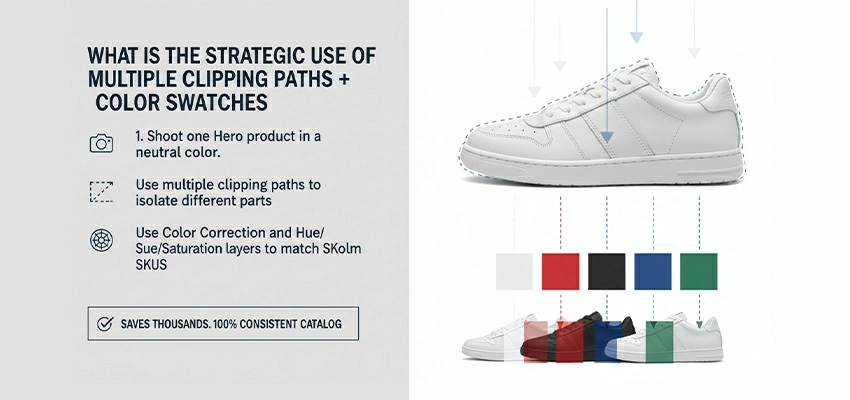
If you sell a product in multiple colors, you do not need to shoot every single one.
- Shoot one Hero product in a neutral color.
- Use multiple clipping paths to isolate different parts of the product.
- Use Color Correction and Hue/Saturation layers to accurately match your other SKUs.
This saves you thousands in photography costs while ensuring your catalog looks 100% consistent.
-
What are the Expert Tips for Amazon Sellers?

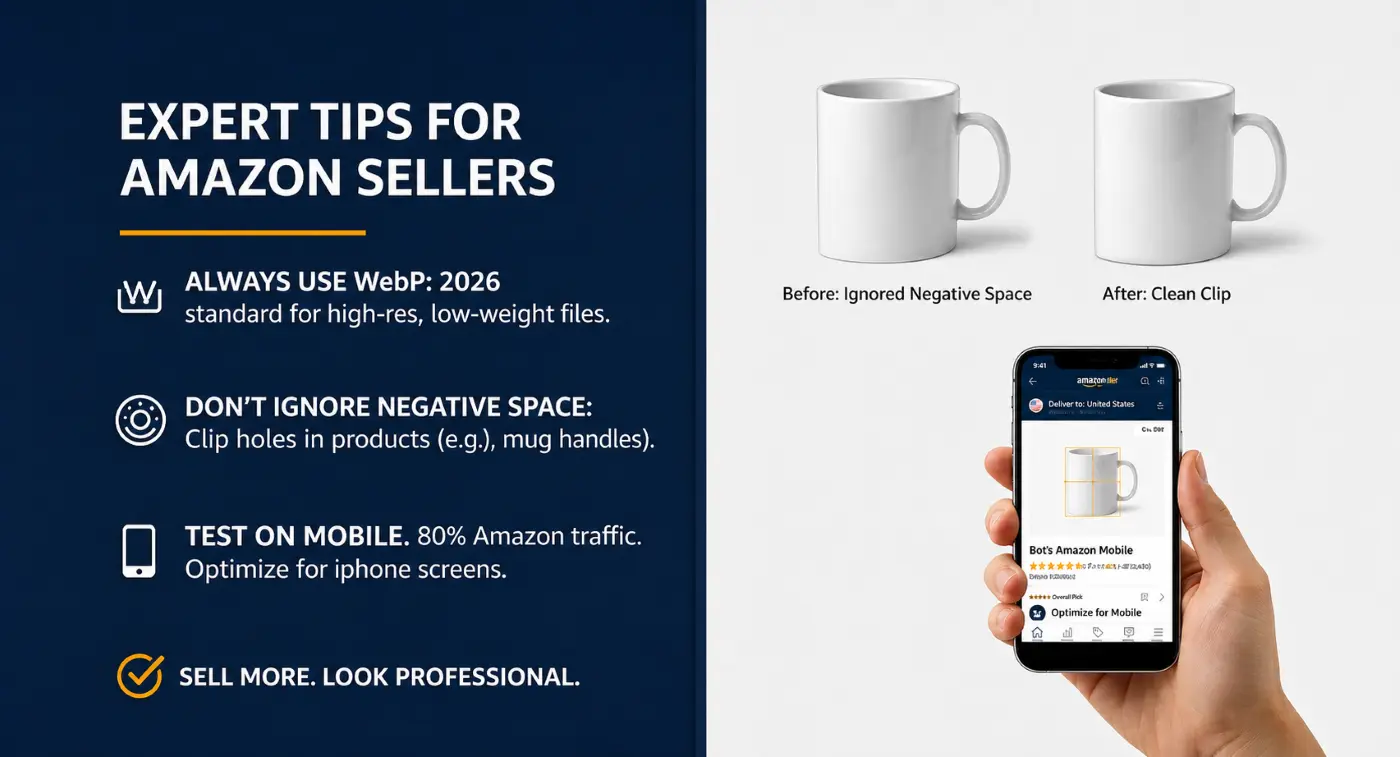
- Always use WebP: It is the 2026 standard for high-res, low-weight files.
- Do not ignore the Negative Space: Ensure the holes in your product (like a mug handle) are also clipped.
- Test on Mobile: 80% of Amazon traffic is mobile. If your product looks small or the edges look soft on an iPhone screen, re-edit product images.
What are the Frequently Asked Questions about Clipping Path for Amazon Product Listings?
Navigating Amazon’s strict visual requirements can be a challenge. Here are some detailed answers to the most common questions regarding clipping paths and how they impact on your Amazon business in 2026.
-
What exactly is a clipping path in the context of Amazon?
A clipping path is a professional photo editing technique where a vector shape is drawn manually using the Adobe Photoshop Pen Tool to isolate a product from its original background. For Amazon, this is the gold standard for creating the required floating effect on a pure white background. Unlike automated selection tools, a clipping path allows for razor-sharp precision that meets the high-resolution zoom requirements of Amazon listings.
-
Why can’t I just use AI background removal for my Amazon images?
While AI has improved, it often struggles with hallucinations, misinterpreting shadows as part of the product or blurring fine details like product textures or transparent edges. Amazon’s A10 algorithm and visual recognition bots look for clean, smooth, and sharp edges. Manual clipping paths ensure there are no jagged lines or background ghosts, which prevents your listing from being suppressed for low image quality.
-
Does Amazon require a specific background color for the main image?
Yes. Amazon’s strict Main Image requirement is a pure white background with the RGB color values of 255, 255, 255. A clipping path is the most reliable way to strip away the off-white or grayish tones often found in raw studio shots, ensuring your product sits on a perfectly digital white canvas that blends seamlessly with the Amazon search results page.
-
What is the 1-pixel inside rule in clipping paths?
The 1-pixel inside rule is a professional secret used to avoid edge halos. When drawing the path, the editor places the anchor points exactly one pixel inside the product’s edge. This ensures that no remnants of the original background color bleed into the final selection, resulting in a crisp, high-contrast image that looks premium on high-density mobile screens.
-
How does a clipping path impact my Click-Through Rate (CTR)?
A precise clipping path removes all visual clutter and distractions. By isolating the product and maximizing its scale within the frame (Amazon requires the product to occupy 85% or more of the image), you make the product more clickable. Better visuals lead to higher CTR, which is a primary ranking factor for Amazon’s organic search.
-
Can I use clipping paths to create color variations (Swatches)?
Absolutely. This is called a Multi Clipping Path. Editors create separate paths for different parts of a product (e.g., the strap, the buckle, and the leather of a watch). This allows you to digitally change the color of specific sections to match your entire product line without having to pay for a separate photoshoot for every color variant.
-
What are the different complexity levels for Amazon product clipping?
- Basic: Simple shapes like boxes, books, or phone cases.
- Simple: Objects with slight curves like bottles or shoes.
- Medium: Products with internal holes, like a handbag handle or a coffee mug.
- Complex: Items with intricate details like bicycles, jewelry, or mesh office chairs.
- Super Complex: Highly detailed industrial parts or fine-link chains.
-
What file format should I use for Amazon images after clipping?
In 2026, WebP is the preferred high-efficiency format, but JPEG and TIFF remain standard. When saving, ensure you have saved the clipping path within the file (especially in PSD or TIFF formats) so you can make future adjustments. For the final upload, a high-quality JPEG or WebP with a minimum of 2000px on the longest side is recommended to enable the zoom feature.
-
Will a clipping path help with Ghost Mannequin apparel listings?
Yes. For fashion sellers, editors use clipping paths to remove the mannequin and merge two photos (the exterior and the interior neck/tag area). This creates a hollow 3D effect that looks professional and helps customers visualize how the garment fits without the distraction of a plastic model.
-
How does a clipping path prevent Suppressed Listings?
Amazon uses automated software to scan images for policy violations. Common reasons for suppression include non-white background or jagged edges. Because a clipping path is a vector-based selection, it provides a mathematically perfect edge that passes Amazon’s automated quality checks 100% of the time.
-
Is it better to outsource clipping path services or do it in-house?
Most high-volume Amazon sellers outsource this task to professional agencies. Clipping paths are labor-intensive and require high technical skill. Professional editors can process hundreds of images per day with consistent quality, allowing you to focus on marketing and inventory management.
-
What is the average cost for a professional Amazon clipping path?
Pricing typically depends on complexity:
- Basic: $0.40 to $0.95 per image.
- Complex: $2.50 to $10.00 per image.
- Super Complex: $15.00+ for items like fine jewelry or machinery.
-
Can a clipping path be used to add realistic shadows?
A clipping path is the first step. Once the product is isolated, editors can add Drop Shadows, Reflection Shadows, or Natural Shadows. Adding a subtle shadow prevents the product from looking fake or pasted on, giving it depth and a professional feel that increases buyer trust.
-
How does the 2000px zoom requirement affect clipping paths?
Because Amazon allows customers to zoom in to 2000 pixels or more, every imperfection is magnified. If you make a selection poorly (using a rough “lasso” tool), the edges will look pixelated or stair-stepped when zoomed. A vector clipping path remains perfectly smooth at any zoom level, maintaining the luxury feel of your brand.
-
How long does it take to get images back from a clipping service?
Most professional services offer a turnaround of 12 to 24 hours. Since Amazon is a fast moving marketplace, quick turnaround is essential for launching new products or updating listings during seasonal sales events like Prime Day.
The Bottom Line
In 2026, the Clipping Path is the foundation of your Amazon brand’s visual identity. It’s the difference between a listing and one that dominates the Buy Box. Don’t cut corners, clip them.