Multiple Clipping Path Service

Every object in your image gets its own hand-drawn path, edited separately for total control. Perfect for complex photos with multiple items, layers, or overlapping edges.

Price Starts From

1.25$

Per Image

Get Big Discount

25¢

Contact Us

We Can Deliver

5000images/day

2500+ images in 12 hours

Comprehensive QA

6+

Steps

What Is Multiple Clipping Path Service?

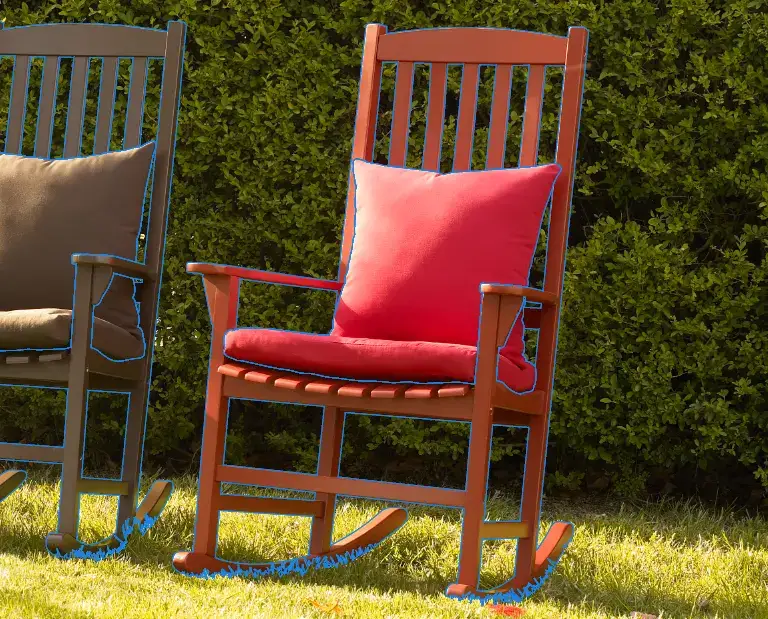
Multiple clipping path service is a photo editing technique that creates separate vector paths for each individual component in a product image. Each path isolates one part of the object independently, allowing color correction, background changes, and compositing to be applied to each component without affecting the others.

When Should You Use
Single Clipping Path vs. Multiple Clipping Path?

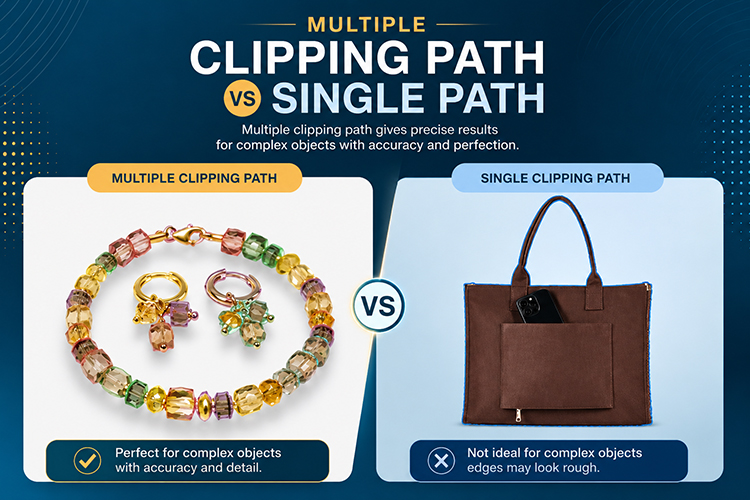
A single clipping path outlines the entire product as one closed vector path. Multiple clipping path creates a separate, individually named path for each component within the same product image. The difference is control: multiple clipping path allows each part to be edited, recolored, or isolated independently.

Single Clipping Path

  • ◉ Best for a single product on a plain background
  • ◉ Simple to medium shapes with one continuous outline
  • ◉ Faster turnaround and lower cost per image
  • ◉ Ideal for basic background removal or replacement

Multiple Clipping Path

  • ◉ Needed when a photo has 2 or more distinct items
  • ◉ Each object or part can be recolored or masked on its own
  • ◉ Keeps shared shadows and reflections editable separately
  • ◉ Standard for product sets, jewelry, and multi-part apparel

How Much Does
Multiple Clipping Path Service Cost?

Our multiple clipping path service starts at $1.25 per image for basic shapes. Final pricing depends on the product's edge complexity, the number of paths needed, and the requested turnaround time.

How Is Multiple Clipping Path Created Step by Step?

Multiple clipping path enables color correction to be applied to individual product components without affecting the rest of the image. Each named path acts as a precise selection boundary, allowing the editor to change the hue, saturation, or tone of one part independently. The core requirement for producing catalog color variants from a single master image.
Map every object in the frame
The editor reviews the image and marks out each object and sub-part that needs its own path, from the largest item down to small hardware or trim.
Draw each path with the Pen tool
Using Photoshop's Pen tool, the editor traces a closed Bezier path around one object at a time, working from the back-most item forward so edges never get lost under another path.
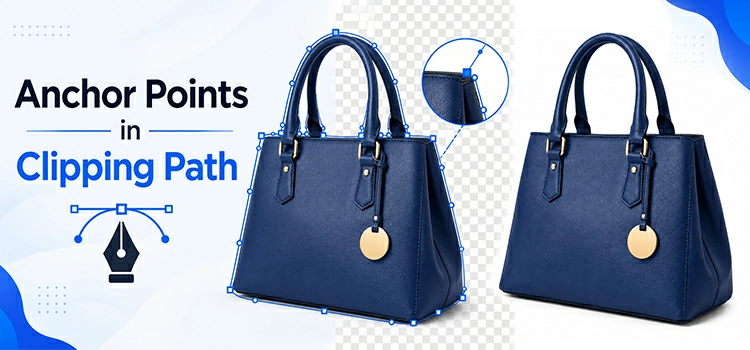
Apply the path around every 2 pixels
Anchor points are placed roughly every 2 pixels around a curve, following contours closely enough that no straight-edge artifacts appear once the path is converted to a selection.
Save each object to its own path layer
Every path is named and stored on its own layer inside the working file, so it can be turned into a selection, a mask, or a separate cut-out at any point later.
Quality check against the brief
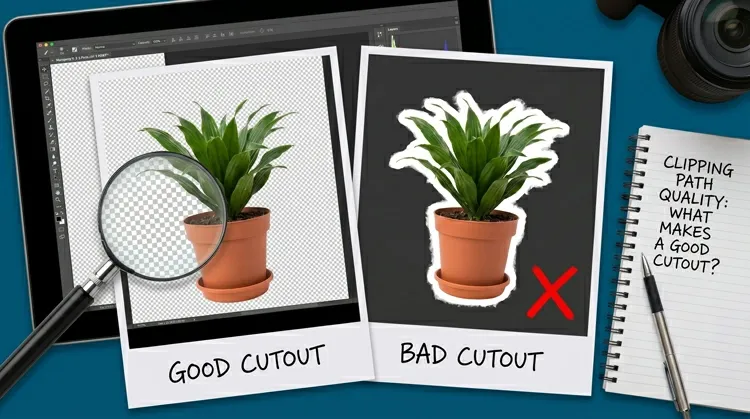
A second editor checks every path against the order instructions, confirming edges, shared shadows, and reflections all line up before the file is delivered.

What Is the Turnaround Time
for Multiple Clipping Path Orders?

Our clipping path team delivers up to 5,000 basic images within 24 hours, with more than 2,500 completed in the first 12 hours. Daily capacity depends on image complexity. Simple and basic images move fastest, while complex and multiple clipping path orders are delivered in smaller daily volumes to maintain precise edge quality.

How Do You Place a
Multiple Clipping Path Service Order?

To place an order, request a quote or upload your images through our Upload Files page, sending
bulk images in a single zip file. Confirm your editing instructions and return format,
and our team delivers the finished files on schedule.

FREQUENTLY ASKED
QUESTIONS(FAQ)


1How many objects can be isolated in one image?
There's no fixed limit. Simple sets usually need 2 to 5 paths, while detailed group shots or jewelry sets can involve 15 or more, each priced according to the tiers above.
2Can each object be delivered on its own layer?
Yes. Files can be delivered as a layered PSD or TIFF with every object's path on its own layer, or flattened into a single edited image if that's all that's needed.
3What file formats do you accept and deliver?
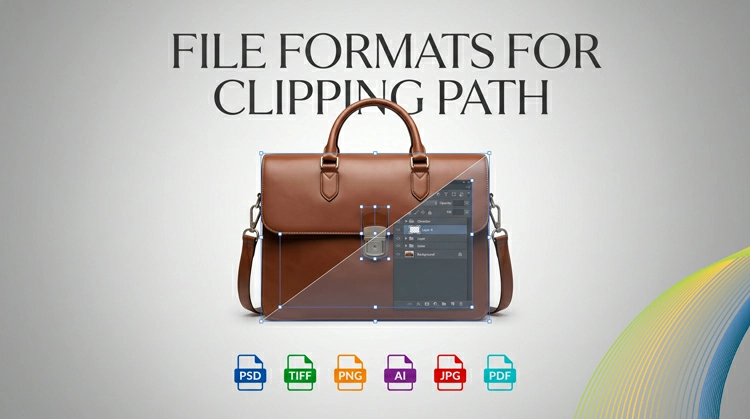
Most common formats are accepted for upload, including JPEG, PNG, and TIFF. Delivery can be PSD, TIFF, or PNG depending on what the workflow needs.
4How are the individual paths named and organized in the delivered file?
Each path is saved with a descriptive name in the Paths panel of the delivered PSD file, such as Body, Collar, Button, or Sole. CEI follows the client's naming convention when one is provided. If none is specified, paths are named by component type in plain language so any retoucher can load and apply them without additional instruction.
5Do you offer bulk pricing for large batches?
Yes. Batches with a high volume of images or paths qualify for adjusted rates. Send a sample set through the quote form for an exact price.
6How is quality checked before delivery?
A second editor reviews every path against the original brief, checking edges, shared shadows, and reflections before the file is approved and sent.
7Can multiple clipping path be applied to RAW or low-resolution images?
Yes for RAW files. CEI editors work on the converted file at full resolution. For low-resolution images, edge accuracy decreases below 72 DPI or 800 pixels on the longest side. For catalog and print use, submitting images at the highest available resolution produces the most accurate paths.

TESTIMONIALS

Over 15,000 photo editing clients all over the world, some of them speak for us!


  • Avatar 1

    Michael Nicholson, E-commerce, Product Seller

    I use Color Experts on a regular basis to clip my images and place them on a white background ready for use on my website. I am always impressed by the quality of the work, which helps show my website at its best. The quick turnaround time is vital in keeping our online product catalogue fresh and up to date.

  • Erik Lindqvist, Retailer, Helsingborg, Sweden

    Color Experts has been providing me clipping path services for a long time. The quality and turnaround time are second to none. I recommend Color Experts for superior clipping path and top-notch image manipulation services at a very reasonable cost.

  • Jon Van Gorder, Van Gorder Studios, Fairfield, CT USA

    As a digital photographer, I’ve relied on Color Experts many times for high-quality clipping path, completed and delivered overnight. My clients demand fast service, and Color Experts helps me deliver it.

  • Laurie G., Photographer

    I had shot some peewee league football players and was going to select them all out individually to make one big team collage. Color Experts’ clipping service was awesome and saved me many hours of work — especially since selecting out isn’t typically what I do and takes me far longer than an expert.

  • Avatar 2

    Caroline, Dropshipping Supplier

    Hello to you and your wonderful staff! Your company has provided excellent service to me at an excellent price for many years. I want to let you know how much I appreciate your professionalism and the quality of work you provide.

COLOR EXPERTS

LATEST BLOG UPDATE

Be Connected with our latest articles & tutorials to get the best things about
photography, editing & creative world