


GHOST MANNEQUIN
PHOTO EDITING
To get a 3D effect, shoot the normal mannequins wearing garment items from various angles. At the same time, shoot the neck, bottom, inner parts, and sleeves separately and send it to us.


3D/360° Packshot Ghost Mannequin Effects
We render 3D/360° packshot ghost mannequin effect service both for still and dynamic images to display in e-commerce sites. If you require this luring service, send us your images from various angles. We can bring out catchy 3D/360° packshot of your photos along with joining the top, neck, bottom, and sleeve of your image.
Starts From
$ 2.99
Images/24Hr
3000


Neck Joint on Ghost Mannequin
Eliminating mannequin from a dress produces vacant area at the back of the neckline. We create a full shape of the neckline joining the back of the neckline with the front part and produce a neck joint effect. Shirts, t-shirts, jackets, sweaters, and blazers, are some of the on-demand dresses on which we create neck joint effect.
Starts From
$ 1.99
Images/24Hr
3000

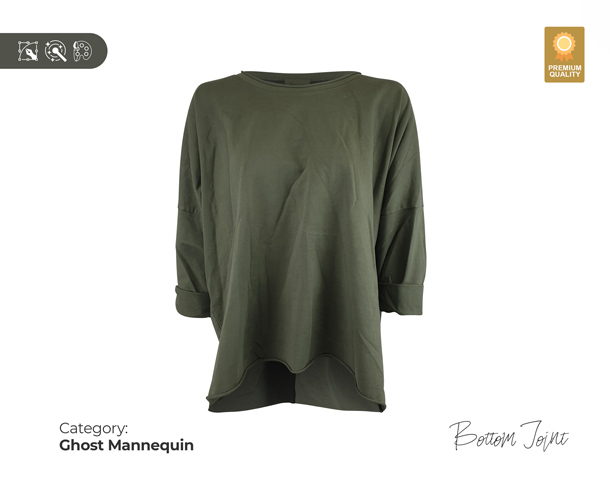
Bottom Joint on Ghost Mannequin
Similar to neck joint, we also join bottom of a dress regardless of the length of the dress removing the mannequin. Some dresses have longer back part than the front part. Our seasoned image enhancers are well-capable of tinkering around and assembling the vacant part of the dresses’ bottom.
Starts From
$ 1.99
Images/24Hr
3000

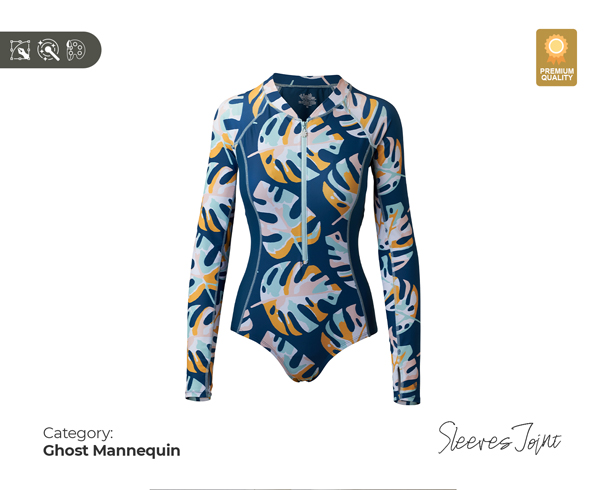
Sleeves Joint on Ghost Mannequin
This service is needed to remove the mannequin from the hollow part of the sleeves and give a ghost effect. The long sleeve shirts, T-shirts, jackets, etc. need hollow effect to make a 3D shape. Later the experts remove this mannequin and fill up the empty place joining sleeves.
Starts From
$ 1.99
Images/24Hr
3000
Need Accurate Pricing? Send Us a Quote Request
We Usually Reply Within 30 Minutes
By submitting Quote you are automatically agreeing with our Terms and Conditions and Privacy Policy
These are perfect and exactly what I was looking for. Thank you so much!!! As always, a job well done and executed with excellence!!!”


METHOD WE APPLY FOR GHOST MANNEQUINE
Remove Background and Dummy Using Clipping Path
To remove dummy background, clipping path is the most common and actionable method applied by professionals. In this case, start with opening your image in Photoshop, go to "Filter" and select "Invert". This will remove the background from your image.
Now we are going to select the area where you want to clip the dummy. We need to do this by clicking on one of the corners of the dummy and dragging it out towards the image border.


Neck joint/ Sleeve joint/ Bottom Joint for Making 3d Shape, Adding Shadow
The generic joint can be used to create a shape, but it has some limitations. For example, it's not possible to create shadow or lighting effects when using this generic joint.
The neck/bottom joint is similar to the generic joint, but it provides more flexibility and power when creating shapes and shadows. In addition, this service also supports 3D shapes with depth and lighting effects.
Liquefy, Reshaping and Retouching where needed
The ghost mannequin effect is a digital retouching technique that creates a digital photo or video of a person that appears to be transparent. The effect is achieved by removing parts of the subject, reducing their size and/or changing their shape.
The liquify filter is great for giving your image a bit more movement or detail in it's appearance, by using this technique on an image layer instead of directly on your original picture.


Color adjustment/Color matching
The results of color correction are often referred to as an "effect" or "look". This can be done manually, by adjusting individual colors, or with computer software packages. Adjustments are typically made to counteract unwanted color casts or exposure differences between different parts of an image.
In order to achieve fine control over the final color balance of a photo, it may first be necessary to create an adjustment layer (or adjustment layer stack) using one of several tools designed specifically for this purpose.
OUR POPULAR
SERVICES
We offer a wide variety of on-demand image editing services including background removal, high-end photo retouching, color correction, photo blending, and many more. Since the beginning of our journey in the image editing world, many of the international brands like Apple, Sony, Samsung, Adidas, Philips, Nike, and many more have already kept faith in us. Browse through our popular services shown underneath.


