Clipping Path for Advertising Agencies & Catalogs
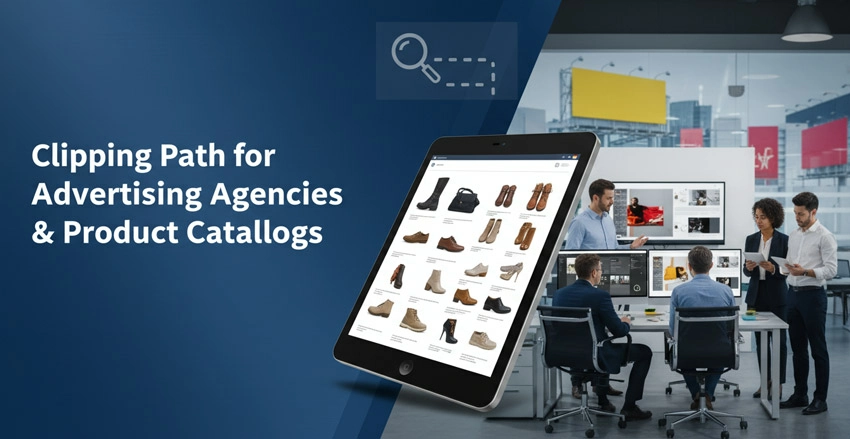
In advertising and catalog production, product image quality can make the difference between campaign success and failure. Whether you are creating a glossy print catalog, a digital ad campaign, an e-commerce platform, a single editing technique stands as the foundation of professional product presentation: the clipping path.
This comprehensive guide explores everything of advertising agencies and catalog producers need to know about clipping paths from basic techniques to advanced applications driving real business results.
Clipping Path and Why Does It Matter?
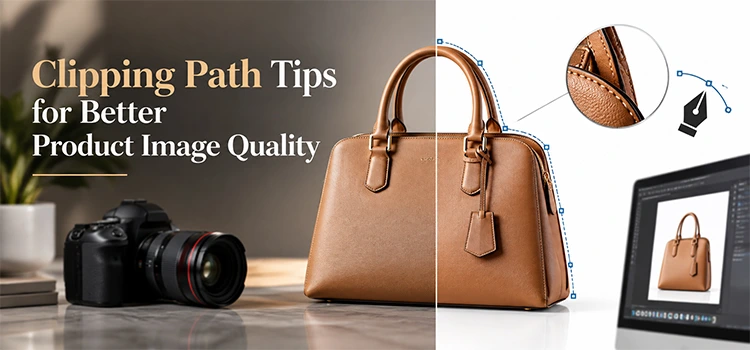
Clipping path is an image editing technique used to isolate products from background for clean, visuals. It enables accurate background removal, realistic compositing, product customization, and high-quality marketing images helping brands create appealing content that increases engagement, and conversions.
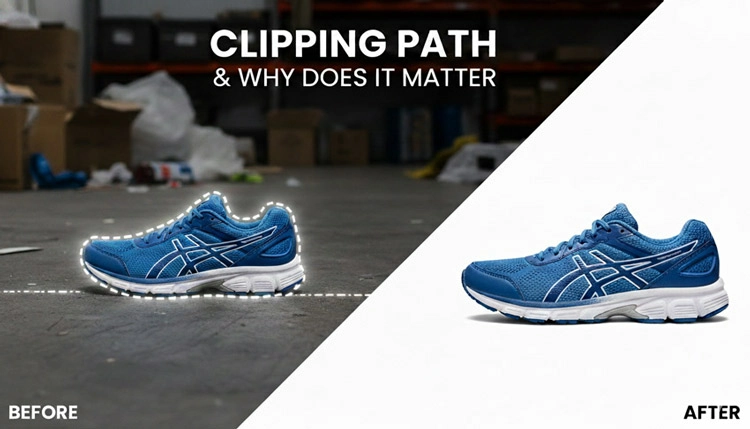
Clipping path is an outline created in image editing software like Adobe Photoshop isolating a specific object or product from its background.
Think of it as drawing a boundary around your subject with mathematical accuracy. It will allow you to remove, replace, and modify everything outside the boundary without affecting the product image itself.
For advertising agencies and catalog creators, clipping paths are essential. Modern consumers expect clean product photos.
Such as, a shoe photographed on a messy warehouse floor does not sell. If the same shoe on a pure white background, placed in a lifestyle scene that tells a story, get more conversions. Now your browsers will be buyers.
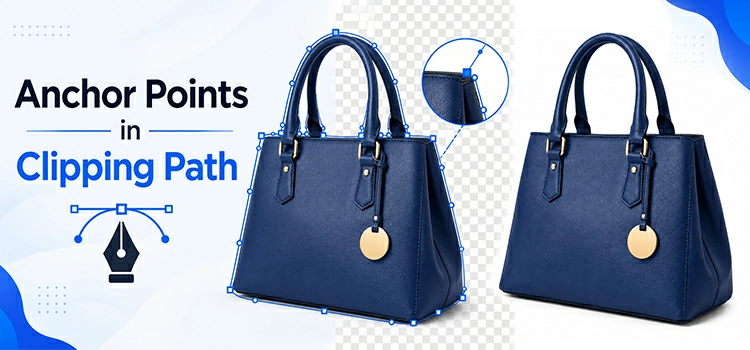
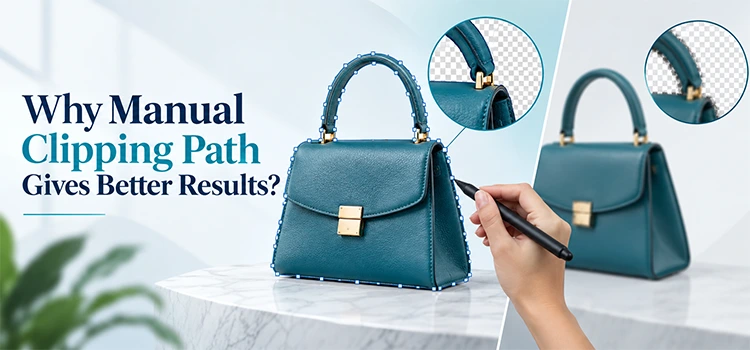
Clipping path technique works by creating anchor points around an object, connected by paths following the subject’s contours. Unlike quick selection tools and magic wand features relying on color contrast and often leaving messy edges, clipping paths offer pixel-perfect accuracy. When you scale up product images for billboards, printed in high-resolution catalogs, and scrutinized on 4K displays, précised clipping path matters enormously.
Not only simple background removal, but also clipping path enables sophisticated compositing. You can take a product shot in a studio and place it anywhere on a beach, in a living room, on a city street. You can create product variations without reshooting: change background colors, add product shadows, create reflections, and build complex scenes with multiple products. This flexibility translates directly into cost savings and creative possibilities manual photography alone cannot do.
How Do Clipping Paths Differ from Other Background Removal Techniques?
Background removal vary by project needs. Clipping path delivers precise edges for products, masking handles soft details like hair, AI tools offer speed with some limitations, and color range works best under ideal conditions. Combining these methods ensures accurate image editing.
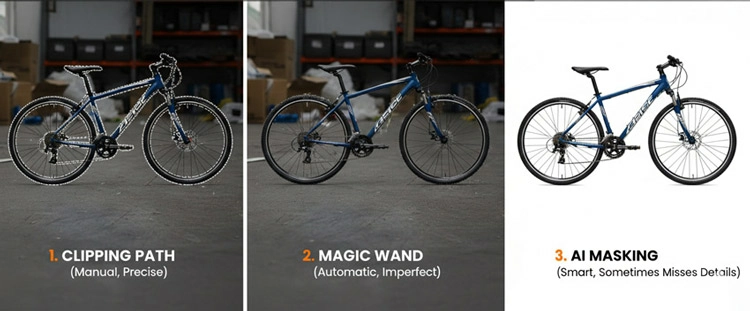
Not all background removal methods are equal, and understanding the differences helps you choose the right technique for each project.
Clipping paths use Photoshop pen tool to manually trace around objects. The result is a mathematically defined edge remaining sharp at any resolution. This technique excels with products having clear, defined edges like electronics, furniture, bottles, packaged goods, most physical products. The quality is unmatched, but it is also time-intensive, especially for complex shapes and multi-dimensional products like jewelries, furniture, automobiles, etc.
Layer masks work differently. They use pixel-based selection tools combined with brush refinement to separate subjects from backgrounds. Masks are non-destructive and excellent for objects with soft and irregular edges, such as hair, fur, fabric with texture, transparent materials like glass and smoke. Though image masking is faster for certain subjects, it can struggle with maintaining crisp edges.
AI-powered background removal
AI-powered removal tools have revolutionized the industry in recent times. Modern algorithms can instantly remove backgrounds from most product images with impressive accuracy. These tools are extraordinarily fast and work well for straightforward product shots with good contrast.
However, they sometimes struggle with complex edge cases, for instance, similar colors between subject and background, complex details like jewelry chains, transparent elements. For advertising work where perfection matters, AI provides an excellent first pass often requiring manual refinement.
Color range selections isolate subjects based on color differences. If you’ve photographed a product on a perfectly uniform background (like a green screen), color range tools can remove the background almost instantly. The limitation? They require ideal shooting conditions and struggle with color spill, edge fringing, and subjects sharing colors with the background.
For advertising agencies managing diverse projects, the smartest approach combines techniques. Use AI for initial removal on large batches, apply clipping paths for products requiring precision, employ masks for subjects with soft edges, and leverage color range tools.
Why Do Advertising Agencies Specifically Need Professional Clipping Path Services?
Advertising agencies rely on clipping path services to meet tight deadlines, maintain brand consistency, create flawless composites, reduce costs, and scale efficiently during campaign spikes while ensuring high-quality visuals that protect client trust and agency reputation.
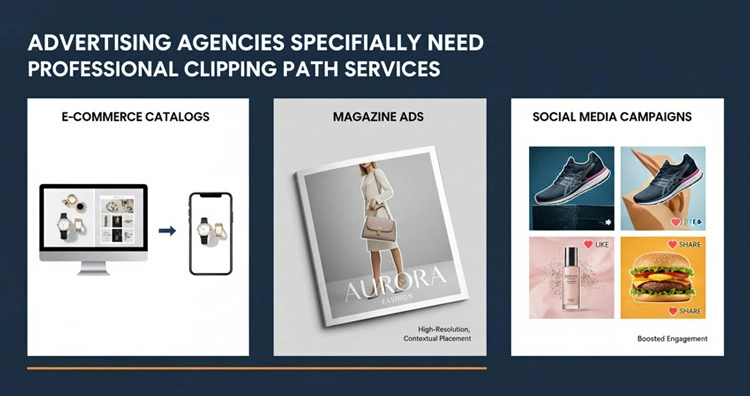
Advertising agencies face unique pressures making clipping path services essential rather than optional.
Volume and deadline intensity
A single campaign might require 200 product images, all edited to perfection, and delivered within 48 hours. Agencies cannot afford to have senior photo editors spending hours on clipping path creation. In that cases, outsourcing clipping path services from specialists frees creative teams to focus on strategy, concept development, and client relationships.
Brand consistency across touchpoints
Today’s brands marketing campaigns spread print, digital, social media, outdoor advertising, and point-of-sale materials. The same product image might appear on an Instagram story, a billboard, a magazine, and product packaging. Clipping path ensure product images maintain perfect quality across every medium and size. Uneven product photo edges invisible on a phone screen, but become glaringly obvious on a 20-foot banner.
Client expectations and reputation
Advertising agencies stake their reputation on delivering flawless editing work. A poorly edited product shot with visible background remnants that contain jagged edges, color halos reflects badly on the agency, damages client relationships, and can cost accounts. Professional clipping paths are not only about perfectionism, but also they are about protecting the agency’s brand and maintaining clients trust.
Complex compositing requirements
Modern advertising hardly uses products in isolation. Agencies create detailed scenes, combine multiple products, build lifestyle environments, and construct storytelling visuals not existing in physical reality. These composites require perfectly distortion-free isolated elements. Even minor imperfections become magnified when products are layered, scaled, and placed against varied backgrounds.
Cost efficiency at scale
While hiring clipping path specialists seems like an added expense, the statistics tells a different story. A junior graphics designer earning $50,000 annually who spends 20 hours weekly on basic clipping paths represents roughly $25,000 in annual labor cost for mechanical work in USA. On the other hand, outsourcing those same tasks to specialists typically costs $10,000-15,000 annually while delivering faster turnarounds and higher quality. The in-house designer’s time redirected to creative design work generates far more value than the cost difference.
Scalability for campaign fluctuations
Advertising work is cyclical. Holiday campaigns, product launches, and seasonal pushes create massive spikes in product image editing needs. Maintaining in-house staff sized for peak demand means carrying excess capacity during slow periods. Professional clipping path services from outside scale up and down instantly. It provides surge capacity exactly when needed without long-term overhead.
What Makes a High-Quality Clipping Path for Catalog Production?
Professional product catalog editing requires precise edges, balanced anchor points, closed paths, consistent quality across variations, proper handling of complex details, organized files, and correct formats/resolution to ensure polished, print-ready, and e-commerce-friendly results.
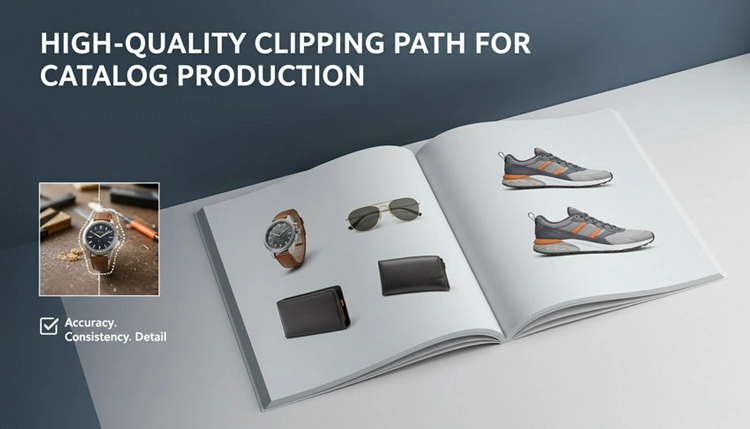
Product catalog production needs specific quality standards that separate amateur work from professional results. Understanding these standards helps you evaluate vendors and ensure your catalogs maintain the quality customers expect.
Edge precision and smoothness
The path needs to trace the outline of the product perfectly so that no part of the product is lost by going inward and no background elements by going outward (including them). Smooth, natural curves are what you want rather than choppy and angular ones. To see the details of the edges closely, zoom in to 300-400%even if you enlarge the image the professional paths are still tidy and exact.
Appropriate anchor point density
Not having enough anchor points will result in paths that do not trace complex curves correctly. Having a lot of points, on the other hand, will lead to bumpy, irregular edges that seem very unnatural. Photo editors who create paths typically use the least number of anchors required to get a nice and smooth result. A straight line might need only two points whereas a complex curve will require multiple points. The art of it is in the decision-making being able to identify precisely the locations of the points that are really necessary and those that would simply add complexity without any benefit.
Closed path integrity
Around every object, clipping path needs to be a fully closed loop without any gaps at all. Small gaps here or there might lead to major problems such as rendering glitches, changes in filling, errors when printed, etc. Experts’ work usually comes along with some quality controls that ensure no gaps in the paths just before the work is handed over.
Proper handling of difficult edges
Products frequently contain elements that are difficult to work with. For example, transparent glass, fine chains, fabric texture, or intricate cutouts are common product features. Quality paths handle these features in a proper way. With transparent parts, alpha channel masks are often needed besides the paths. For very fine details, it might be necessary to use multiple paths at different tolerance levels. Experienced image editors are able to decide with high accuracy when a simple clipping path is enough and when additional methods are necessary.
Consistency across product series
Catalogs usually display the same item with some color and variation changes. Expert clipping path services ensure that each variation has the same exact framing, positioning, and edge quality. If you are featuring a t-shirt in twelve different colors, then all twelve paths should be identical same size, crop, and edge finish. Consistency of this nature produces a visual balance that customers subconsciously enjoy.
Clean file organization
Professionally edited files are well structured with paths with clear names, edits that are not destructive, and properly organized layers. Get ready for use files right away, regardless of whether you are inserting them into InDesign layouts or publishing onto e-commerce platforms. Great suppliers foresee your processing requirements and provide files that are arranged to fit the same.
Format and resolution appropriate to use
Images for catalogs have various technical requirements based on their use. Catalogs for printing usually require images to be 300 DPI CMYK. If catalogs are online, images should be RGB at the right pixel size. Working with professionals, you get exactly the files you want, so you will not waste time converting files or worrying about colors being different on different media.
How Long Does Professional Clipping Path Work Actually Take?
Clipping path turnaround depends on image complexity and volume. Simple images may take 5–15 minutes, while complex or compound edits can take hours. Professional editing companies speed up delivery through optimized workflows, large teams, and 24/7 production support.
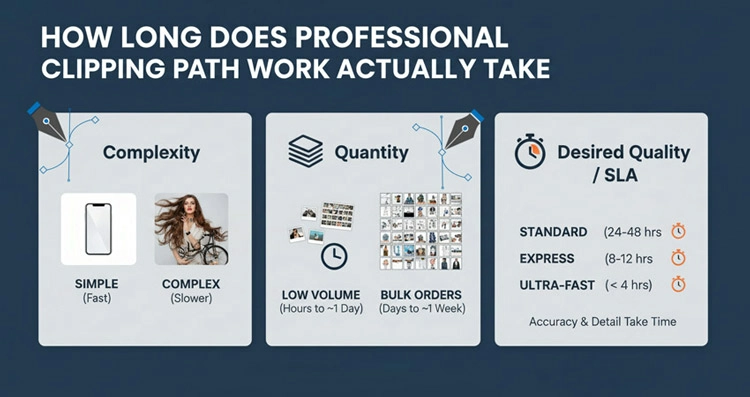
Timeline questions are one of the most frequent queries that agencies have and honestly, the answer can vary a lot based on the complexity and volume of the work.
Basic clipping paths
Products that feature a solid, clear outline and have little or no complex elements for an experienced technician, these will take around 5-15 minutes per image. Imagine products like closed boxes bottles mobile phones, and books. These are pretty simple shapes without any complicated details or transparent parts.
Medium clipping paths
Product types with some curves, several components, and moderate level of details are in this category. An editor takes time about 15-30 minutes per picture. This group is composed of furniture clothing footwear, and electronic devices having knobs and features that require great care.
Complex clipping paths
Images under this category (intricacies in product details, multiple components, and difficult edges) need 30-60+ minutes dedicated per product photo. Chain of jewelry is one of the examples that need going over in a very fine way, and cutout-heavy side of the product, bicycle- without spokes, and with mixed types of edges, i.e. hard and soft, are the ones best fitting this category.
Compound clipping paths
High detailed compound images claim multiple paths, handling transparent areas, and doing lots of retouching might take several hours per image. Complex jewelry products with large transparent parts need both clipping path and heavy retouching.
Catalog projects having hundreds of images, professional companies usually do a 24-48 hour turnaround for the standard level of complexity, with rush service options at an additional cost. One standard catalog batch that contains 200 medium-level complexity products may be delivered in 2-3 working days after submission.
The most significant factor is not just not only complexity, but the volume and workflow efficiency are also important. Specialized clipping path service providers can handle huge batches more efficiently than in-house designers who only work on occasional projects because they have optimized every stage– file intake, quality control, revision handling, and delivery. Their editors, working on different shifts, can provide a production that covers 24 hours, thereby shortening production times that are impossible for agencies.
Wise agencies establish practical timelines by contacting their editing partners during project planning stage. Giving reference images and a rough idea of the work complexity enables the vendors to agree on specific delivery dates thus eliminates last minute rushes when campaign deadline are looming.
What’s the Difference Between Simple, Medium, and Complex Clipping Paths?
Clipping paths range from simple shapes to highly detailed, multi-part images. Understanding complexity levels helps set clear expectations for pricing, turnaround time, and editing quality in professional image background removal and product photo editing.
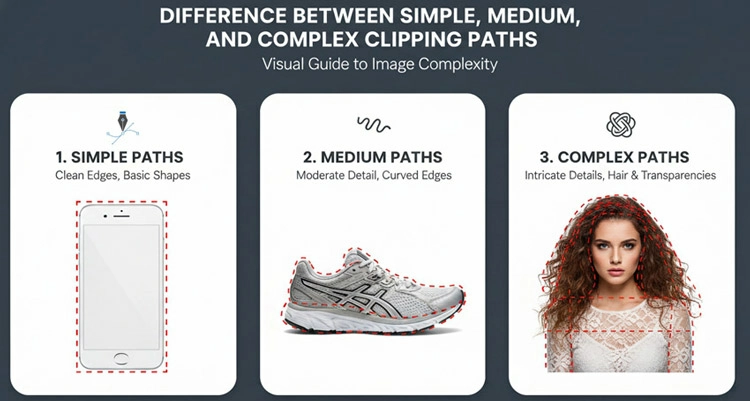
Understanding categories of complexity can help you in clearly communicating your needs, making an accurate budget, and setting the right expectations.
Simple clipping path explained
It usually refers to items with straight and gently curved edges, so minimal anchor points are needed– generally between 4 and 15 points. Such an item has a well-defined outer edge with no holes, cutouts or transparent elements. For instance, a book, a smartphone, rectangular packaging, a simple bottle, or basic geometric-shaped products. These paths can be created very quickly and are the cheapest option.
Medium clipping path explained
It is for products with multiple curves and therefore 15-40 anchor points are required. The item can have some internal cutouts and slightly complicated edges, but nothing that requires very detailed work. For example, clothes on hangers (where the space of the hanger is cut out), shoes with laces, curved furniture with legs, products with handles, and items with moderate details. These are more time-consuming and need more skill to be done perfectly.
Complex clipping path explained
This clipping path category is for products that are highly detailed, contain many curves, and consist of multiple components needing 40+ anchor points. This group covers jewelry (especially chains and delicate part), bicycles products with a lot of cutouts and holes, items with both hard and soft edges, and products shot from a viewpoint that results in complex shapes. These require a lot of skill and time.
Compound clipping path explained
These paths are made up of several separate paths in a single image. For instance, the product could have different parts that need different editing, some objects needs to be removed, some are kept, and some are changed. In case the image contains transparent elements in which are not only the paths but also the alpha channels. Examples are such products as glass ones where removing the background at the same time preserving the transparency, the products where both the opaque and translucent parts are present and the big complicated scenes with many parts which should be separately isolated. These are the highest skill levels and longest processing times.
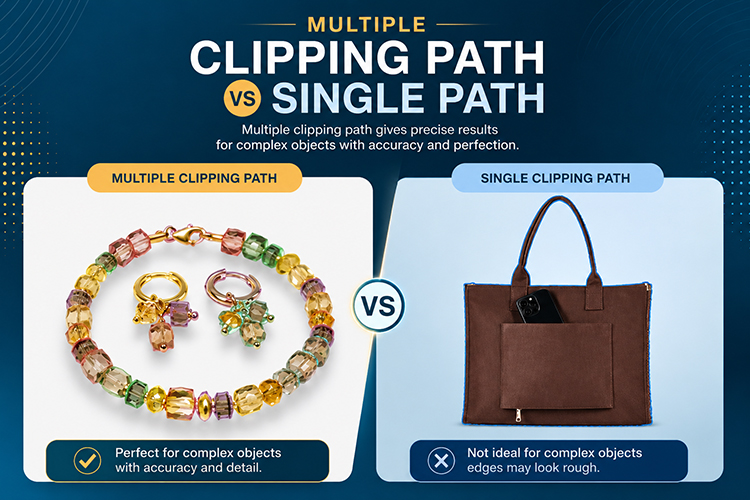
Sometimes, multiple clipping paths are necessary when one image features several products that need to be isolated individually. For example, if a lifestyle shot shows five different products, you might need to create five separate paths if you want the flexibility to use each product separately in different contexts.
How Do Clipping Paths Impact Print Quality in Catalogs?
Professional clipping paths ensure sharp edges, CMYK accuracy, scalability, and consistent quality for print catalogs. Unlike AI or raster-based background removal, they deliver clean, flexible, and print-ready results essential for high-end catalog production and professional brand presentation.
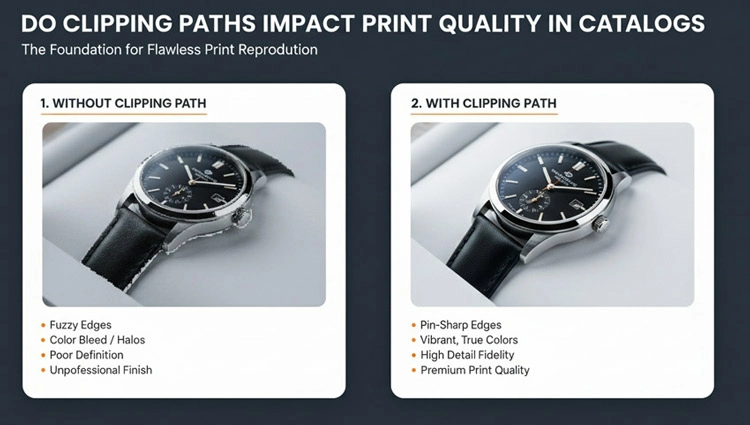
Print catalogs generally, require higher quality standards than digital media, and clipping path is one of the key tools to get professional results.
Resolution fidelity
Normally, printing needs 300 DPI at the finished size of the image. Background removal by pixel-based methods such as layer masks and AI removal result in working on raster data which can get deteriorated by scaling. Clipping paths will always provide the best edge quality no matter how much you zoom in the image. A product photo which looks nice on a 4×6 inch photo will still have clear edges when you enlarge to a full-page spread.
CMYK color accuracy
Printing usually use CMYK color space, not RGB. In case the backgrounds are removed poorly, the color fringing and halos get even more visible after conversion to CMYK. Expertly made clipping paths with good edge refinement will be one step ahead of these problems, thus ensuring that your products will appear correctly in print.
Sharpness of edges and ink trapping
When it comes to offset printing, sharp edges are very important to avoid the spreading of ink. Also, they allow the colors that touch each other to be so accurately aligned that no one can see any mishaps of gaps or overlaps. Rough and unclear edges result in defects quite visible in print while the same defects can be detected only with great difficulty on screen. Clipping paths give the level of clean edge definition that printing processes depend on.
Background flexibility for layout
Often catalog designers need to present their products against different colored backgrounds or gradients, or even patterns. A clipping path, if done very well, can give you this freedom without any traces of background or edge that might spoil the result. One day your product can be on white background, next on a brand color and on another, it can be on a textured background all changing from a single source file.
Consistency across page spreads
Edge quality uniformity is a huge factor in making the spread of products visually appealing when a number of products are shown together. Premium clipping paths guarantee that all the products have the same degree of neatness, thereby establishing visual balance. Putting together products with different edge qualities gives rise to an effect that is disturbing and is against the professional catalog.
File size and processing efficiency
When dealing with huge catalogs containing thousands of images, file size affects not only storage but also the speed of processing. Clipping paths are extremely efficient, a complicated path introduces only a few kilobytes to the file size, yet the image benefits from the removal of the background remain intact. Such efficiency results in quicker processing in page layout software and easier handling of file archiving.
Spot color and varnish applications
In some cases, high-end catalogs employ spot colors and varnish application to give a luxurious appearance. These are techniques that require very clean and accurate image edges to avoid any issues during the printing process. Clipping paths made from vectors offer the precision that these printing techniques require.
It is not just about the look when it comes to professional clipping paths for agencies creating print catalog sit is also about the fact that they meet the technical requirements of different printing processes and that they can deliver the high level of quality that would be good both for the reputation of your agency and the brands of your clients.
Can Clipping Paths Handle Transparent and Reflective Product Photos?
Transparent, reflective, and semi-transparent products need advanced editing beyond clipping paths. Professional retouching preserves reflections, transparency, shadows, and light behavior to create realistic, high-quality product images suited for catalogs, ads, and lifestyle presentations.
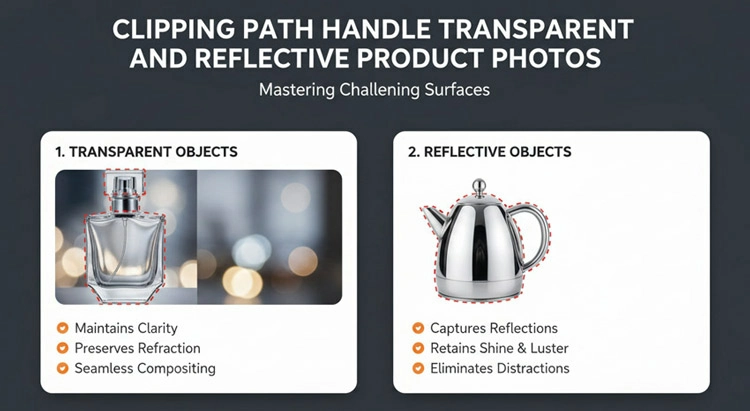
Transparent and reflective products present unique challenges. They require specialized techniques beyond standard clipping paths.
Transparent products
Hybrid methods are necessary for transparent products such as glass, plastic bottles, and crystal. A clipping path may be used to mark the outer edge, but transparency itself requires alpha channel masks and carefully preserved background elements. The real trick is getting rid of the unwanted background without losing the refractions, reflections, and light play that make transparent objects look real.
Usually, transparent products for catalogs require custom backgrounds. You cannot just place glass on white and expect it to look right the transparency goes unnoticed. A professional approach includes adding subtle shadows, reflections, and maybe gradient backgrounds to give the transparency some context and dimension.
Reflective products
Reflective products like chrome, polished metal, and glossy surfaces reflect their surrounding environment. Just removing the background will leave the results looking fake because the reflections will disappear and become inconsistent. A professional editing in most cases involves either meticulously retouching the reflections to match new backgrounds or creating entirely new reflection maps that look natural in the final context.
Reflective products for advertising campaigns at times undergo quite an elaborate treatment process involving custom-built reflection environments, digitally painted reflection maps, and composite techniques blending multiple exposures. These sophisticated techniques are way beyond the basic clipping paths and require the retouchers to have a good understanding of how light and reflection behave.
Fabrics that are semi-transparent
Semi-transparent fabrics such as sheer curtains, veils, and mesh materials, require creating paths that outline the outer edges while maintaining the transparency feature. Normally, this is done by combining clipping paths with masking that is very precise, thus ensuring the transparency is preserved while the unwanted background is removed.
Products with both opaque and transparent elements
Items that combine opaque as well as transparent parts like a perfume bottle (transparent) with a metal cap (reflective) call for compound methods. Each kind of material needs to be handled correctly, and then all of them have to be brought together into one harmonious final image.
When you are briefing the editing partner about transparent as well as reflective products, first of all, give detailed information about the final use context. For example, will the product be displayed on a white background? Or on colored backgrounds? Perhaps in lifestyle scenes? It is this context that helps to decide the best treatment method. Besides, do not be surprised if these pictures cost more and take longer to produce compared to the standard clipping path ones, the techniques required are far more complex and time-consuming.
How Much Should Advertising Agencies Budget for Clipping Path Services?
Clipping path pricing depends on image complexity, volume, turnaround time, and provider location. Outsourcing is often more cost-effective than in-house editing, especially for agencies handling large image volumes and aiming to optimize budgets while maintaining quality.
Pricing for clipping path services varies depending on some factors. It depends on image complexity, amount of the paths, the number of images, delivery time, and the service provider’s location. However, knowing photo editing price ranges is helpful for agencies to make proper budgets.
Simple clipping path
It costs about $0.50-$2.00 per image when the work is done by specialized service providers abroad. If you commit to processing 500+ images per month, you will most likely get the best price possible per image as discount.
Medium clipping path
Medium complexity paths may cost $2.00-$5.00 per image. Again, the bigger the volume ordered, the more the price will drop toward the lowest end of the range.
Complex clipping path
The price for complex clipping paths may vary from $5.00 to $15.00+ per image depending on the level of detail and other requirements.
Compound clipping path
Extremely compound paths may cost from $15.00 to $50.00+ per image, for work that is highly detailed.
Rush service prices
If you want to get your work done sooner, then rush service prices will be 30–50% higher than the regular price for a 12–hour turnaround, and 50–100% higher for the same–day delivery.
These prices reflect offshore professional clipping path services that are known for good quality at low price. U.S.-based services usually charge 2–3 times these prices but offer benefits in communication, time zone alignment, and sometimes faster turnarounds.
In-house expenses
A junior artist with a salary of $45,000 a year would cost you about $28 per hour of work when benefits, overhead, and time spent not doing client work are taken into account.
So, if the artist is diverted for 2 hours daily to do clipping paths instead of creative works, you are actually spending close to $14,000 yearly on path creation. It is enough to buy 7,000-14,000 outsourced simple paths, and 2,800-7,000 medium complexity ones.
Smart budgeting approaches include
In many cases, agencies markup editing services by 20–30% when they bill clients, thereby, turning a profit from something that was formerly just an internal cost. However, this requires careful vendor selection in order to ensure that the image editing quality is at the level that you are representing to your clients.
What File Formats Should You Request for Different Applications?
Different platforms require different image formats, resolutions, and color modes. Professional clipping path services should deliver optimized files for print, web, social media, email, outdoor ads, and archiving to ensure quality, compatibility, and workflow efficiency.
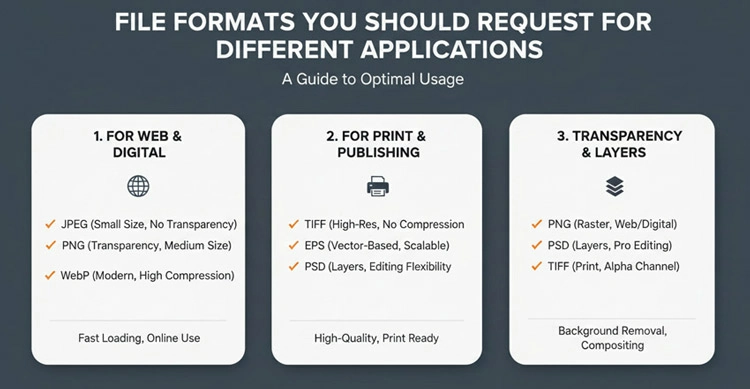
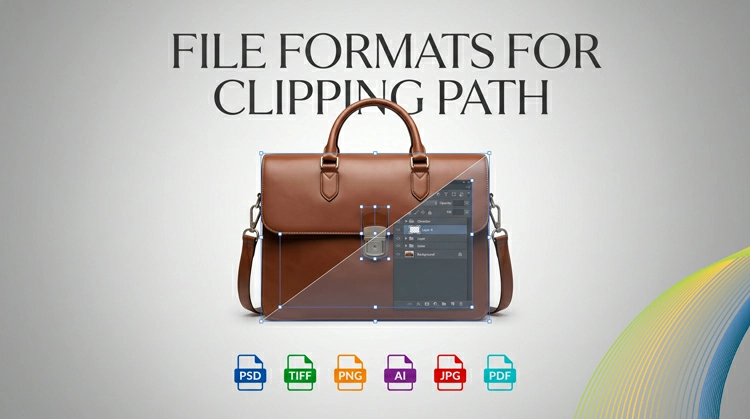
Choices of file formats largely determine the usability of the product. Professional clipping path services must provide exactly what your workflow needs.
For print catalogs and high-end advertising
You should specify that layered TIFF and PSD files at 300 DPI, CMYK color mode, with clipping paths saved and named should be sent. The embedding of the clipping path allows the client software such as InDesign to automatically use the paths. Dimensions of the files should not be less than a final print size. Many advertising agencies request files larger by 20% to allow flexibility in cropping and layout.
For web catalogs and digital advertising
Specify you want layered PSD files in RGB color mode at appropriate pixel dimensions, and transparent PNG files if you want flattened versions that are web-ready and do not require further modifications. Transparent PNGs are most commonly used for e-commerce platforms since they are compatible with any system and don’t require additional processing. Give the exact pixel dimensions of your platform as requirements – almost all e-commerce systems have set sizes for product images.
For social media advertising
Get RGB files at sizes for different platforms. Instagram posts require square (1080×1080) and vertical (1080×1350) formats. Facebook ads are best at 1200×628. Pinterest pins are 1000×1500 vertical formats. Professional services are capable of giving you one master file plus platform-specific exports, which you can use to save time for your team.
For email marketing
It is best to have your images in RGB and at web-appropriate resolutions (usually between 600-800 pixels wide maximum) to be compressed. Keep in mind that email clients have limitations for file size, so try to find a good balance between quality and size.
For outdoor advertising (billboards, posters)
Since these images will be enlarged quite a lot, you should ask for the biggest file size possible. TIFF files at 300 DPI are preferred, but 150 DPI is often good enough for very large formats where the viewing distance is large. However, please check with your printer prior to setting the specifications.
For archiving and future flexibility
Ask for master PSD files with all layers visible, paths saved, and at the highest resolution. Having these masters is a way of future-proofing your work as they can be repurposed without quality degradation. Keep them apart from your working files, they’re your guarantee against future needs.
Professional image editing services should inquire about the purpose of the images before starting the work. If they do not, you should give them this information. Depending on the location of the product shot, it can be delivered in six different formats giving complete usage details will guarantee that you will get exactly what each application necessitates.
How Can You Ensure Consistency Across Large Catalog Projects?
Choose the right file format for every platform like print, web, social media, email, or billboards. Professional clipping path services should deliver optimized, high-quality files tailored to your workflow, ensuring flexibility, compatibility, and future-ready image assets.
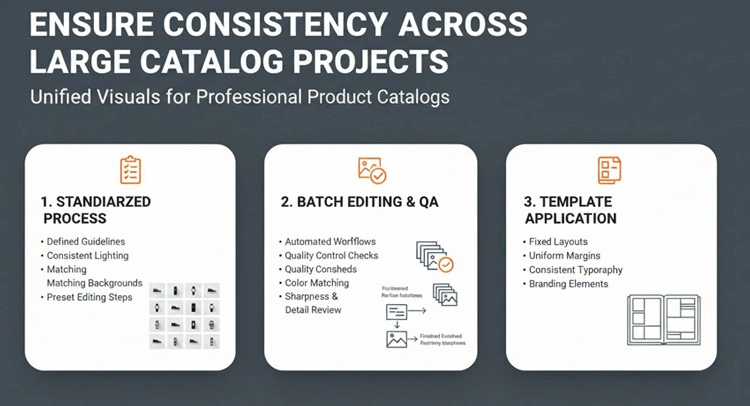
To maintain consistency among thousands of catalog images, you need systematic approaches and adherence to clear communication with your editing partners.
Brand style guide
Develop detailed style guides clearly stating how products should be shown: background color specifications (not just “white” but specific RGB and CMYK values), shadow styles (hard soft no shadow), product positioning (centered, aligned to grid), and edge editing preferences. Also, add visuals illustrating acceptable and unacceptable outcomes.
At the start of the project, give reference images with perfect execution marked as you see it. These samples act as the quality standard to which all work must conform.
Test batches
Do test batches first without starting full production. Send 10-20 sample images representing your product types and complexities. After thoroughly reviewing them and offering detailed feedback, make sure that your vendor fully understands what you expect before allowing them to process hundreds more.
Set up effective communication
You can set up effective communication procedures. Employ project management software to monitor revisions, approvals, and specific feedback. Misunderstandings increase with large projects, good communication avoids them.
Quality control
Implement multi-layered quality control instead of reviewing 500 images all at once, review in batches of 50-100. This way you can collaborate with your vendor and do mid-course corrections before a large amount of work goes the wrong way. If you catch problems early, you won’t have to do a lot of rework.
Request batch consistency checks
Here you are asking your vendor to review finished work for consistency before it is delivered to you. In fact, it is standard practice by professional services to make side-by-side comparisons of images in order to achieve a uniform treatment.
Use the same editing team throughout a project when possible
Each individual editor, in fact, develops slightly different styles. Having new team members coming in and replacing the others in the middle of the project will bring in subtle inconsistencies. You should have your vendor assign dedicated teams to your account.
Develop product categorization systems
You need to group similar items together. For example, all shoes should be processed together, all jewelry together, all furniture together. In that way, editors can maintain consistent approaches within product categories.
Create revision protocols
You should be specific and give clear instructions. So, instead of simply saying “edges need work”, you may specify “edges should be 2 pixels tighter around the product perimeter”, and “remove the slight blue color cast that is visible along the left edge.” The more precise you are in feedback, the more precise the corrections will be.
Build comprehensive approval workflows
This means that relevant stakeholders should be involved in the process of giving the final okay. Having art directors, account managers, and clients check and approve samples is a good way to avoid changes being made late in the process that disrupt timelines and budgets.
What Are Common Mistakes to Avoid with Clipping Path Projects?
Avoid costly outsourcing mistakes by prioritizing quality over price, giving clear instructions, organizing files properly, allowing revision time, and testing samples first. Strong communication and realistic timelines are key to successful clipping path projects.
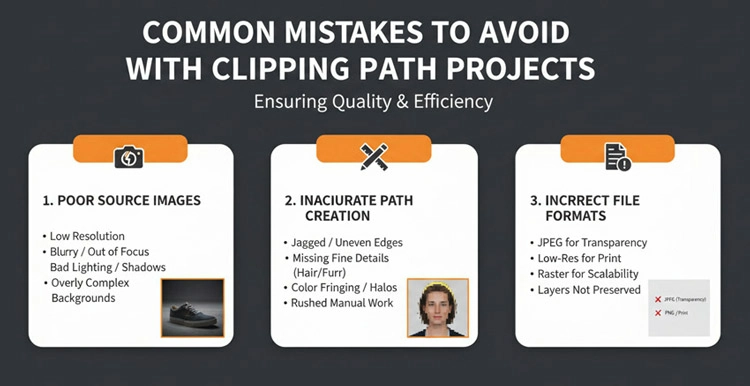
Learning from others’ mistakes saves time, money, and frustration. Here are pitfalls frequently tripping up agencies new to outsourcing clipping path work.
Being over-focused on price only when choosing vendors
Picking the cheapest editing company is hardly a way of getting the better work done. Bad paths will be definitely changed, resulting in a waste of time and money, even more than if you had to hire the right photo editing service provider from the start. Besides per-image pricing, looking at quality samples, communication responsiveness and revision policies is the way to go for vendor evaluation.
Giving incomplete instructions
Making assumptions about what appears “obvious” is indeed the main reason for most project failures. What is very clear to you is not quite clear to a person who has not seen your brand standards and is unfamiliar with your industry. So, it’s better to over-communicate your expectations, provide visual references and document your specifications completely.
Uploading low-quality source images
Clipping paths are not able to compensate for the fundamental photography issues. Even out-of-focus edges and heavy noise will hinder the creation of a clean path.
Not paying attention to file format
Throwing 300 images at your supplier named “IMG_0001.jpg” to “IMG_0300.jpg” is a recipe for chaos. Use filenames that are descriptive and clearly identify the products. Give out tables linking filenames with product SKUs and descriptions. Well thought out organization is the way to avoid misunderstandings and also makes the review stage easy.
Making the schedule too tight
Planning on 500 intricate paths to be done in 24 hours is actually setting the project up for failure. Talk to your editors and find out what a reasonable schedule is in relation to volume and complexity. The rush fees are there to cover emergencies and not as a regular practice.
Not asking for sample images
It is a must that you see the samples of the work done on your own images before you sign up for the whole package, pricing, and timing. What is visually appealing in company’s portfolios may not meet your own quality standard. Testing samples is the only way to be sure.
Not allocating some time for revisions
With even the best retouching company, some revisions are always going to be there issues in communication, unforeseen problems and change of plans in the middle of a project. You should allow 2–3 days for revisions so that minor changes do not turn into major problems.
Packing a variety of different products in one batch
Handing over jewelry furniture apparel, and electronics altogether in one batch leads to complexities in pricing, assigning, and quality control. Separate similar products for more efficient processing and getting consistent results.
Forgetting to store master files
You get edited images and then, without delay, you flatten and throw away layered versions which is very limiting. Keep the master files with all the layers and paths present. The price of storage is low while the price of redoing the edit is high.
Changing requests in the middle of the project
Forcing a total redo by selecting half-way that backgrounds should be light gray instead of white, and shadows should be softer. Confirm requirements before you start production. If changes cannot be avoided, expect changes in cost and timeline.
Final Thought
For advertising agencies and catalog producers, professional clipping path services are much more than just technical tools for convenience. They are actually some of the most valuable strategic assets that help agencies to become more creative, productive, and closer to clients.
It is easy to understand the logic behind: giving mechanical editing works to external specialists is cheaper than doing them in-house besides it also provides higher quality, and directly allows creative teams to dedicate their time for more valuable tasks. Clipping paths are very flexible with the perfect product isolation which allows for unlimited background changes, high-level compositing, and very smooth cross-media integration that not only enhance creative potential but also shorten production lead times.
In a business where time is always a factor and quality is the main reason for keeping customers, professional clipping path services are no longer mere extras. They are indeed, the basic facilities which distinguish those agencies who can manage big, complicated campaigns from those always running around to deliver the minimum.
The agencies that are winning major accounts and producing really exceptional work have come to understand this: every hour that designers spend on tracing product edges is an hour not spent on inventing creative concepts that are so different from the norm. Outsourcing strategically doesn’t mean cutting corners, it means using talent in the places where it yields the most value.
Related posts
Why Manual Clipping Path Gives Better Results