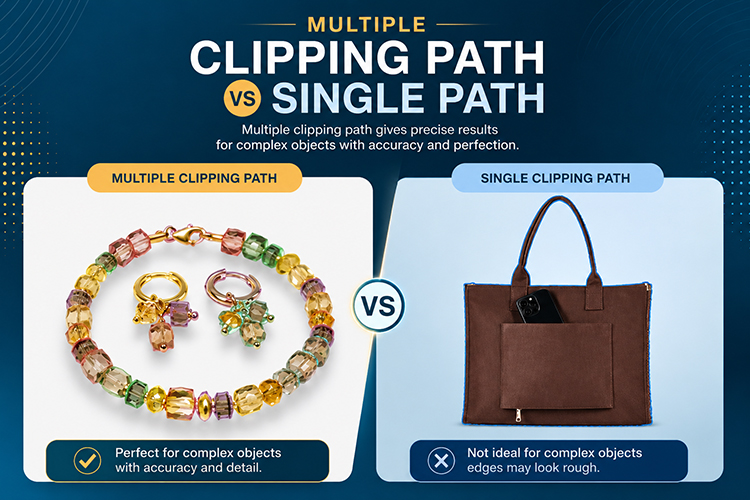
Why Manual Clipping Path Gives Better Results?

Why Manual Clipping Path Gives Better Results
“Manual clipping path gives better results because a real person controls every curve and edge. This method handles complex shapes, fine details, and tricky edges with accuracy. Software tools often miss small details. Manual work respects each image and produces clean, professional output every time.”
Product photos need clean edges. Online stores want images that look sharp and professional. Manual clipping path helps you get that result. This method uses human skill instead of automatic software. A trained editor draws the path by hand. This gives you full control over every detail. Many brands choose manual clipping path for this reason. It works well for jewelry, furniture, fence or net like products, hair, fur, glass, and other tricky objects. Automatic tools often fail with these details. Manual work does not.
Studies on online shopping behavior show that image quality ranks among the top factors buyers use to judge a product before purchase. A blurry edge or a rough cutout can lower trust instantly. Many surveys of online shoppers report that clear, well cut product photos increase the chance of a completed sale. This is why so many stores invest extra time in manual editing rather than relying only on software.
What Is A Clipping Path?
“A clipping path is a line drawn around an object in an image. This line separates the object from its background. Editors use this path to remove or change the background. It works like a digital outline. The outline helps you isolate any shape with precision and clean edges.”
A clipping path acts like a fence around your subject. It marks the exact edge of the object. Once drawn, you can remove the background easily. You can also add a new background. Editors use special software like Adobe Photoshop to draw these paths. The path can be simple or complex. A square box needs a simple path. A necklace with many curves needs a complex path. Both types need careful drawing for good results.
Clipping paths have different levels. A basic path suits simple shapes with one or two anchor points per curve. A complex path suits shapes with holes, like a donut or a ring. A super complex path suits shapes with many small details, like a comb or a hairbrush. Editors often sort images into these levels before starting work. This sorting helps them plan time and set fair pricing for each project.
How Does Manual Clipping Path Work?
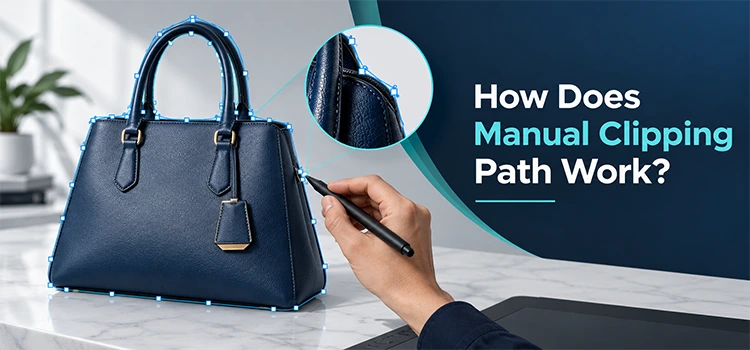
“Manual clipping path work starts with a skilled editor opening the image in editing software. The editor studies the object shape first. Then they draw points around the edge by hand. These points connect to form a path. The process takes time but delivers precise and clean results.”
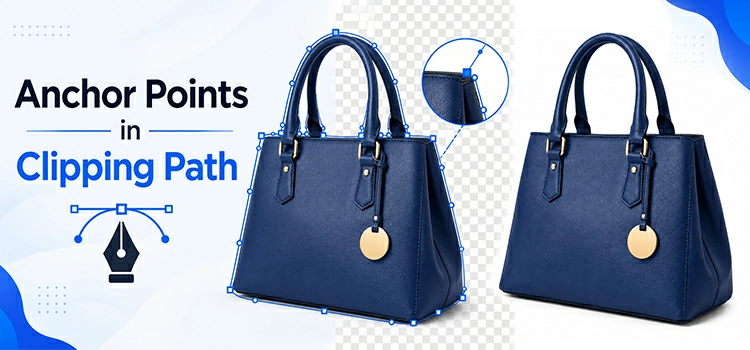
The photo editor zooms into the image first. It helps them see small details clearly. Next, they place anchor points along the edge of the object. Each point connects to the next one. This forms a smooth line around the shape. The editor adjusts curves where needed. They check corners and tight spots with care. Once the path is complete, they use it to cut out the background. This process needs patience and skill. Many photo editing services offer this exact method for high quality work.
A single simple image might need only 10 to 20 anchor points. A complex image, like a necklace with many links, can need several hundred points. Editors often work at high zoom levels, sometimes above 300 percent, to catch every small curve. This level of zoom lets them spot pixel level errors that a normal view would miss. After the path is done, editors review it again at a lower zoom level to check the overall shape looks natural.
Why Does Manual Work Beat Automatic Tools?

“Manual work beats automatic tools because software cannot judge tricky edges well. Automatic tools use pattern detection, which often misses fine details. Human editors see context and adjust their approach. They notice shadows, reflections, and thin lines. This attention leads to cleaner and more accurate cutouts.”
Software tools scan pixels and guess where edges are. It works best for simple shapes. But complex objects confuse these tools. Fur, hair, and lace often get cut wrong. Automatic tools may leave rough edges or holes. A human editor does not guess. They look closely and trace the real edge. They fix problems as they go. Such care leads to a cleaner final image. Brands that want perfect product photos often trust manual editors over software alone.
Testing across many types of images shows a clear pattern. Automatic background removal tools perform well on plain objects with strong color contrast against the background. Accuracy tends to drop sharply on objects with fine strands, transparent parts, or reflective surfaces. In many side by side comparisons, manual paths show smoother edges and fewer stray pixels than automatic results. This gap grows larger as object complexity increases.
What Objects Need Manual Clipping Path Most?
“Objects with fine details need manual clipping path the most. Jewelry, hair, fur, and glass items fall into this group. These objects have complex edges that confuse automatic tools. Manual editors handle these details with steady hands and sharp focus, giving you a clean and natural result.”
Jewelry has small gaps and shiny parts. Automatic tools often blur these areas. Fur and hair have thin strands that move in odd directions. Software struggles to trace each strand correctly. Glass items show reflections and transparent parts. These features confuse pattern based tools. A manual editor studies each item and adjusts their method. They trace fine hairs one by one if needed beside image masking technique. Such level of care gives you accurate and clean results every time.
Below is a simple breakdown of common object types and their difficulty level for automatic tools versus manual editors.
| Object Type | Automatic Tool Accuracy | Manual Editor Accuracy |
| Solid boxes | High | High |
| Clothing on mannequin | Medium | High |
| Jewelry with chains | Low | High |
| Fur or hair | Low | High |
| Glass or transparent items | Low | High |
| Wire frame furniture | Low | High |
The table shows why many stores mix both methods. They use AI automatic tools for simple, bulk images. They use manual editors for their hero products and detailed shots.
How Does Manual Clipping Path Help E-commerce Sellers?

“Manual clipping path helps e-commerce sellers by giving them clean, consistent product photos. Clean images build trust with buyers. Consistent backgrounds make a store look professional. Better photos also lead to more sales. Sellers who use manual editing often see stronger customer engagement and fewer returns.”
Online buyers cannot touch or feel products. They rely on product photos alone. A clean, well cut image builds confidence. Buyers trust stores that show sharp, professional pictures. Manual clipping path removes background clutter completely. It makes the product stand out. Sellers can place products on white or colored backgrounds with ease. This consistency across a catalog looks polished. Many sellers turn to trusted photo editing services to get this level of quality across hundreds of images at once.
Return rates offer another useful data point. Retail research often links unclear product images to higher return rates, since buyers form wrong expectations about size, color, or texture. Clean, accurate images reduce this confusion. A consistent white background across a full catalog also helps buyers compare products side by side. Large marketplaces often set strict image rules for this exact reason, and many require pure white backgrounds with no shadows or clutter.
What Skills Does A Manual Clipping Path Editor Need?
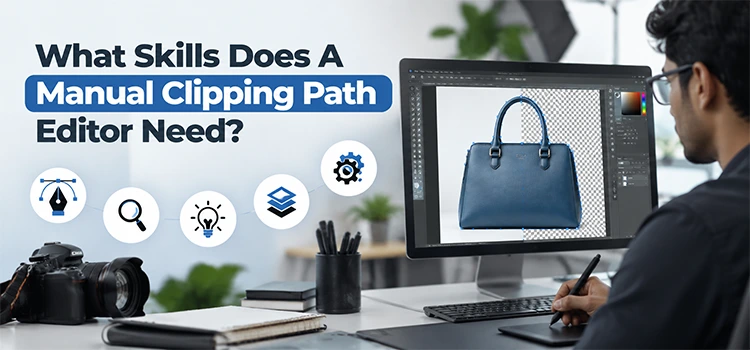
“A manual editor needs patience, focus, and a steady hand. They also need strong knowledge of editing software. Good eyesight for small details matters too. Experience with different object types helps them adapt their method. These skills together create accurate, clean, and professional clipping path results.”
Image editors train for months or years to master manual clipping path skill. They learn how to use pen tools and anchor points well. They study different materials like fabric, metal, and glass. Each material behaves differently under a path tool. Editors also learn to spot mistakes before they submit their work. Speed matters too, but not at the cost of quality. The best photo editors balance speed with sharp attention to detail on every single image they handle.
Many professional editors also learn related skills that support clipping path work. These include color correction, shadow creation, and image retouching. A strong expert understands how light falls on different materials. They know how a shadow should look under a shoe versus under a glass vase. This broader knowledge helps them make better decisions when a path meets a tricky edge, such as where a shadow blends into the background.
Is Manual Clipping Path Worth The Extra Time?

“Manual clipping path is worth the extra time because it delivers superior quality. Automatic tools save time but often need fixes later. Manual work reduces errors from the start. This saves time in the long run. Businesses that want lasting quality find manual clipping path a smart investment.”
Automatic edits or AI photo editing often need a second round of fixes. It adds more time overall. Manual clipping path gets the job right the first time. You avoid back and forth corrections. Your images look ready to use right away. It saves both time and money over a full project. Businesses with large photo catalogs benefit the most. They get consistent quality without repeated edits or delays.
Consider a simple time comparison. An automatic tool might process an image in seconds, but a complex image often needs 5 to 10 minutes of manual cleanup afterward to fix errors. A skilled manual editor might spend 10 to 15 minutes on the same complex image from the start, with no cleanup needed. In many cases, the total time ends up similar, but the manual result comes out cleaner on the first pass. For catalogs with thousands of images, this difference adds up to real savings in both time and cost.
Frequently Asked Questions
-
What is the main benefit of manual clipping path?
The main benefit is accuracy. A human editor traces each edge by hand. This means fine details like hair, fur, and jewelry gaps get handled with care. Automatic tools often miss these details. Manual work gives you a clean and natural looking cutout every single time, without rough edges or mistakes.
-
How long does manual clipping path take?
The time depends on the object shape. Simple shapes like boxes take a few minutes. Complex shapes like jewelry or fur can take much longer, sometimes 15 minutes or more per image. Editors work carefully rather than quickly. This extra time results in higher quality output that needs no further correction once the work is complete.
-
Can automatic tools replace manual clipping path?
Automatic tools work well for simple, plain shapes with strong contrast. They struggle with complex edges like hair, fur, or transparent objects, where accuracy often drops well below manual results. For these tricky cases, manual clipping path still gives better results. Many businesses use automatic tools for basic tasks and manual editors for detailed, high value product images.
-
Which industries use manual clipping path the most?
E-commerce businesses use this method the most. Jewelry sellers, clothing brands, and furniture stores rely on it heavily. Photography studios also use manual clipping path for portraits and product shoots. Any industry that needs clean, professional images with tricky details benefits from this careful editing method.
-
Does manual clipping path cost more than automatic editing?
Yes, manual clipping path usually costs more per image because it needs skilled human labor and more time. However, the higher quality often justifies the cost, since it lowers return rates and cleanup work later. Many sellers view this extra cost as a smart investment in their brand image and customer trust.
-
What software do editors use for manual clipping path?
Most editors use Adobe Photoshop for this task. This software offers a pen tool that lets editors draw precise anchor points, often at zoom levels above 300 percent for fine detail. Some editors also use other advanced editing programs. The software choice matters less than the skill of the editor using it.
-
Can manual clipping path fix shadows and reflections?
Yes, skilled editors can manage shadows and reflections during the clipping process. They study the image closely and decide how to handle these tricky areas. This careful approach keeps the final image looking natural. Automatic tools often struggle with these same elements and produce flat, unnatural results with visible artifacts.
-
How many images can one editor complete in a day?
It depends heavily on image complexity. An editor might complete 100 or more simple images in one day. Complex images with fine details, like fur or lace, may allow only 20 to 30 finished images per day. Experienced editors balance speed and quality well across mixed batches of work.
-
Is manual clipping path good for print materials?
Yes, manual clipping path works well for both web and print materials. Print materials often need higher resolution and sharper edges, since flaws show up more clearly on paper than on a screen. Manual editors can adjust their work to match these higher standards for catalogs, brochures, and other printed items.
-
How do I choose a good manual clipping path service provider?
Look for editing service providers like Color Experts International, Clipping Path India, and so on with strong sample work and good reviews from past clients. Ask about their editing process, pricing per image, and turnaround time. Check if they handle your specific type of product well, especially if you sell jewelry, apparel, or glass items. A good provider communicates clearly and delivers consistent quality.
Conclusion
Manual clipping path stands out because it relies on human skill and care. This method handles tricky shapes and fine details better than automatic tools. It gives online sellers clean, trustworthy product photos. It also saves time by avoiding repeated fixes. The data shows a clear pattern across object types, return rates, and buyer trust. Complex items like jewelry, furniture, fur, and glass need a human touch to look their best. If you want sharp, professional images that support real sales growth, manual clipping path is the smart choice for your product catalog.