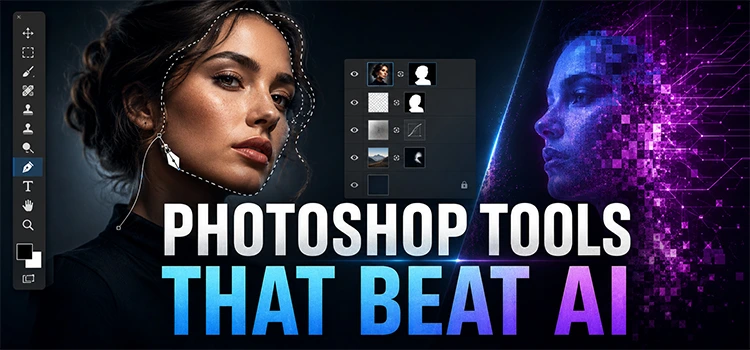
Model Retouching for Fashion E-commerce: Best Practices

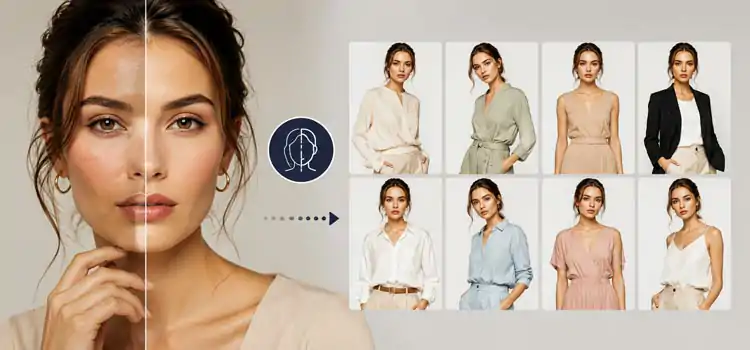
“Model retouching for fashion e-commerce is the cleaning up images professionally, fixing skin, lighting, and color, so products look appealing and premium. Good retouching builds buyer trust, reduces returns, and increases conversion rates across all product categories.”
Fashion e-commerce brands compete on visuals. Shoppers cannot touch or try products. They rely entirely on images to make decisions. A well-retouched model image sells better than a poorly edited one. Getting this right requires a clear, consistent workflow and a strong understanding of what buyers actually want to see.
Why Does Model Retouching Important for Fashion E-commerce?
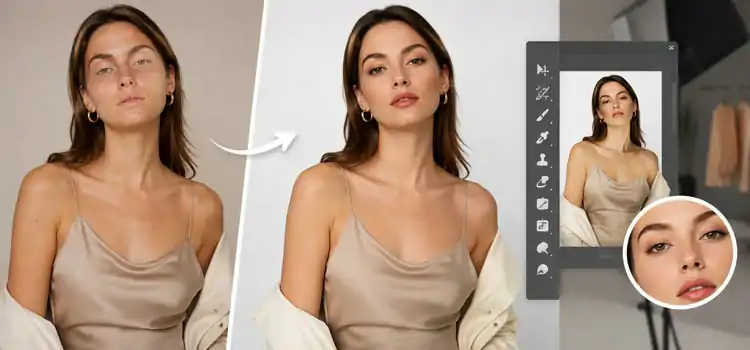
“Model retouching is crucial because product photos drive customer to take purchase decisions. Clean, well-lit, and naturally edited photos reduce customers’ hesitation. They make garments look their best without misleading buyers. This directly reduces return rates and builds long-term brand credibility.”
Fashion buyers judge quality by image quality. If a product photo looks unprofessional, shoppers assume the product is also low quality. Model retouching removes distractions, unwanted wrinkles in clothing, uneven lighting, stray hairs, or skin blemishes, so the garment remains the focus. It also creates a consistent visual style across all product listings, which strengthens brand identity.
Brands that invest in consistent photo retouching see measurable results. Studies show high-quality product photography can increase conversion rates by up to 30%. That makes retouching not just a creative decision but a business one.
What Are the Core Steps in Fashion Model Retouching?
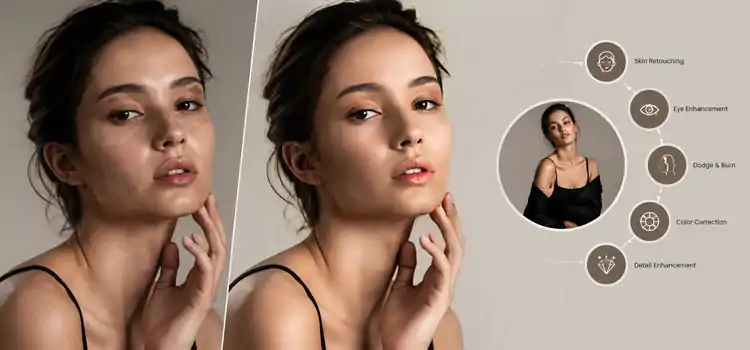
“The core steps are skin retouching, color correction, clothing cleanup, and background replacing, and sharpening. Each step serves a specific purpose. Together, they produce a polished image that looks natural, professional, and brand-consistent without distorting the product.”
-
Skin Retouching
Start with the skin. Remove temporary blemishes, uneven tones, and harsh shadows. Use frequency separation to keep skin texture natural. Over-retouching creates a plastic, unrealistic look. Keep pores visible. Keep the model looking human.
-
Clothing and Garment Cleanup
Smooth out unwanted wrinkles. Adjust fit lines where clothing folds awkwardly on the body. Make sure seams and stitching are visible and sharp. The garment must look clean without looking artificially perfect.
-
Color Correction
Match the garment color to the actual product. This step is critical for e-commerce. If the displayed color does not match the real product, return rates increase. Correct white balance, exposure, and saturation to reflect the true product color.
-
Hair and Flyaway Cleanup
Remove stray hairs that cross the face or distract from the garment. Keep the overall hair shape natural. Do not over-correct to the point where the hair looks painted or flat.
-
Background Work and Clipping Path
Clean backgrounds make products stand out. Many e-commerce brands use white or light gray backgrounds. Use a clipping path to isolate the model precisely from the original background. This also allows easy background removal later if the brand needs to place models in different contexts or layouts.
How Should You Handle Background Removal for Fashion E-commerce?

“Background removal is essential for e-commerce model photography. It creates clean, distraction-free images. Use a clipping path to cut out the model accurately, especially around complex areas like hair, fingers, and garment edges. Clean cutouts improve image usability across platforms.”
Background removal lets you place products on any background, white, lifestyle, gradient, or template-based. It also makes images more versatile for marketing campaigns. A clean clipping path ensures the edges are sharp, not jagged or blurry. This matters especially on high-resolution displays where poor cutouts look immediately unprofessional.
For fashion e-commerce, consistent backgrounds also create a uniform catalog look. Shoppers browsing through dozens of listings find it easier to compare products when all images share the same clean background format.
What Retouching Mistakes Should Fashion Brands Avoid?
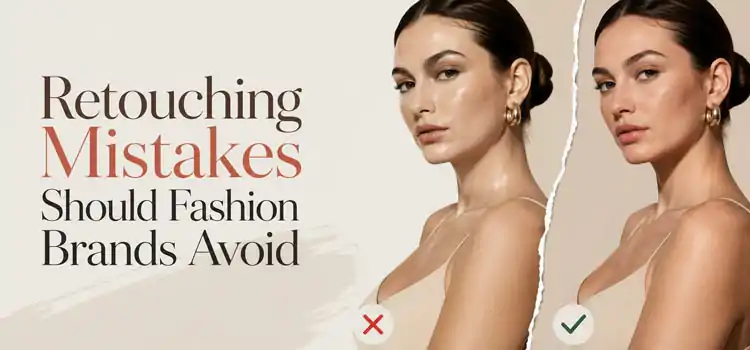
“Common retouching mistakes are skin over-smoothing, changing product colors, altering body proportions, and using inconsistent editing styles across a catalog. These mistakes mislead buyers, increase returns, and damage brand trust. Retouch to enhance, not transform.”
Over-Retouching the Skin
Removing all texture makes the model look unreal. Modern shoppers respond better to natural-looking skin. Minimalist retouching performs better in usability tests.
Misrepresenting Product Color
Changing the true color of a garment through aggressive color grading is a serious mistake. It creates a gap between expectation and reality. That gap drives product returns.
Altering Body Proportions
Some brands still use liquify tools to slim or reshape model bodies. This practice misleads buyers about how clothing fits on real bodies. It also creates regulatory and reputational risks.
Inconsistent Style Across Catalog
Different retouching styles across product pages confuse shoppers and weaken brand identity. Establish a clear style guide before editing starts.
How Do You Keep Model Retouching Consistent Across a Large Catalog?

“Use a written style guide, presets, and templates to maintain consistency across a large catalog. Define rules for skin tone, brightness, contrast, color profile, and background. Train your team or outsource to a retouching partner who follows the same standards every time.”
Consistency matters more than perfection for large catalogs. A slightly imperfect but uniform catalog looks more professional than a mix of highly polished but stylistically inconsistent images. Here are practical ways to maintain consistency:
- Create a retouching brief. Document the exact settings, style, and standards for every image type.
- Use Lightroom or Capture One presets. Apply base corrections globally before detailed retouching begins.
- Use batch processing for repetitive tasks. Actions in Photoshop can handle background standardization and color profile adjustments at scale.
- Review images together. Always check new edits against approved reference images before delivery.
When Should You Outsource Photo Retouching?
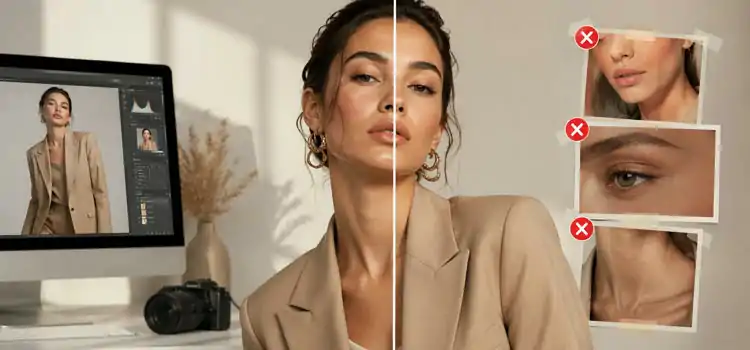
“Outsource photo retouching when your volume exceeds your in-house capacity, your team lacks specialized skills, or turnaround time is tight. A professional retouching service handles high volumes efficiently, maintains style consistency, and delivers polished results faster than generalist editors.”
Many fast-growing fashion e-commerce brands outsource photo retouching, background removal, and clipping path work to dedicated image editing studios. This frees the internal creative team to focus on shooting, direction, and strategy. Outsourcing also works well during seasonal peaks- sales, launches, or collection drops when image volume spikes dramatically.
When choosing an outsourcing partner, look for experience in fashion specifically, clear revision policies, and sample work that matches your quality expectations.
What Tools Do Professional Retouchers Use for Fashion Photography?
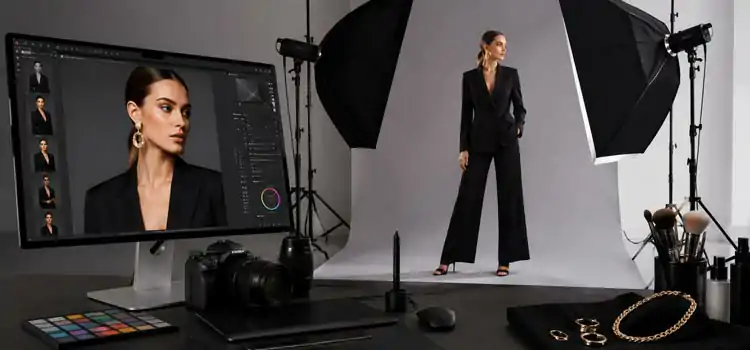
“Image editing experts use Adobe Photoshop for professional retouching, Lightroom for batch color correction & culling, and Capture One for tethered shooting and color grading. Specialized plugins like Portraiture and Dodge & Burn tools speed up skin retouching maintaining natural texture.”
Here are the most commonly used tools:
- Adobe Photoshop– the industry standard for layer-based retouching, masking, and clipping path work
- Adobe Lightroom– ideal for catalog-level color correction and preset application
- Capture One– preferred by many fashion photographers for color accuracy
- Portraiture Plugin– speeds up skin smoothing while preserving texture
- Remove.bg or manual masking– for fast background removal on simpler images
For high-end fashion e-commerce, manual retouching in Photoshop still delivers the best results. Automated tools help with speed but often fall short on complex garment edges and hair.
How Does Retouching Impact SEO and Conversions?
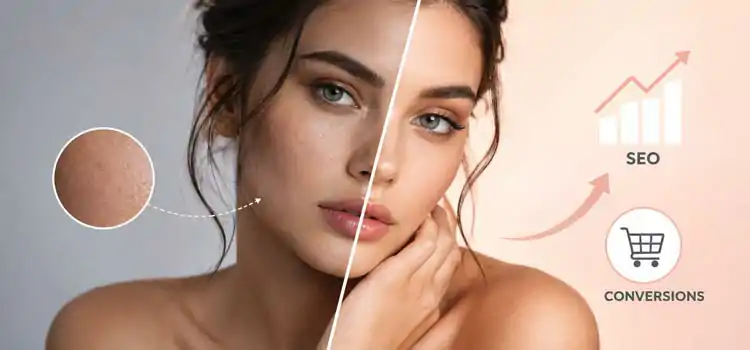
“Retouched images improve page load performance when optimized correctly, and they increase time-on-page because shoppers engage with quality visuals longer. Better engagement signals improve SEO rankings indirectly. High-quality images also increase add-to-cart rates, directly boosting conversion.”
Image quality influences multiple metrics that matter to e-commerce performance:
- Bounce rate– Poor images push shoppers away immediately
- Time on page– Engaging visuals keep shoppers browsing longer
- Return rate– Accurate, well-retouched images set correct expectations
- Social sharing– High-quality product images get shared more on social platforms
Always export retouched images in the correct format, WebP or compressed JPEG, to ensure fast load times without sacrificing quality. Use descriptive alt text with relevant keywords to strengthen the image’s SEO contribution.
FAQs: Model Retouching for Fashion E-commerce

-
What is model retouching in fashion e-commerce?
Model retouching in fashion e-commerce is the process of professionally editing model photographs to improve visual quality, correct color, clean up clothing, and remove distractions. The goal is to present the product accurately and attractively so online shoppers feel confident in their purchase decision.
-
How much retouching is too much for fashion product images?
Retouching becomes excessive when it misrepresents the product or the model. Over-smoothing skin, altering body shape, or changing garment color crosses the line. The standard practice is to retouch for clarity and consistency, not to create a look that does not reflect reality. Less is often more in professional photo retouching.
-
What is a clipping path and why does it matter?
A clipping path is a precise vector outline drawn around a subject in an image, used to isolate it from the background. In fashion e-commerce, it allows clean background removal so the garment and model appear on any chosen background. A well-made clipping path produces sharp, professional edges that look clean on all screen sizes.
-
How does background removal help fashion brands?

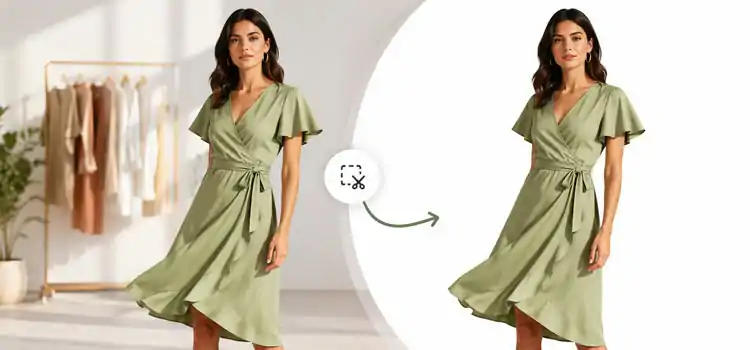
Background removal creates clean, uniform product images that fit any layout or campaign template. It removes visual noise so shoppers focus on the garment. It also makes images reusable across multiple marketing channels, website, social media, ads, and print, without requiring reshoots for each context.
-
Can automated tools replace manual photo retouching for fashion?
Automated tools help with speed and basic tasks, but they cannot match manual photo retouching for quality on complex fashion images. Hair, garment edges, transparent fabric, and intricate jewelry all require skilled human judgment. For high-volume, low-complexity images, automation helps. For hero shots and key product images, manual retouching always wins.
-
How long does professional model retouching take?
A basic fashion image retouch takes 15 to 30 minutes per image. Complex retouching, including detailed skin work, garment cleanup, and clipping path, can take one to two hours per image. Turnaround time from a professional retouching studio usually ranges from 24 to 72 hours depending on volume and complexity.
-
What file format should retouched fashion images be saved in?
For using on website, try to save retouched images as WebP or high-quality JPEG. WebP offers better compression with less quality loss. For print or archiving, save as TIFF or PSD. Always keep the original unedited RAW file and the layered PSD file so future edits are non-destructive and easy to make.
-
Should fashion brands use diverse models and how does that affect retouching?
Fashion brands benefit greatly from using diverse models across body types, skin tones, and ages. Retouching standards must adapt accordingly. Skin retouching techniques differ across skin tones and require specific knowledge to avoid over-brightening or misrepresenting darker complexions. Diverse representation with thoughtful retouching builds stronger brand loyalty among a wider audience.
-
How do I brief a retouching team or outsourcing partner?
Write a clear retouching brief that covers skin tone targets, background requirements, color correction standards, sharpening preferences, and examples of approved and rejected edits. Include reference images that show the exact look you want. A good brief saves revision rounds, reduces errors, and helps a new partner match your brand style from the first batch.
-
What is the difference between basic and advanced fashion retouching?
Basic retouching covers exposure correction, color balancing, minor blemish removal, and background cleanup. Advanced retouching adds frequency separation for skin, dodge and burn for depth, detailed garment smoothing, hair flyaway cleanup, and precise clipping path work. Advanced retouching takes more time but delivers a noticeably higher quality result suited for hero images and high-traffic product pages.
However, Model retouching for fashion e-commerce is about presenting products clearly and honestly. It involves skin retouching, color correction, garment cleanup, background removal, and clipping path service. Brands that follow consistent retouching standards build buyer trust, reduce return rates, and create stronger product catalogs that perform better over time