Clipping Path for Fashion & Apparel Photography
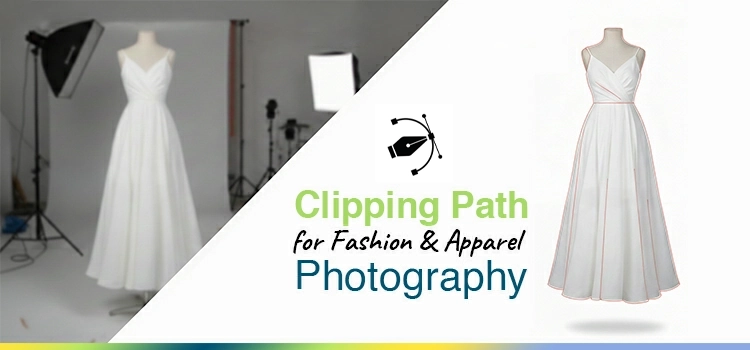
In the fashion e-commerce, the quality of your product photos act as the ultimate digital handshake between the brand and the consumer. As a professional editor, we have seen how the accuracy of a manual clipping path improve a fashion & apparel photos from a mere listing to a premium must-have. While automated AI tools often ruin delicate textures or flatten the essential 3D effects of a ghost mannequin, the manual clipping path by Pen Tool remains king for maintaining the image aesthetics that modern shoppers demand. By ensuring every anchor point is hand-drawn, we eliminate unwanted background and deliver the razor-sharp, ecommerce marketplace compliant product images that drive clicks and build customers trust.
However, let’s have a glance how clipping path influences the quality of fashion and apparel photographs from our practical work experience.
What Is Clipping Path in Fashion Photography?
Clipping path is a manual technique used to isolate parts of an image for editing. Widely used in fashion photography, it removes backgrounds, ensures consistency, and enables precise adjustments like shadows and color, delivering clean, professional product images with pixel-perfect edges.
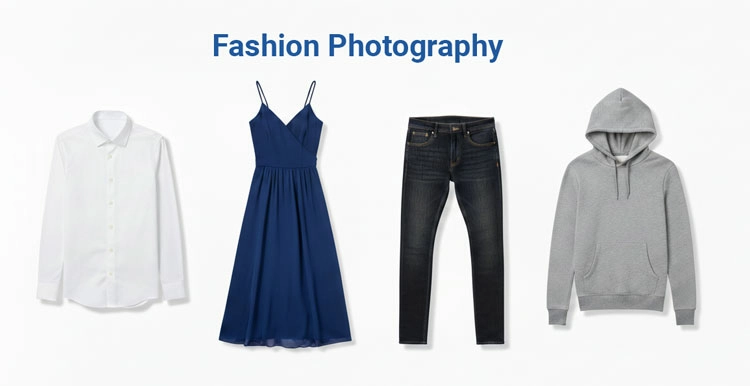
Clipping path is a vector path created using tools like the Pen Tool of image editing tools like Adobe Photoshop. This path defines which part of the image remains visible and which part is excluded. The portion that you want to edit or change of an image, here you need to create path a selection. Clipping path allows photo editors to bring any change or correction in the image.
In fashion photography industry, clipping paths are applied to:
- Remove distracting backgrounds
- Place apparel on clean white backgrounds
- Maintain consistent product presentation across catalogs
- Enable further editing like shadow creation or color correction
- Cut out objects from background
- Isolate a product photo from its messy backdrop
Unlike automated AI selections, editors create clipping paths manually, which allows for pixel-level perfection, especially around edges like collars, sleeves, hems, and accessories.
For example, we isolate a dress photo on a mannequin using a clipping path that allow to place it on a white background and add a ghost mannequin effect.
Why Clipping Path Matters for Fashion & Apparel Brands?
Clipping path enhances product presentation, ensuring consistency across catalogs, improving conversions, and meeting marketplace standards. It strengthens brand identity with clean visuals and reduces return rates by accurately representing products, ultimately increasing customer trust, sales performance, and overall business profitability.
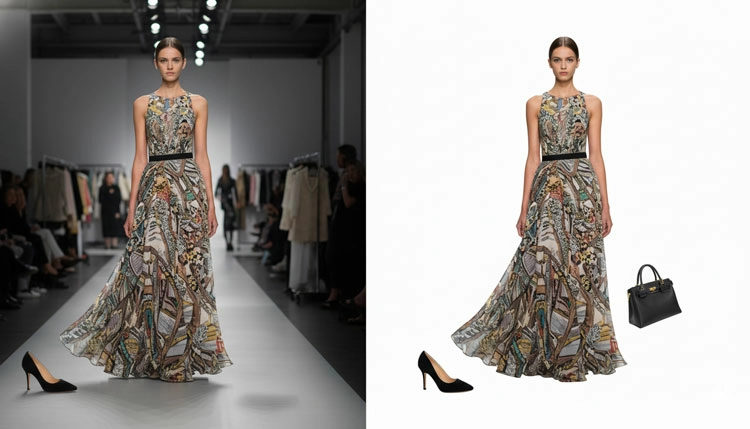
Clipping path is not just a photo editing method, it directly affects business profits.
- Visual Consistency across Product Catalogs
Fashion brands manage hundreds/thousands of SKUs. Without consistent apparel image presentation, the catalog looks messy. Clipping path ensures every product places cleanly within a defined visual framework that marketplaces demand.
- Improved Conversion Rates
Clean, distraction-free product images help customers focus on the products’ features. Studies in ecommerce show that clear product visuals increase customers’ trust and reduce hesitation during making product buying decisions.
- Marketplace Compliance
Ecommerce platforms like Amazon, Shopify, Zalando, and ASOS demand white or neutral backgrounds for products. Clipping path makes it possible to meet these requirements instead of reshooting products.
- Enhanced Brand Identity
Luxury and premium fashion brands rely heavily on visual cleanliness. Clean edges, spacing, and polished presentation contribute to perceived product quality.
- Reduced Return Rates
Accurate apparel product presentation, especially around color and shape helps online customers make buying decisions. When the product looks exactly as expected, returns decrease that increase sales and profit margins.
How does Clipping Path Work? The Process Explained
Clipping path ensures accurate product editing over AI tools. It involves selecting quality images, creating accurate paths with details, refining edges, removing or replacing backgrounds, and enhancing images through shadows, color correction, and other adjustments for a professional finish.
Understanding the workflow helps clarify why clipping path remains essential even in the age of AI tools.
Step 1: Image Selection
Photo editors can select any images- low or high quality photos. High-resolution images usually become in RAW or high-quality JPEG format. Better input results in better output.
Step 2: Path Creation
Using the Photoshop Pen Tool, image editors draw a path around the main product. Editors place anchor points and adjust curves to match the product’s edges accurately.
For fashion or apparel items, during creating path, this step requires special attention to:
- Fabric folds
- Curved silhouettes
- Accessories like zippers, buttons, and straps
Step 3: Path Refinement
Refined image edges ensure smoothness and accuracy. Zigzagged or unnatural edges ruin the professional look of a product photo.
Step 4: Background Removal
Once you have done the path creation, now you can remove or replace the product image background. You can place the product now on:
- White backgrounds
- Transparent backgrounds
- Custom brand environments
- Or any other colored backdrops
Step 5: Additional Enhancements
After clipping path, you may further edits like-
- Shadow creation
- Color correction
- Wrinkle removal
- Symmetry adjustments
- Object removal
What are the uses of Clipping Path and Image Masking in Fashion Editing?
Clipping path and image masking serve different roles in photo editing. Clipping path suits hard edges and structured items, while masking handles soft, complex details like hair or fabric. In fashion photography, both techniques are combined to ensure accurate, high-quality product images.
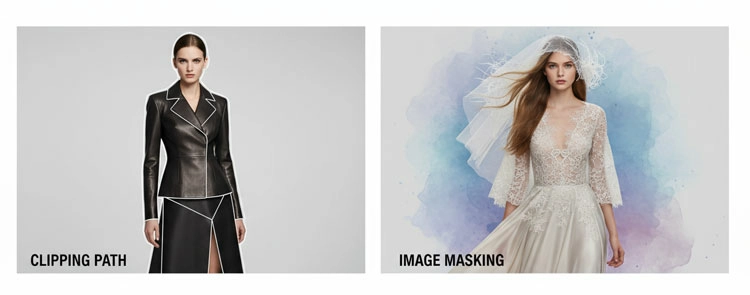
These two techniques are often confusing, but they serve different purposes. Such as-
Clipping Path
- Best for hard edges
- Ideal for structured garments
- Provides clean, sharp outlines
- Faster for standard apparel
Image Masking
- Used for soft or complex edges
- Suitable for hair, fur, or sheer fabrics
- Preserves transparency and fine details
- Veils, chiffon, feathers, or intricate textures
In fashion photography, designers utilize clipping path for:
- Shirts, pants, jackets, shoes, watches, sunglass, jewelries
A professional photo editing workflow combines both techniques depending on the product.
How to use Clipping Path for different photo editing purposes?
Clipping path is essential in photo retouching to select and edit specific image areas. It enables tasks like ghost mannequin effects, jewelry retouching, background removal, and color changes, ensuring clean edits, enhanced product appearance, and professional, high-quality visuals for eCommerce.
Photo retouchers use clipping path almost all types of photo editing needs. To make changes in any parts of the image, designers create clipping path for selecting that portions. Then they transform it into a selection and bring about any changes.
Clipping path during ghost mannequin
Apparel photo editing like ghost mannequin is impossible without clipping path. Client send us cloth photographs that are shot utilizing plastic mannequin or sometime human model. The intent is to get a hollow or 3d effect.
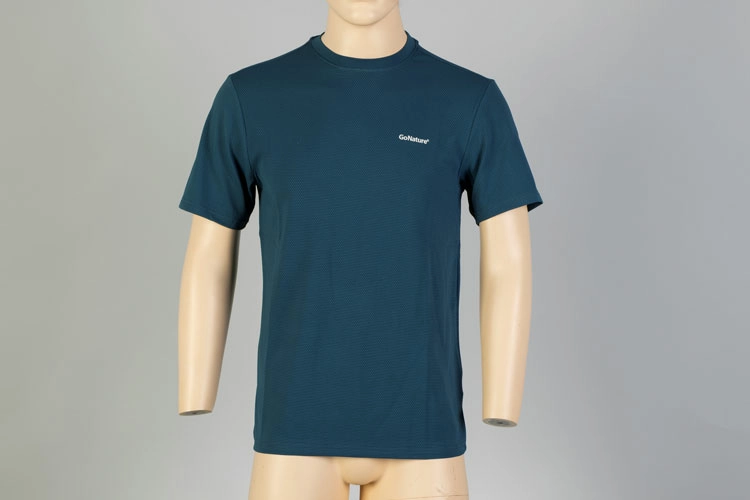
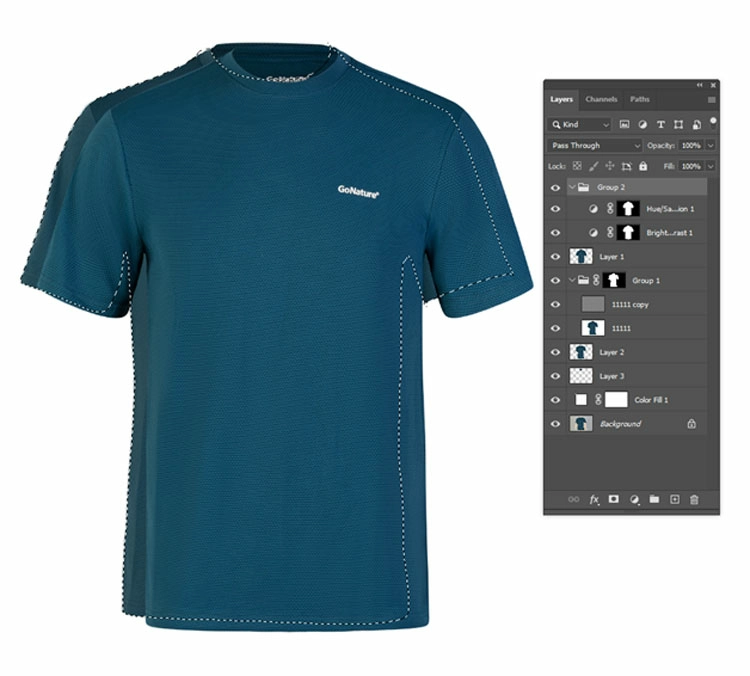
Photo editors create path around the main product image and clip the unwanted mannequin to cut out. The image below is showing that we have created path and a selection to remove the extra parts.
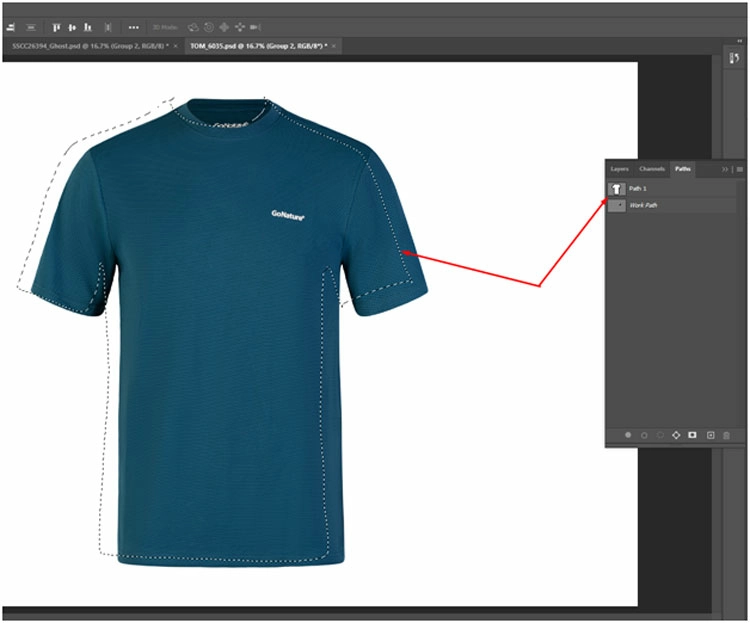
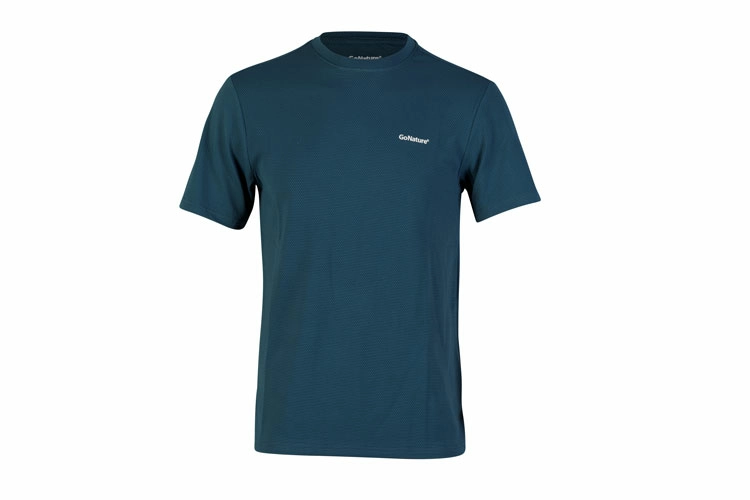
Head over the below image. It is showing our other works including clipping path. To remove mannequin and creating a 3d effect, we apply a lot of other editing works like remove background, add a white backdrop, place the product images in the center, increase or decrease lightings, pop colors, etc.
This is the result image that includes finest apparel product image with white background. Here is the desired 3d effect, shiny color, appropriate texture. Brand’s name is visible on neck and chest area.
Role of clipping path to edit Jewelry Photos
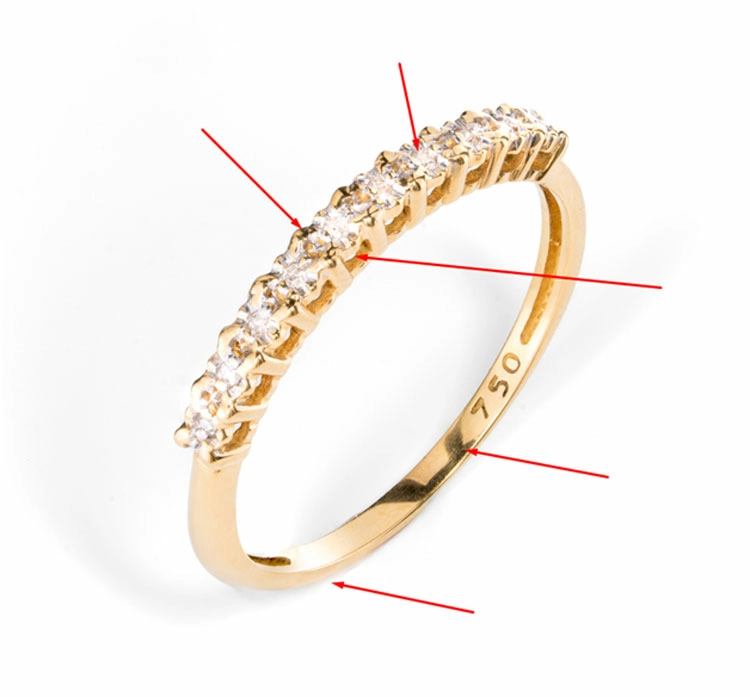
This ring image is the original image that our client has given us. See the image and red arrows, we have to edit the metal, diamond, remove background and add a pure white background, and apply product shadow.
Here we have to apply clipping path technique for selection every individual part of the fashion ornament. Without creating clipping path, we will not be able to select those portions that we need to retouch.
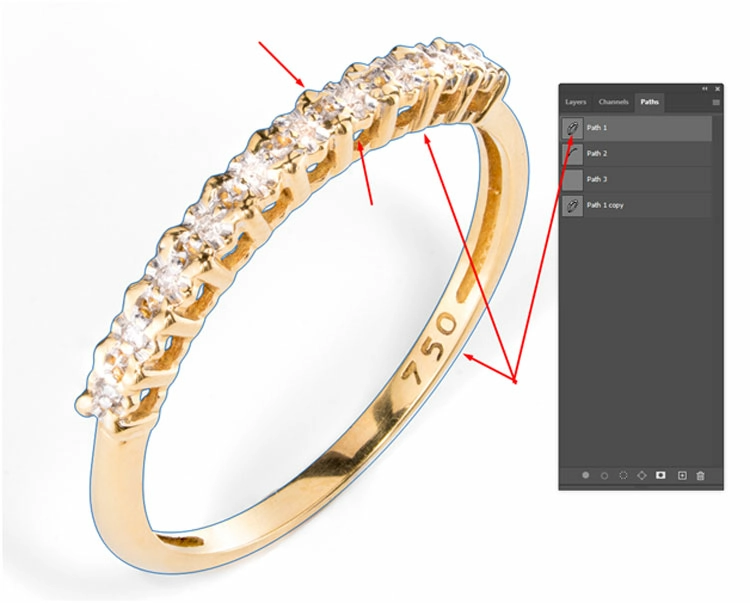
So, the blue line on the above product image is showing that we have created path around every part where we want to fix. Now let’s transform it into a selection by pressing Ctrl and clipping on the Paths layer.
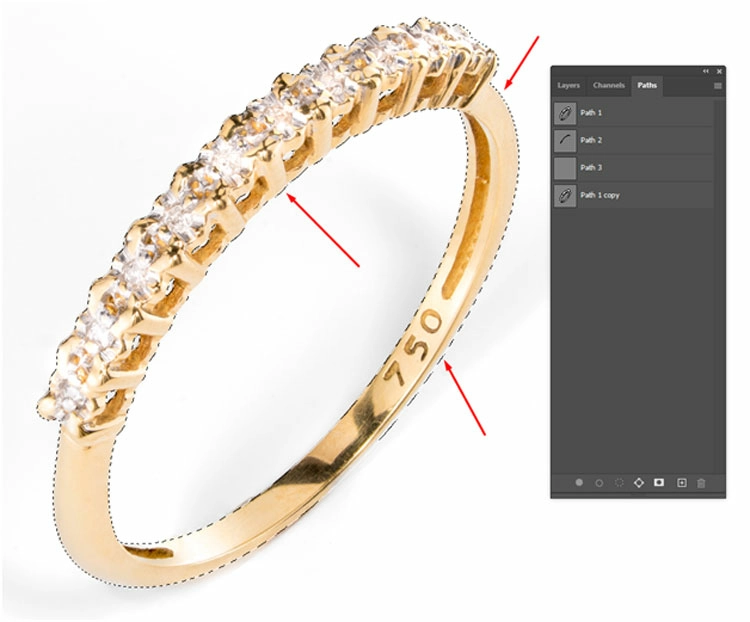
After creating the clipping paths and selection, we have applied a lot of other method to improve the fashion image.
Check the final image below and feel the differences. We have removed the black spots from the metal, applied shadow under the ring that has given a landed feel, and also retouch the gemstone.
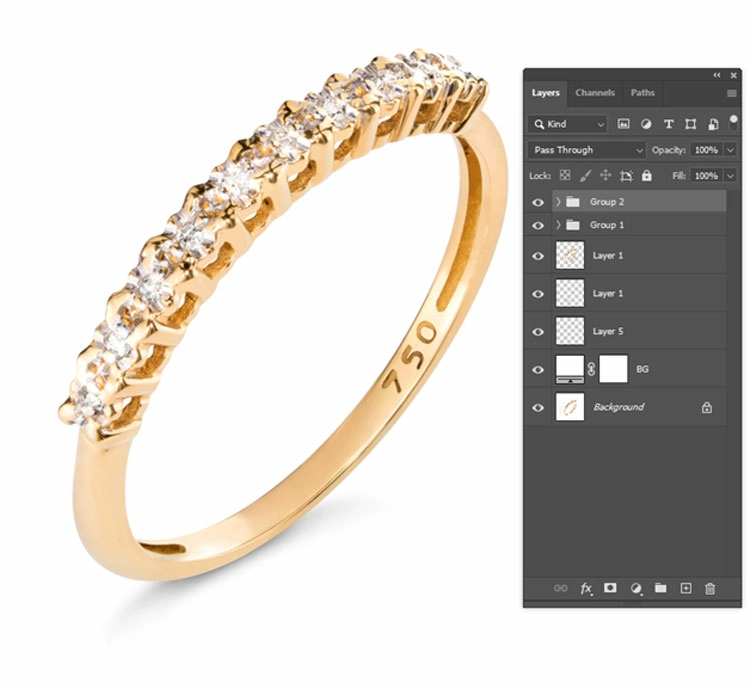
Clipping path for color correction
Open image in Photoshop.
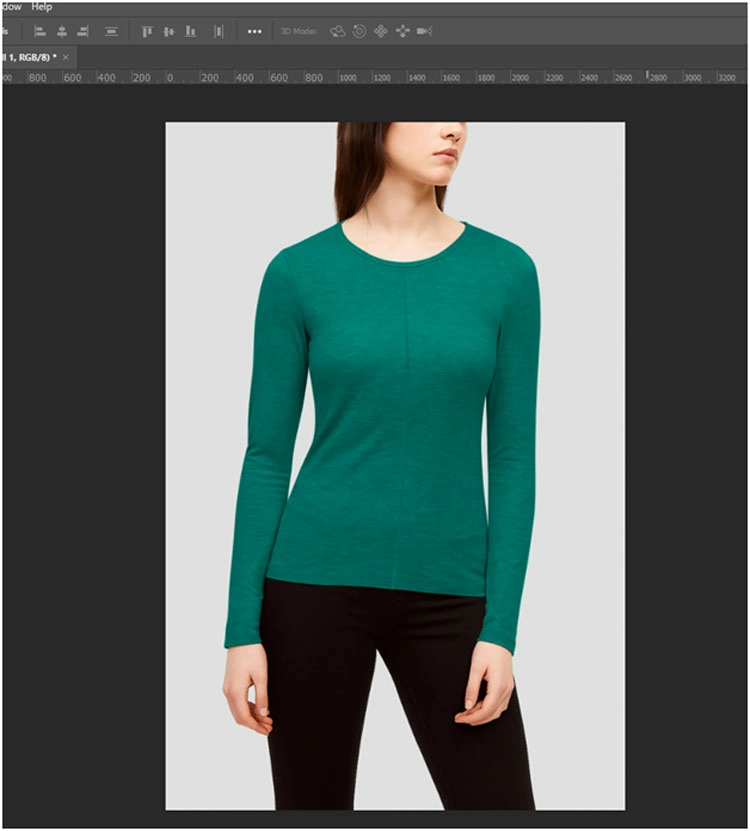
Create clipping path around the cloth items and transform it to selection like the image below
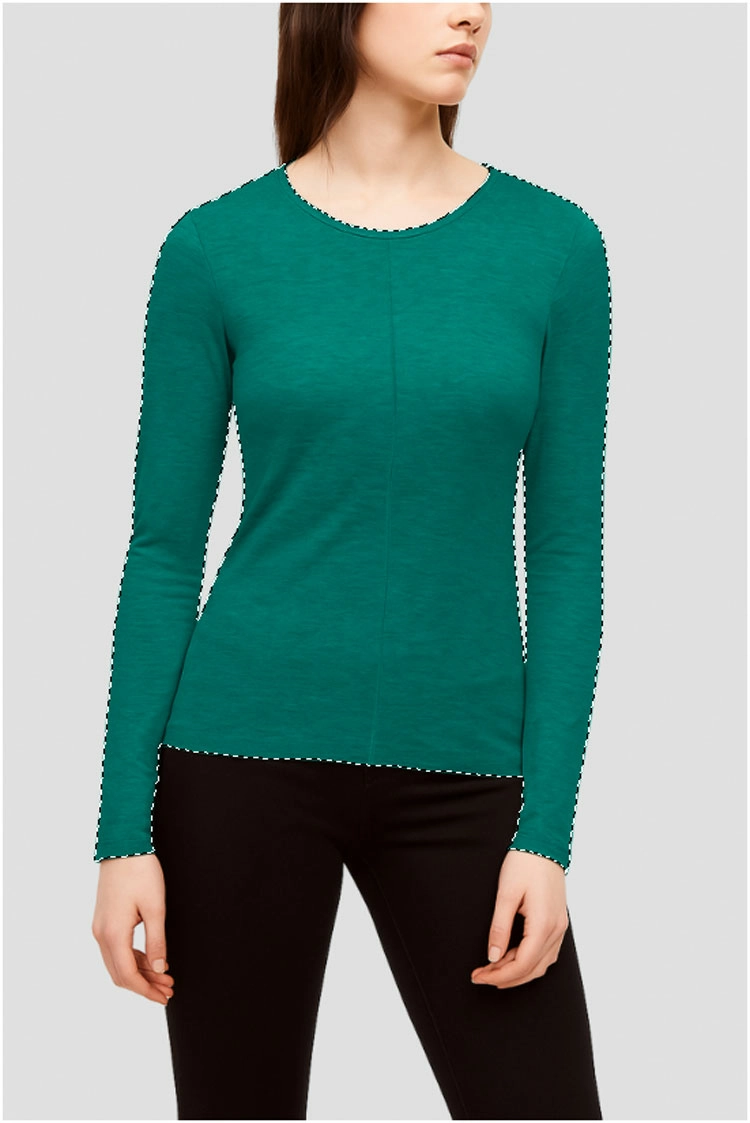
Finally, change the color that you need.
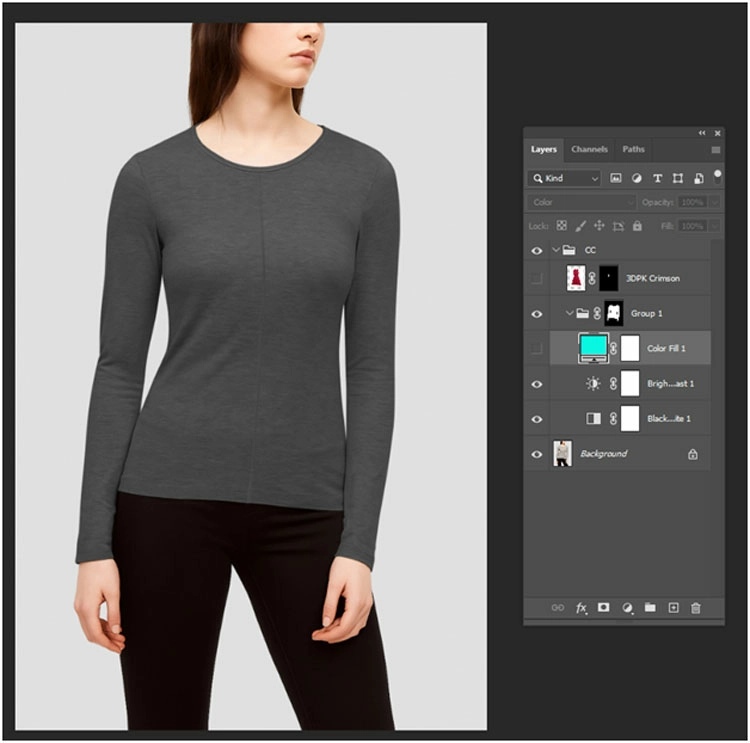
Thus you can use clipping path for color change or create multiple version of a same product just changing the colors.
What are the Challenges of Clipping Path on Fashion images?
Clipping path on fashion images is challenging due to complex fabrics with folds, intricate details like lace and stitching, layered accessories, symmetry issues in mannequins, and the time-consuming nature of manual editing, making scalability difficult for large ecommerce product catalogs.
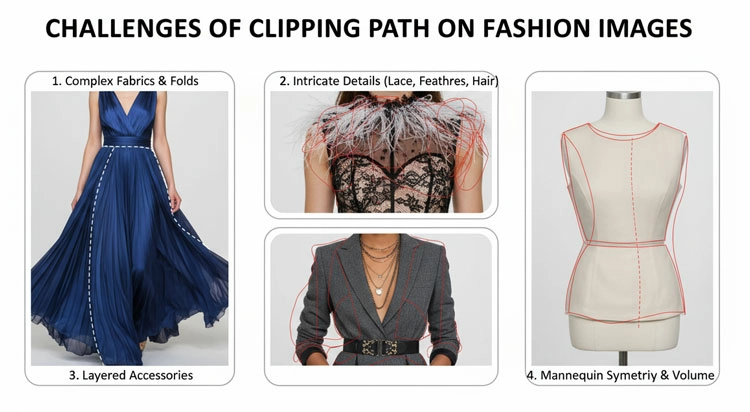
Fashion images are more complex than other product photography. Designers create clipping path on apparel images keeping in mind many delicate things-
- Fabric Complexity
Clothing is rarely flat. Wrinkles, folds, and drapes make edge detection difficult. Editors often becomes confused if the apparel image is white and contain almost a white background.
- Fine Details
Elements like lace, embroidery, or stitching require extremely flawless path creation to bring about any changes.
- Accessories and Layering
Outfits often include belts, scarves, or layered garments, increasing complexity. Create more jagged edges that make the editing process complex.
- Symmetry Issues
Mannequin photography can result in uneven shapes that need correction after clipping and creating ghost mannequin effect becomes hard.
- Time and Scalability
Manual clipping path is time-intensive, especially for large ecommerce product catalogs.
How does Clipping Path Impact Ecommerce Performance?
Clipping path improves eCommerce performance by creating clean, distraction-free product images that highlight details and consistency. It enhances visual appeal, builds customer trust, and increases conversion rates, helping brands present products professionally across marketplaces, catalogs, and marketing channels.
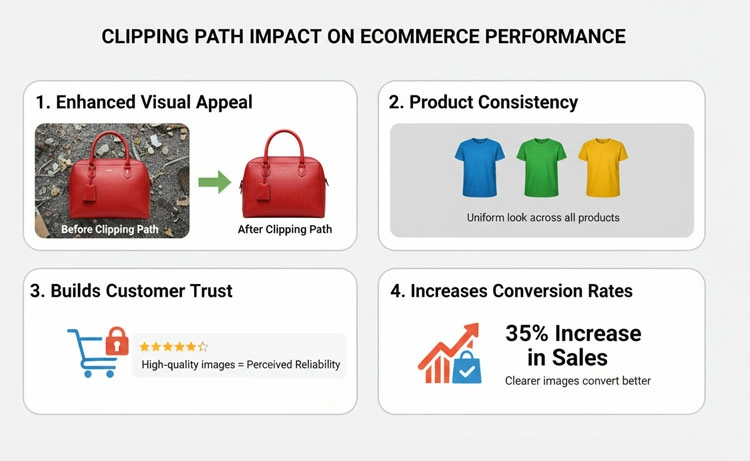
Clipping path influences several performance metrics:
Click-Through Rate (CTR)
Clean, professional images attract more clicks in search results and product listings.
Conversion Rate
Customers are more likely to purchase when the product is clearly visible and well-presented.
Bounce Rate
Poor-quality images increase bounce rates, while refined product images encourage searching.
Brand Trust
Consistent product imagery increases credibility, especially for new/growing fashion brands.
Clipping Path for Different Apparel Categories
Clipping path requirements vary by apparel type: tops need clean edges and symmetry; dresses require careful handling of curves and flow; jackets involve complex layers; shoes demand precision and shadow work; accessories need high edge accuracy for premium, polished presentation.
Different product types require the best types of clipping path.
Tops and T-Shirts
- Focus on clean edges around sleeves and neckline
- Ensure symmetry
Dresses
- Handle curves and folds carefully
- Maintain natural flow
Jackets and Outerwear
- Multiple layers and textures
- Requires medium to complex paths
Shoes
- Complex shapes and shadows
- Often require additional shadow creation
Accessories (Bags, Belts, Hats)
- High accuracy needed for edges
- Often used in premium branding
How Editors Integrate Clipping Paths with Other Fashion Image Editing Techniques?
Clipping path is the foundation of fashion image editing, enabling background removal and supporting advanced techniques like shadow creation, color correction, ghost mannequin effects, and retouching. Together, these processes ensure clean, realistic, and appealing product images for professional eCommerce presentation.
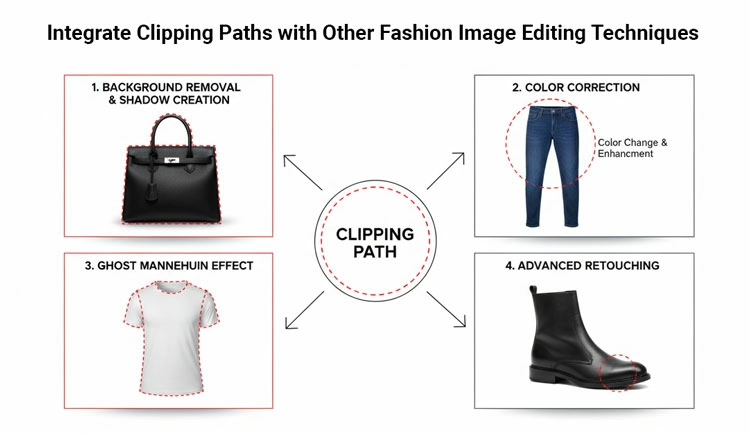
Clipping path is almost not used alone. It is part of a larger editing workflow, even it is the first step of clothing image editing.
Background Removal
Photo editing experts use bg removal primary for clean product isolation.
Shadow Creation
Before creating shadow, clipping path is necessary for selecting the area. Shadow adds realism after background removal.
Color Correction
It ensures product colors match real-life appearance.
Ghost Mannequin Effect
Combines clipping path with masking to create a hollow, wearable 3D look.
Retouching
Clipping path works with photo retouching to remove wrinkles, dust, and imperfections.
What are the Differences between Manual vs Automated Clipping Path?
Automated clipping path tools provide speed and cost efficiency for bulk images but struggle with complex details. Manual clipping ensures precise, high-quality results, making it ideal for premium fashion and garments where accuracy and visual perfection impact branding and sales.
With AI tools becoming more common, it is important to understand the difference.
Automated Tools (AI Tools)
- Faster
- Cost-effective for bulk images
- Less accurate for complex products
Manual Clipping Path
- Highly accurate, flawless product images
- Better for premium fashion photos
- Essential for complex garments
For high-end fashion brands, manual clipping remains the standard because perfection directly impacts branding and selling.
What are the Common Mistakes in Clipping Path for Fashion Images?
Common clipping path mistakes in fashion images include rough edges creating unprofessional look, over-clipping removing details, inconsistent margins causing misalignment, ignoring shadows making products unrealistic, and using wrong techniques like clipping instead of masking for soft edges in final output.
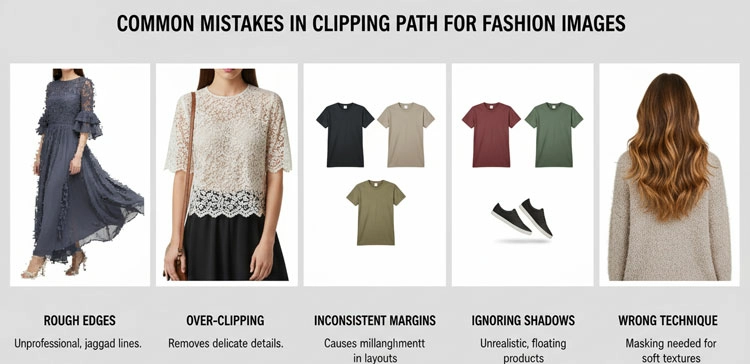
Even small errors during clipping path can damage the final editing result.
Rough Edges
Creates an unprofessional zigzaged look.
Over-Clipping
Cutting into the product removes important details.
Inconsistent Margins
Products appear misaligned across catalog pages.
Ignoring Shadows
Flat images without shadows look unrealistic. It makes products as if flying.
Using Wrong Technique
Applying clipping path instead of masking for soft edges results in abnormal product photos.
What is the Future of Clipping Path in Fashion & Apparel Ecommerce?
Clipping path remains vital in fashion ecommerce for accuracy and control. The future lies in hybrid (AI-human) workflows, faster delivery with consistent quality, and integration with 3D tools. Brands will continue prioritizing high-quality visuals over speed for effective product presentation.
While AI continues to evolve, clipping path remains relevant due to its precision and reliability. Designers control clipping path manually, but AI is automated. So, designers can influence the image quality.
Future trends include:
- Hybrid workflows combining AI and human’s manual editing
- Faster turnaround with maintained quality
- Integration with 3D and virtual try-on systems
- Increased demand for high-end image consistency
Fashion brands will continue to prioritize quality over speed when it comes to product presentation on different ecommerce platforms.
What are the Frequently Asked Questions about Clipping Path?
Is clipping path necessary for all fashion products?
Not always, but it is essential for ecommerce product listings that require clean backgrounds and consistent presentation.
Can clipping path handle transparent fabrics?
Not effectively. Image masking is better suited for transparency or translucent images.
How long does clipping path take?
It depends on complexity. Simple items may take minutes, while complex garments can take significantly longer.
Does clipping path affect image quality?
No, when done correctly, it enhances clarity without degrading quality.
Final Thoughts
Clipping path for fashion and apparel photography is more than a technical process, it is a strategic tool that shapes how products are seen, understood, and purchased. From improving image consistency to increasing conversion rates, its impact expands both design and business performance.
In ecommerce, where customers make split-second decisions based on visuals, clean and precise product images are not optional. They are essential.
Brands that invest in high-quality clipping path workflows position themselves for stronger engagement, better trust, and higher sales. Whether handled in-house or outsourced, the focus should always remain on accuracy, consistency, and alignment with brand identity.
If your fashion graphics are the storefront, then clipping path is the foundation that keeps everything sharp, aesthetics, and ready to sell.