Can AI Replace Photoshop for Background Removal? [Case Study]
Artificial intelligence (AI) background removal tools claim to provide instant results which may pose a threat to Photoshop’s long-standing supremacy in manual photo editing. But the question remains – do these automated tools have the capability of replacing the skilled manual editing done by professionals to produce commercial-quality work? This issue is very important for e-commerce sellers, photographers as well as marketing professionals who rely heavily on perfect product images.
We were very thorough in our experiments using AI tools versus Photoshop professional clipping path services with real product images. The findings shed light on how edges were treated, how much background was left, and the overall precision. Knowing these distinctions enables you to make the right decision in line with your requirements and be saved from costly quality issues that may harm your brand image.
To compare the accuracy of AI background removal and professional manual clipping path services, we tested the same robot product image using both methods.
Image Comparison Overview
We have conducted below an image comparison test whether AI can remove background in a better easy than Photoshop manual clipping path method, or it fails.
-
Original Client Image
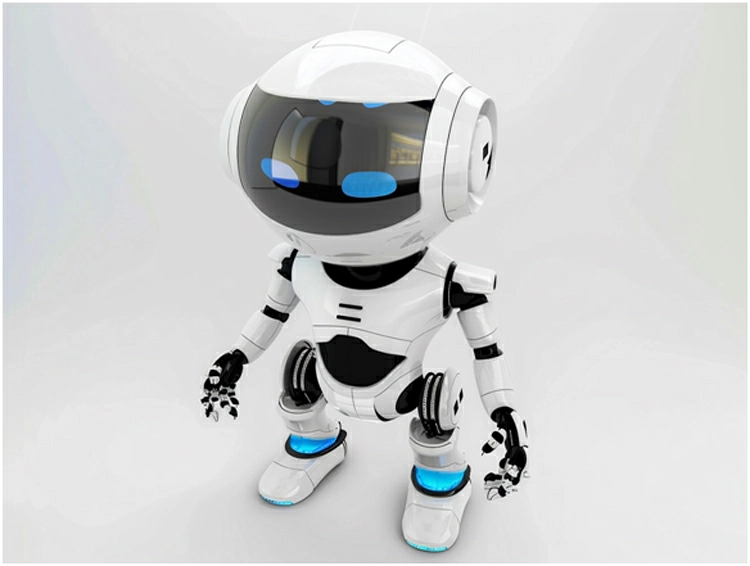
The first image is the original client-provided image containing a gray background.
-
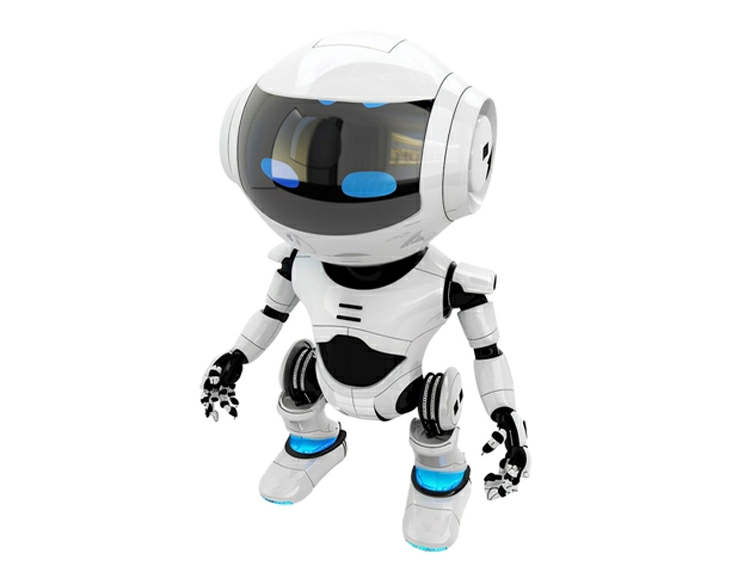
Professional Manual Clipping Path
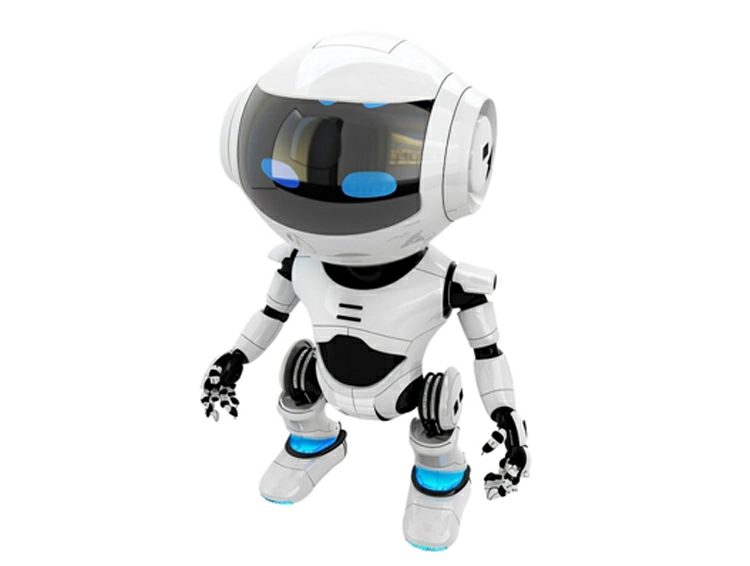
In the second image, the background was removed manually in Photoshop using a hand-drawn clipping path technique by a professional editor.
The result:
- Clean and sharp edges
- Perfect cutout accuracy
- No remaining background color
- Natural and professional finish
-
AI Background Removal Result
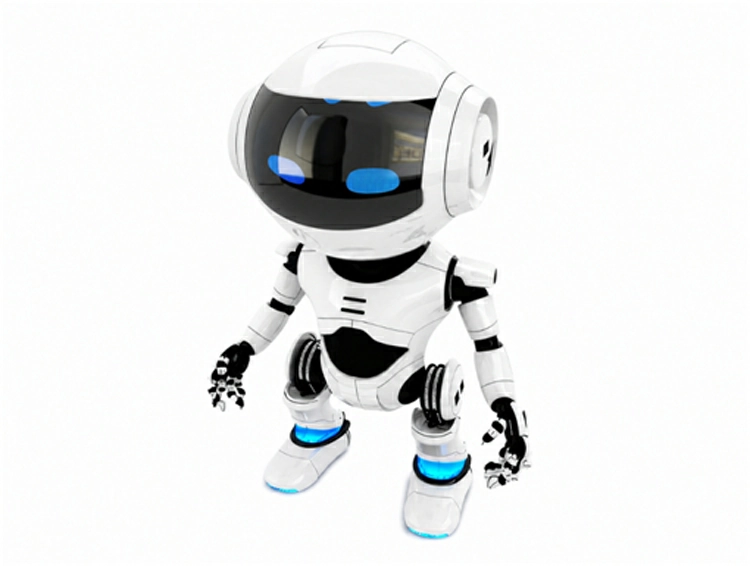
In the third image, the same image was processed using an AI background removal tool.
Although the AI removed most of the background, it failed to achieve a fully clean cutout. The AI left unwanted dark strokes and traces of the gray background around the robot image.
-
Zoomed Manual Clipping Path Result
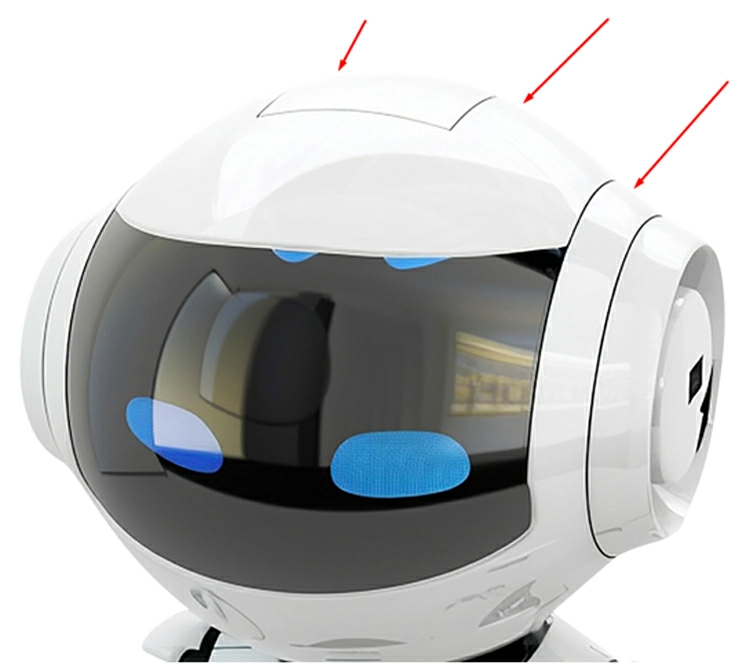
The fourth image highlights the manually edited version in zoom view.
You can clearly see that the professional hand-drawn clipping path removed the background perfectly without leaving any edge contamination, strokes, or color residue.
-
Zoomed AI Result
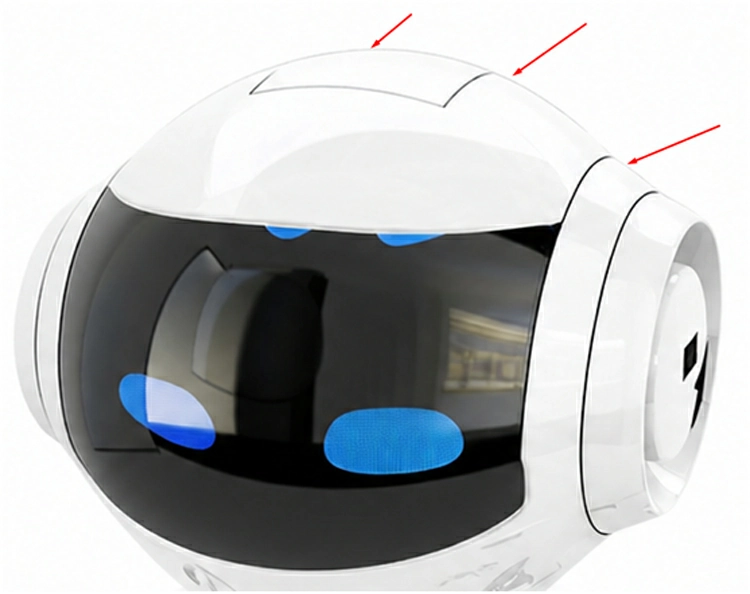
In the fifth image, the red-marked areas show the imperfections created by AI background removal.
The AI was unable to separate the object from the gray background precisely, leaving:
- Black edge strokes
- Background residue
- Rough and unclean edges
Final Verdict
AI background removal tools are fast and useful for basic tasks, but they still cannot consistently achieve the precision and perfection of professional manual clipping path services.
For high-quality product images, eCommerce, advertising, print, and professional commercial use, hand-drawn manual clipping paths in Photoshop remain the most accurate and reliable solution.
Professional manual editing ensures:
- Pixel-perfect edge accuracy
- Clean product presentation
- Better image quality
- Professional commercial standards
Manual clipping path services are still superior to AI background removal when professional-quality results are required.
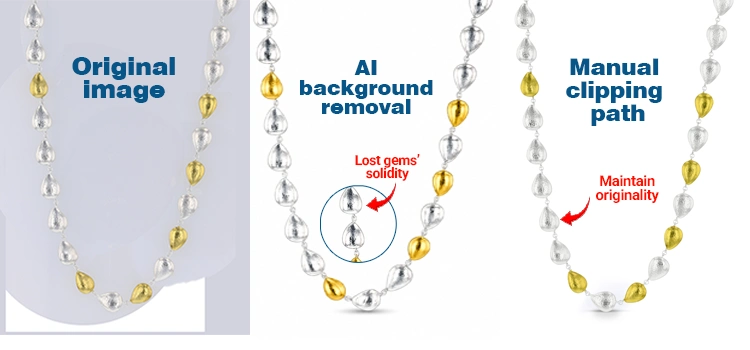
However, it is clear that AI tools still suffer to edit eCommerce-grade product photos when they work with complex images of jewelries, furniture, vehicles, transparent products, etc. Now, let’s have a test where AI can edit simple product images professionally or fails to achieve desired image quality:
AI BG Removal
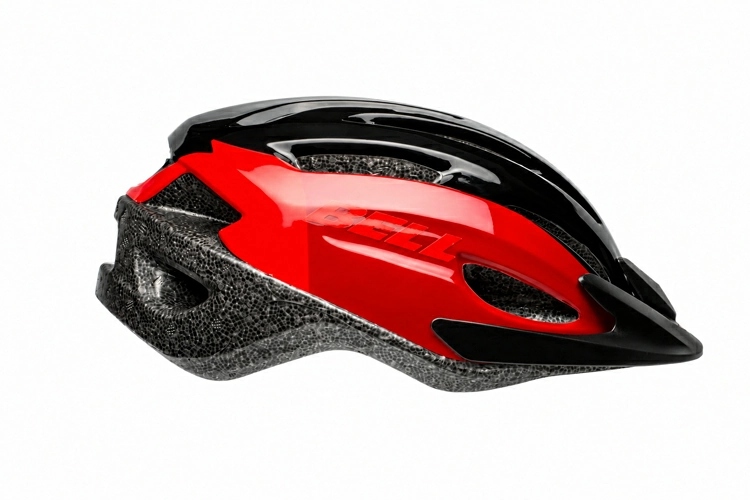
AI remove the background from this simple product image. Have a look on the result- AI here works greatly, almost same as the manual photo editing. In the case of simple and basic images, AI is currently working great.
But there is still a drawback, that is, most of the AI cannot create Path layer for future editing as in manual background removal, we create path, select the background or other stuff intended to remove.
Manual BG Removal
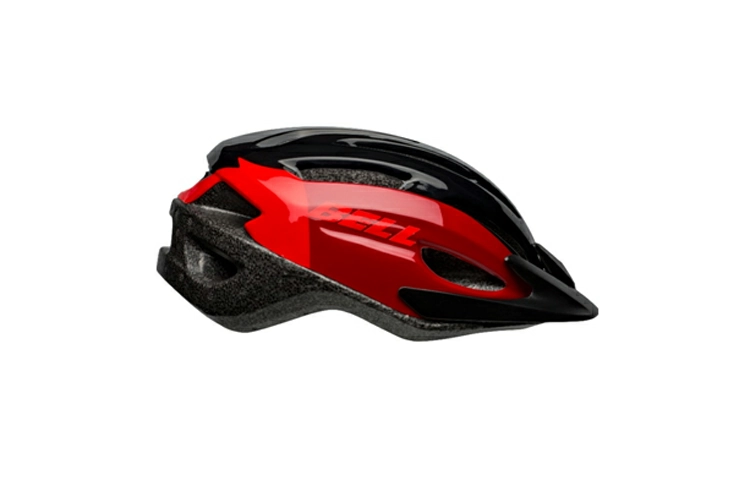
This is the output of manual background removal process in Photoshop. We remove the bg in our editing studio.
Original Product Image
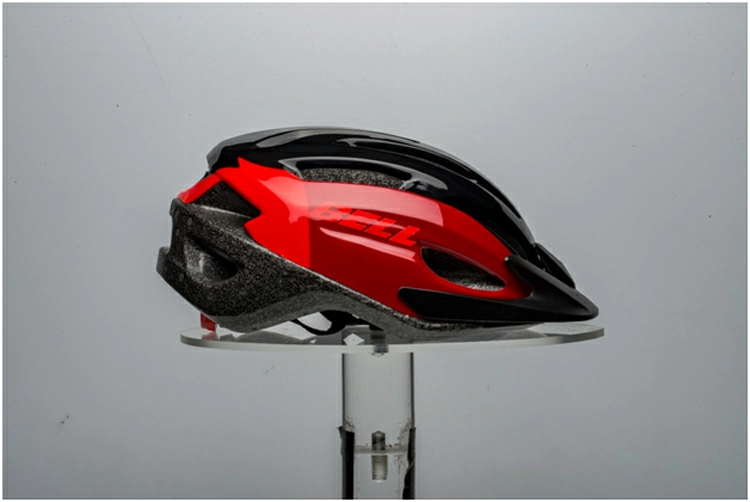
This is the original image, head over the gray background and image has props, black straps and other stuff that we need to remove for using on ecommerce platforms.
Our testing indicates that AI is still a long way from completely replacing Photoshop in the background removal process by clipping path. Although AI manages simple product images quite well and is remarkably fast, it is always off the mark when it comes to commercial-level accuracy with complex images. The problems of edge issue, leftover background, and absence of path layers make AI not a good fit for the highest-level work. Expert Photoshop clipping paths continue to be a must for jewelry, glass items, printed materials, and luxury brands. Intelligent workflows combine the two approaches in a clever way AI for simple images and Photoshop for projects where top-quality, pixel-perfect results are a must. Not only that, AI + Human = Hybrid workflow can be the most fit with the upcoming photo manipulation approach.