

Clipping Path vs. Image Masking: When to Use Which
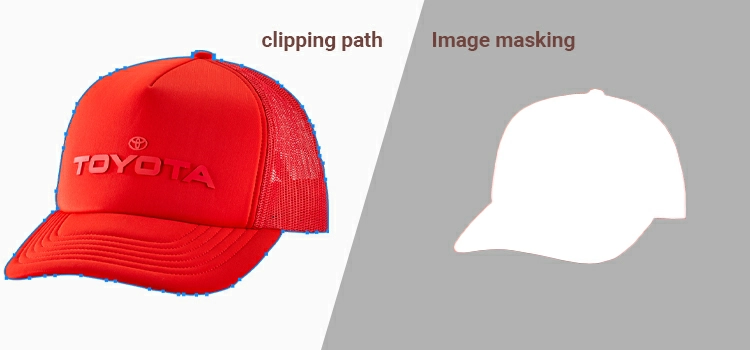
Clipping path and image masking are the two core techniques for isolating objects from backgrounds in Adobe Photoshop. A clipping path uses the Pen Tool to create a hard-edged vector selection, ideal for solid products like electronics, furniture, and packaged goods. Image masking uses transparency and opacity gradients to preserve fine details like hair, fur, smoke, and translucent materials. Choosing the wrong technique produces either jagged edges on soft textures or blurry boundaries on hard objects. This article breaks down the technical differences, use cases, cost implications, and practical execution of each technique to help photographers, e-commerce sellers, and post-production teams make the right choice.
1. What is the difference between clipping path and image masking?
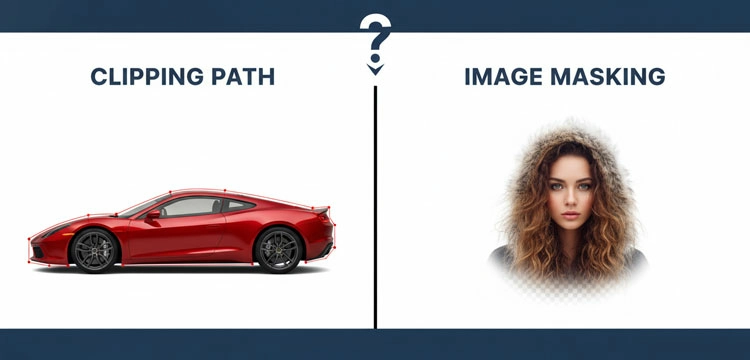
A clipping path is a vector-based Pen Tool selection that creates sharp, binary edges for isolating solid objects. Image masking uses 256 levels of opacity to handle complex details like hair, fur, and glass. Clipping paths deliver precision for hard edges; masking delivers realism for soft edges.
What is a Clipping Path?
A clipping path is a closed vector path or shape, usually created using the Pen Tool in Adobe Photoshop. Think of it like taking a pair of high precision surgical scissors to a physical photograph. You draw a line around the object, and everything outside that line is discarded.
- Tool of Choice: The Pen Tool (P).
- Best For: Hard edges, smooth curves, and solid objects.
- The Vector Advantage: Because it is vector-based, you can scale the path infinitely without losing that razor-sharp edge.
What is Image Masking?
Image masking is a more fluid, raster-based process. It involves hiding or revealing parts of an image using transparency. Instead of a hard line, masking uses varying degrees of opacity (black, white, and gray) to handle complex transitions.
- Tool of Choice: Background Eraser, Magic Wand, Color Range, and the Select and Mask workspace.
- Best For: Fine details, hair, fur, smoke, glass, and fuzzy textures.
- The Alpha Advantage: It allows for partial transparency, which is vital for objects you can see through.
-
What is the Technical Breakdown of Clipping Path vs. Masking?
Clipping paths produce binary selections: each pixel is either fully visible or fully hidden. Image masks produce gradient selections using 256 opacity levels per pixel. Both techniques support non-destructive workflows, but masking offers greater reversibility and flexibility for iterative editing.
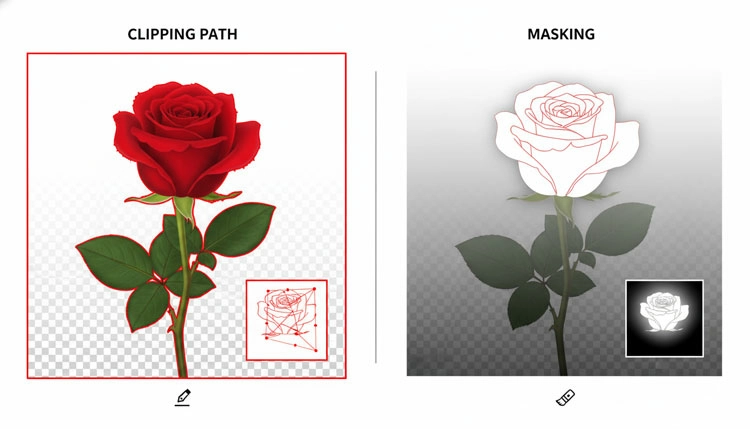
Understanding the difference between clipping path and image masking requires looking at the geometry of the image itself.
Sharpness vs. Softness
A clipping path is binary. You are either inside the path or outside of it. This is perfect for a Nike sneaker or a MacBook Pro. However, if you try to use a clipping path on a sweater with loose fibers, the result looks cut out and amateur.
Masking, conversely, allows for a gradient of selection. In the 8-bit world of Photoshop, a mask uses 256 levels of gray to define how much of a pixel is visible. This allows for the feathering that makes hair look natural against a new background.
Non-Destructive Editing
In the modern USA post-production workflow, non-destructive is the gold standard.
- Clipping paths are stored in the Paths panel. They do not actually delete pixels until you export the file or convert the path to a selection.
- Masking, specifically Layer Masks, allows you to toggle visibility without ever deleting a single pixel. You can always paint back what you hid.
-
When to Use Clipping Path and Image Masking?
Use clipping paths for hard-edged objects with defined boundaries, high-resolution print output, and multi-path color editing. Use image masking for soft edges, transparent or translucent objects, complex backgrounds, and compositing work where natural blending is required.
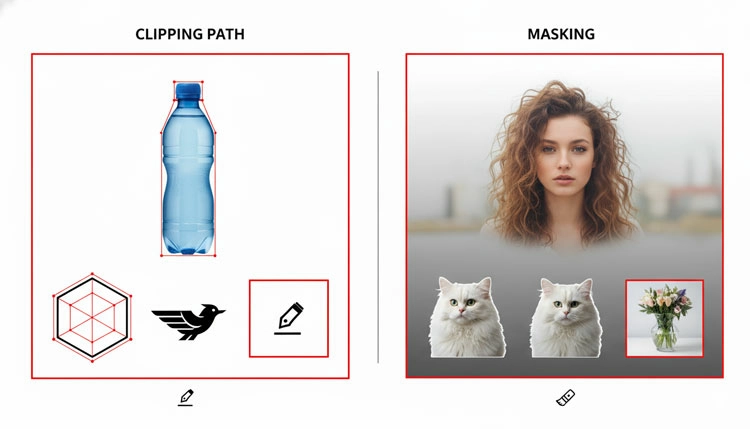
In our years of image manipulation for top-tier fashion brands and tech giants, we have developed a mental flowchart for our team. If you are stuck choosing between clipping path vs masking, follow this logic:
Use Clipping Path When:
- The edges are hard: Furniture, electronics, jewelry, or packaged goods.
- You need high-res print output: Print designers love paths because they are clean and easy for layout software (like InDesign) to read.
- The object has simple curves: Think of a watch face or a car door.
- You are creating Multi-Paths: If you need to correct color of different parts of a shoe (laces, sole, tongue) separately, multiple clipping paths are the way to go.
Use Image Masking When:
- Edges are soft or hairy: Models, pets, or plush toys.
- Object is transparent or translucent: Glassware, water splashes, or sheer fabrics.
- Background is complex: When the subject and background colors are too similar for the Pen Tool to be efficient.
- Natural blending is required: If you are compositing a subject into a new environment where the lighting needs to wrap around the edges.
-
Why Clipping path and Image masking Matters in 2026?
E-commerce platforms require strict image standards, and 90% of online shoppers cite photo quality as the primary factor in purchase decisions. As 8K displays and AR/spatial commerce expose finer pixel-level detail, precise background removal techniques directly impact conversion rates and return rates.
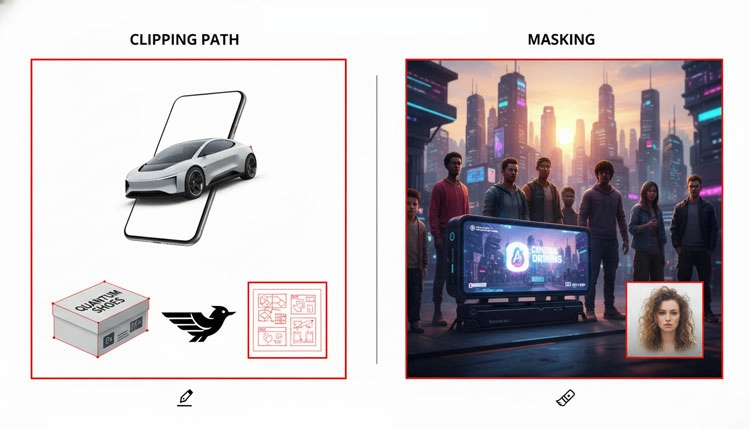
The demand for high-quality image editing is not just growing; it is exploding. With the rise of the Metaverse (spatial computing) and 8K displays, consumers can see every flawed pixel.
The E-commerce Explosion
Recent market research suggests that 90% of online shoppers say photo quality is the most important factor in a sale. In the USA, platforms like Amazon and Walmart have strict requirements for Pure White backgrounds (RGB: 255, 255, 255).
The AI Revolution
By 2026, AI-driven selection tools (like Photoshop’s Select Subject) have become incredibly powerful. However, professional editors still rely on manual clipping paths for luxury items. Why? Because AI still struggles with path logic, understanding where a product ends and a shadow begins.
Expert Insight: “AI can give you 95% accuracy in a second, but that last 5% is what separates a $10 product from a $1,000 product. For luxury brands, we always create hand-draw paths.”
-
What are the Cost-Benefits of clipping path vs Image masking?
Clipping paths cost $0.50–$2.00 per image and take 1–5 minutes for simple to medium complexity products. Image masking costs $2.00–$10.00+ per image and requires 15–45 minutes due to the pixel-level precision needed for fine details like hair and transparent materials.
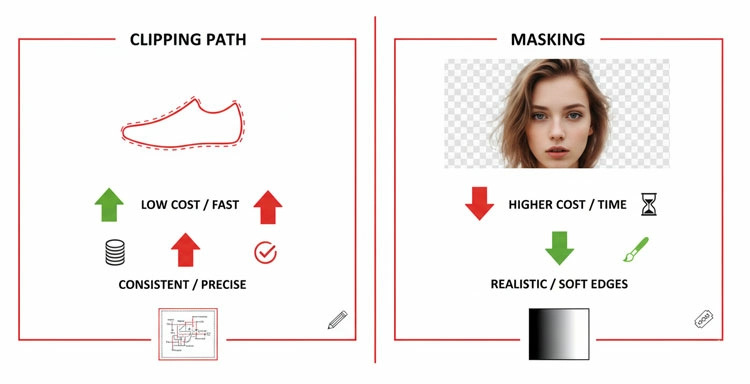
For a business owner or a marketing manager, the choice between clipping path vs. masking often comes down to the budget.
| Features | Clipping Path | Image Masking |
| Time Investment | Low to Medium | High |
| Skill Level | Beginner to Intermediate | Advanced |
| Cost (Per Image) | $0.50 – $2.00 | $2.00 – $10.00+ |
| Best Output | Print / E-commerce | High-end Fashion / Composite |
Why the price gap? Masking requires a nuanced touch. An editor might spend 45 minutes just perfecting the stray hairs on a portrait to ensure it does not look like a helmet. A clipping path for a box can be done in 60 seconds by a pro.
-
What are the Pro-Tips for Perfect Execution of Clipping path and Image masking?
Follow the one-pixel rule for clipping paths by placing the path 1 pixel inside the product edge to prevent background fringe. For masking, use the Refine Edge Brush conservatively to avoid transparency artifacts. For complex products, use a hybrid approach combining both techniques.
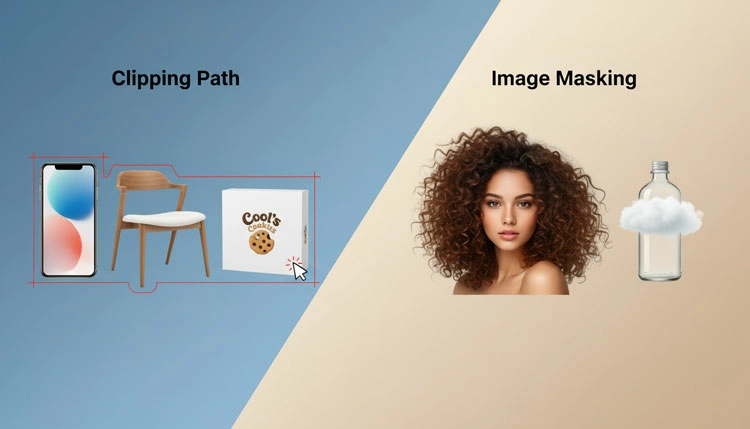
As expert, we do not just want you to know the difference; we want you to master the execution.
The One-Pixel Rule
When drawing a clipping path, always stay 1 pixel inside the edge of the object. This ensures that no fringe” from the original background sneaks into your final cut.
The Refine Edge Secret
When masking hair, use the Refine Edge Brush but do not overdo it. If you push the software too hard, you get edge chatter, those weird transparent artifacts that scream Photoshopped.
The Hybrid Approach
The best editors often use both. For a model wearing a leather jacket, we might use a clipping path for the smooth lines of the jacket and image masking for the model’s hair. This Hybrid Workflow provides the best of both worlds.
-
What is the Future of Image Manipulation?
Image editing is moving toward semantic segmentation, where software identifies materials (silk, skin, metal, glass) and applies appropriate selection methods automatically. Edge-aware file metadata may eliminate manual technique selection. Until this technology matures, the Pen Tool and manual masking remain the production standard.
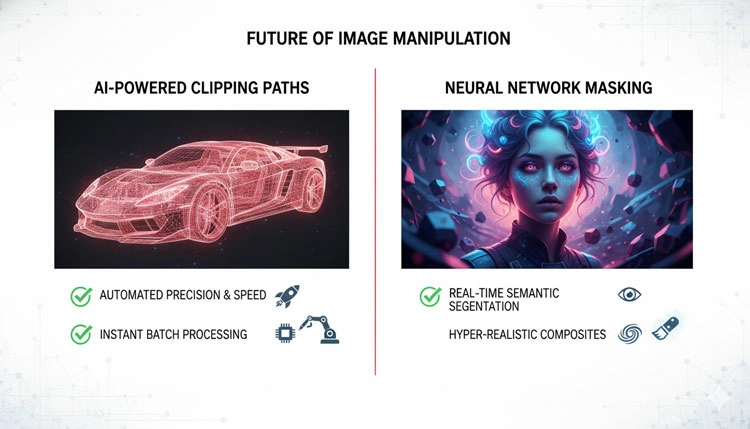
What does the future hold for clipping path vs masking? We are moving toward a world of Semantic Segmentation.
In the next few years, we expect to see files that store edge metadata. Imagine a file where the computer understands that a certain group of pixels is silk and another is skin, automatically applying the appropriate selection method. But until that day comes, the human eye and the Pen Tool remain the gold standard for quality.
FAQs about clipping path vs Image masking
-
Can I use a clipping path for a model’s hair if the background is a solid color?
While a solid background makes the selection easier, a clipping path is still the wrong tool for hair. Because the Pen Tool creates a hard, vector edge, it will make the hair look like a solid plastic block or a helmet. To maintain the natural, wispy flyaway that make a portrait look authentic, you must use image masking, specifically the Refine Edge or Select and Mask workspace, to capture those fine levels of transparency.
-
Is one method significantly more expensive than the other when outsourcing?
Yes, generally speaking, image masking carries a higher price point than a standard clipping path. This is because masking is a labor intensive process that requires a human touch to evaluate transparency and fine detail. While a simple clipping path for a box or bottle might cost a few cents, complex masking for fur, jewelry, or sheer fabric requires more time and a higher level of editorial skill, reflecting a higher service fee.
-
Which technique is better for images intended for large-scale billboard printing?
For large scale printing, the clipping path is often superior for products with defined shapes. Since a clipping path is a vector based mathematical statement, it remains perfectly sharp regardless of how much you scale the image. Image masking is raster based (pixel dependent), meaning if the original resolution is not high enough, the masked edges might appear blurry or pixelated when blown up to billboard size. Always check your PPI before choosing masking for print.
-
What is the difference between clipping path and image masking in terms of file size?
A clipping path adds almost negligible weight to a file because it is simply a set of mathematical coordinates stored within the metadata. Conversely, image masking (especially Layer Masks or Alpha Channels) can significantly increase file size. This is because the mask essentially adds another channel of data to every pixel in the image. If you are worried about server storage or web load speeds, keep your masking refined and efficient.
-
Can I combine both techniques on a single product photo?
Absolutely, and in the high-end USA editing market, we call this a Hybrid Workflow. For example, if you are editing a model wearing a crisp silk suit, you would use a clipping path to get those sharp, clean lines on the jacket shoulders and lapels, but switch to image masking for the model’s hair and skin transitions. This ensures every part of the image gets the specific technical treatment it deserves for a professional finish.
-
Why do Amazon and eBay sellers prefer clipping paths for their listings?
Most e-commerce platforms require a Pure White background (RGB 255, 255, 255). A clipping path is the most reliable way to ensure a 100% clean cutout for hard edged products like electronics, shoes, and kitchenware. It eliminates any color bleed from the original background and provides that floating look that is the industry standard for professional catalogs. It is the fastest way to achieve a studio grade look from a standard photo.
-
Does AI-powered background removal make manual masking obsolete?
Not yet. While AI has made incredible strides by 2026, it still struggles with contextual logic. For instance, AI often fails to distinguish between a fuzzy sweater and a fuzzy background of the same color. Professional image masking allows an editor to make executive decisions on which stray hairs to keep and which to remove to make the subject look their best. For high-stakes commercial work, manual refinement is still the gold standard for quality control.
-
What happens if I use a clipping path on a transparent glass bottle?
If you use a clipping path on a glass bottle, you will lose all the realistic see-through properties of the glass. The bottle will look like a flat sticker. For transparent or translucent objects, image masking specifically luminosity masking is essential. It allows the new background colors to show through the glass realistically, maintaining the highlights and refractions that tell the viewer’s brain the object is actually made of glass.
-
Which method is more forgiving if I make a mistake during editing?
Image masking is significantly more forgiving and flexible. Because it is non-destructive, you can use a white or black brush to paint details back in or hide them at any time. A clipping path is also non-destructive, but modifying the anchor points with the Pen Tool is a more rigid and technical process. If you want the ability to subtly tweak the edges over multiple rounds of feedback, masking offers more creative freedom.
-
How do I decide which to use for a complex jewelry piece with diamonds?
Jewelry is a unique challenge that often requires both. You use a clipping path for the hard metal surfaces to keep them looking sharp and expensive. However, you might use image masking for the diamonds or gemstones to preserve the way light interacts with the facets and edges. The goal is to keep the metal looking solid while ensuring the stones look brilliant and integrated into the final design.
Final Thoughts
Choosing between a clipping path and image masking is not about which tool is better, it is about which tool is right for the job. If you are selling a toaster, grab the Pen Tool. If you are selling a shampoo that promises volume and flow, you would better start masking.
The USA market is more visual than ever. Whether you are a DIY entrepreneur or a seasoned creative director, understanding these nuances is what keeps your brand looking sharp, professional, and most importantly, trustworthy.
Related posts


Clipping Path Synonyms Antonyms and Multilingual Words

