

Clipping Path vs. Background Removal: Are They the Same?
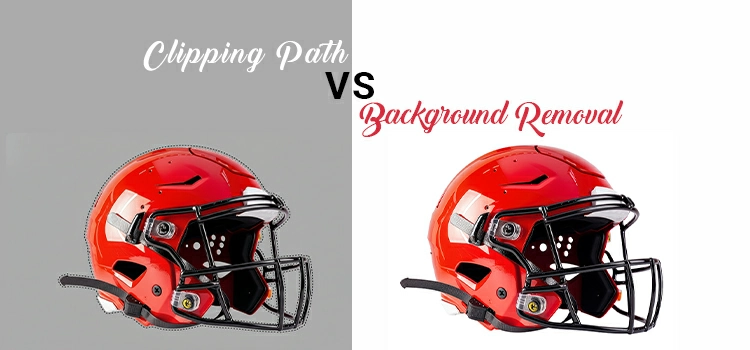
In the professional photo editing industry, terminology often gets blurred. Clients frequently ask for background removal service when they also need a clipping path service and vice versa. While these terms are related, they are not interchangeable. As a team of expert photo retouchers working with high-end brands, we see this confusion daily. Photo editors know the real things of clipping path vs. background removal.
If you want your e-commerce store or print catalog to look professional, you must understand the technical distinction between these two processes. This article provides an in-depth analysis of clipping path vs background removal, covering technical workflows, industry data, and market predictions for the coming years.
-
What are the Definitions of clipping path and background removal?
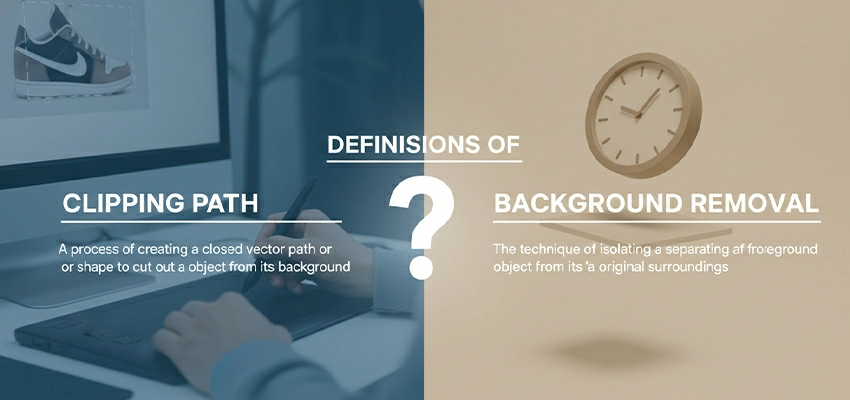
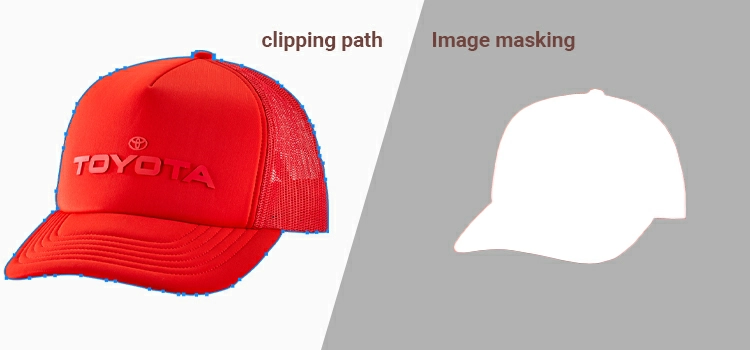
A clipping path is a precise, vector based method using the Pen Tool for sharp edged objects. In contrast, background removal is a general term encompassing various techniques like masking or AI to isolate subjects with complex edges like hair or fur.
To understand the difference, we must first define each process from a technical standpoint.
What is a Clipping Path?
A clipping path is a closed vector shape or loop created using the Pen Tool in image editing software like Adobe Photoshop. Think of it as a mathematical map. Once this path is applied, everything inside the path remains visible, and everything outside is omitted.
- Format: Vector (mathematical paths).
- Primary Tool: Pen Tool (P).
- Key Characteristic: Sharp, hard edges that can be scaled infinitely without pixilation.
What is Background Removal?
Background removal is a broad term describing any process used to isolate the subject of a photo from its environment. While a clipping path is one method of removing a background, it is not the only one. Background removal can also involve:
- Image Masking: Used for complex thin edges like hair or fur.
- Color Range Selections: Deleting a background based on color.
- AI-Driven Extraction: Using neural networks to identify and remove pixels.
-
What are the key differences in technical workflow between clipping path and background removal methods?
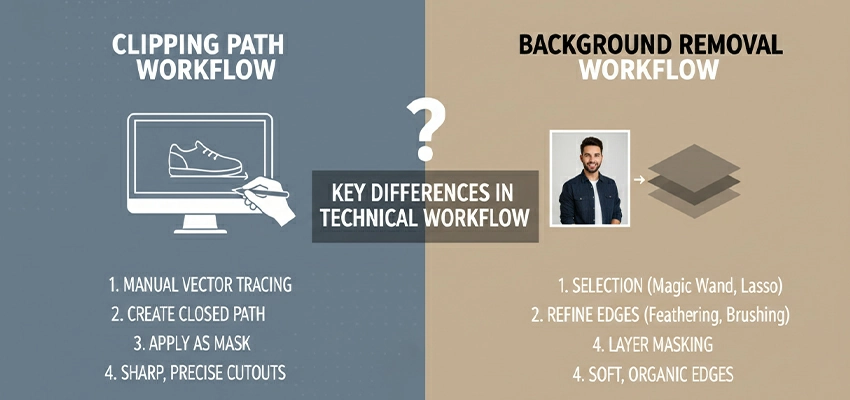
Clipping paths use the Pen Tool for sharp and accurate selection on solid objects. Background removal needs clipping path, image masking and brushes to handle complex, soft edges like hair, ensuring a natural, non-destructive result for intricate subjects.
When we talk about clipping path vs background removal, we are essentially comparing a specific process (creating the path) against a general result (the removal).
The Clipping Path Workflow
- Zooming in: A professional editor zooms into the image at 200% to 300% to ensure accuracy.
- Anchor Points: Using the Pen Tool, the photo editing expert places anchor points along the edge of the object.
- Path Logic: The image editing person ensures the path stays 1 or 2 pixels inside the object’s edge to avoid background spill.
- Closing the Loop: Once the path is closed, it is saved in the Paths panel. This is non-destructive; the background is still there until the path is activated as a selection.
The General Background Removal Workflow
If the subject is complex (like a model wearing a wool sweater), the workflow changes:
- Initial Selection: Using tools like Select Subject or Refine Edge.
- Refining: Using a brush tool to manually decide which pixels are transparent and which are opaque.
- Layer Masking: Instead of a vector path, a raster mask is created. This allows for soft edges that look natural.
Key Differences: A Comparative Analysis
| Feature | Clipping Path | Background Removal (General) |
| Edge Quality | Sharp, hard, and clean. | Can be hard, soft, or feathered. |
| Data Type | Vector-based process for selection background | Raster-based (pixel-dependent). |
| Complexity | Best for simple, solid objects. | Necessary for hair, fur, and transparency. |
| Industry Preference | Preferred for high-end print and e-com. | Preferred for lifestyle and portraits. |
| Scalability | High (Path remains sharp at any size). | Low (Limited by image resolution). |
-
Why do the Market Demands Clipping Paths for E-commerce?
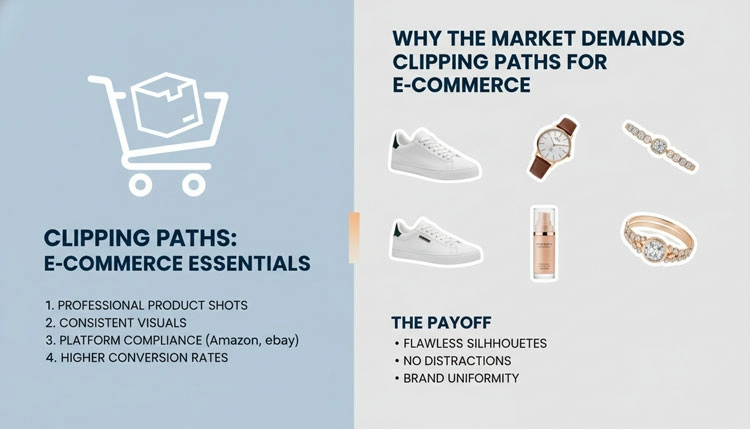
E-commerce and print markets in the USA demand manual clipping paths to ensure pure white backgrounds without jagged artifacts. This vector-based precision is essential for luxury branding, high-resolution printing, and perfect text wrapping in professional magazine layouts.
In the USA, the standard for e-commerce (Amazon, Walmart, eBay) is incredibly high. These platforms often require a Pure White background (RGB 255, 255, 255).
The “Clean” Factor
A standard background removal using automated tools often leaves artifacts, stray pixels or jagged edges. For a luxury brand selling a $5,000 watch, these artifacts signal poor quality. A manual clipping path provides a level of crispness that AI automation cannot yet replicate perfectly.
Print Requirements
If you are designing a catalog for print, your layout software (Adobe InDesign) reads clipping paths differently than it reads transparent PNGs. A clipping path allows the text to wrap around an object with mathematical precision, which is vital for high-end magazine layouts.
-
How are the Market Research and Data (2025-2030)?

The global image editing market is projected to grow 8%+ by 2030, fueled by visual search and spatial computing. While AI automation has risen 40%, high-end brands still rely on manual clipping for superior precision and path logic.
Image editing market is projected to grow at a CAGR of over 8%-9% through 2025-2030. This growth is driven by three main factors:
- Visual Search: Platforms like Google Lens and Pinterest rely on clean object isolation to identify products.
- Spatial Computing: As VR/AR shopping grows, 2D images must be perfectly clipped to be projected into 3D environments.
- AI Automation vs. Quality: While AI background removal usage has increased by 40% in the last two years, the demand for manual clipping paths in the Luxury and Jewelry sectors remains steady. Brands are finding that AI still struggles with Path Logic, the human understanding of where a product’s physical edge ends and a shadow begins.
What are the Real-World Instances?
Use clipping paths for hard-edged items like toasters to ensure smooth curves. Choose masking for soft textures like teddy bears to preserve fur detail. Utilize multi-paths for garments to allow precise, independent color correction for different sections.
Instances
1: A Stainless Steel Toaster
- Choice: Clipping Path.
- Reason: The edges are hard and reflective. A clipping path ensures the metallic curves remain smooth and untouched by the soft brushes used in general background removal.
2: A Plush Teddy Bear
- Choice: Background Removal (Masking).
- Reason: A clipping path would make the teddy bear look like it was cut out of cardboard. You need masking to preserve the soft fibers of the fur.
3: Multi-Color Garments on a Ghost Mannequin
- Choice: Multiple Clipping Paths.
- Reason: Product image editing Professionals often use Multi-Paths to isolate different colors or sections of a garment (e.g., sleeves vs. collar) for color correction.
What is the Role of AI in 2026?

AI provides rapid initial background removal, but professional human editors remain essential for quality control. Experts ensure logical integrity by fixing AI errors like halos or over-cropping, combining automated speed with manual precision for high-end results.
We cannot discuss clipping path vs background removal without acknowledging AI. Today, AI models can remove a background in 0.5 seconds. However, for a professional retoucher, this is only the first pass.
The “Expert Human” Value Add:
In 2026, the expert’s job is to verify the logical integrity of the cutout. AI often eats into the subject or leaves a halo of the original background. Professional services in the USA market now offer AI-Powered + Human Refined workflows to balance speed with the perfection of a manual path.
Frequently Asked Questions
1. If the end goal is the same, why does the terminology matter?
Terminology matters because it dictates the technical execution and the final file quality. If you request background removal an editor might use automated wand tools or raster masking, which can leave fuzzy edges or artifacts. Requesting a clipping path specifically tells the editor to use the Pen Tool, razor-sharp edge. For high-end e-commerce, using the wrong term can result in a sticker-like look that diminishes product value.
2. Can a clipping path be used for a model’s hair or a furry product?
Technically, yes, but professionally, no. A clipping path creates a hard, mathematical line. If you apply this to hair or fur, the subject will look like it was cut out of cardboard, losing all natural texture and realism. For soft edges, you must move beyond the clipping path and utilize image masking techniques, which allow for the semi-transparency needed to make hair look natural against a new background.
3. Is background removal faster than creating a clipping path?
It depends on the method. AI-driven background removal is nearly instantaneous, whereas a manual clipping path for a complex object (like a bicycle or a piece of jewelry) can take an expert 15 to 30 minutes of precise clicking. However, the time saved in automation is often lost in cleanup if the AI misses a spot. In a professional workflow, we prioritize the accuracy of the path over the speed of a generic removal.
4. Why is a clipping path preferred for print media like catalogs or magazines?
Print layout software, such as Adobe InDesign, is designed to recognize vector data. A clipping path allows the software to see the object’s edge perfectly, enabling clean text wrapping and high resolution scaling. Transparent PNGs (standard background removal) can sometimes produce box artifacts or jagged edges when printed at high DPI, whereas a path remains perfectly smooth at any size.
5. Does a clipping path delete the original background forever?
No. One of the greatest advantages of a clipping path is that it is editable and non-destructive. The path sits in a separate Paths layer in Photoshop. The original pixels of the background remain untouched until you choose to convert that path into a selection and mask it. This allows a photo retoucher to go back months later and adjust the edge if the client decides they want a slightly softer look.
6. What is “Multi-Path” and how does it relate to background removal?
Multi-path is an advanced type of clipping path where an editor draws separate paths for different components of a single object (e.g., the laces, sole, and leather of a shoe). While a standard background removal just isolates the whole object, multi-paths allow for precise color grading of individual parts. This is essential for brands that need to tweak the hue of a specific fabric without affecting the rest of the product.
7. How does the “1-pixel inside” rule apply to these techniques?
When drawing a professional clipping path, we always aim to create the path approximately 1 pixel inside the object’s actual edge. This prevents color fringe, a tiny outline of the original background from appearing around the subject. In contrast, AI automated background removal often tries to find the true edge, which frequently results in a thin, distracting halo of the old background color.
8. Is there a difference in file size between these two methods?
Yes. A clipping path adds virtually zero weight to a file because it is just a set of mathematical coordinates. However, background removal often requires saving the file as a PNG or a layered PSD with a transparency channel (Alpha channel). These file types are significantly larger than a standard JPEG with an embedded clipping path. For high-volume web servers, using JPEGs with paths is much more efficient.
9. Will AI eventually make the manual clipping path obsolete by 2027?
While AI is becoming incredibly adept at identifying subjects, it still lacks structural understanding. AI does not know that a stray reflection on a chrome toaster is not part of the background. For the luxury market, where a single pixel of error is unacceptable, the manual clipping path remains the gold standard. We predict AI will handle 90% of standard backdrop removals, while experts will still create hand drawn paths for premium, high-ticket items.
10. Which method should one choose for a transparent glass object?
For transparency, you should never rely solely on a clipping path. A path will simply cut the glass out, making it look like a solid opaque shape. You need advanced background removal/masking (specifically luminosity masks) to preserve the refractions and highlights. This allows the new background to show through the glass, maintaining the illusion of transparency that a hard vector path would destroy.
Final Thought: Are They the Same?
The answer is a definitive no.
- Background removal is the goal.
- Clipping path is the premium method to achieve that goal for solid objects.
Using the wrong terminology can lead to poor results. If you ask a service for background removal for your jewelry line, you might get a soft, feathered edge that looks unprofessional. If you ask for a clipping path you are signaling that you require accurate sharp lines.
Related posts


Clipping Path Synonyms Antonyms and Multilingual Words
