Post-Processing 3D Effects Services
Our Post processing 3d Effects Services
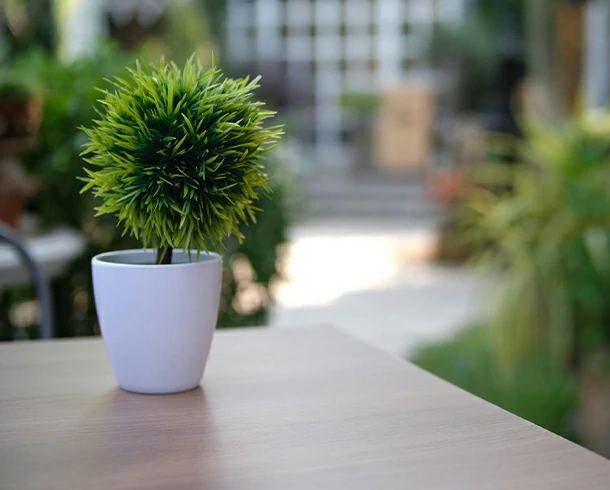
Depth of Field (DOF)
As a post-processing effect, in 3D, depth of field highlights camera focus, improves sharpness, and blurs other elements except the subject. Adding professional, cinematic quality, depth, and realism, it draws attention and makes 3D images believable. With the combination of depth of field and premium quality expertise, we offer application of 3D effect services affordably.
Starts From
$20-$30/hour
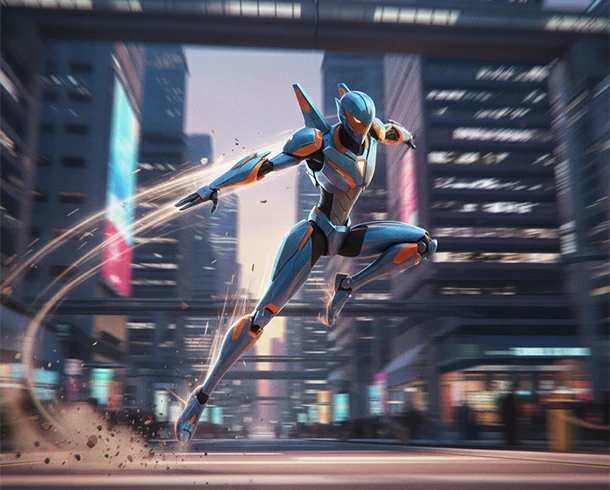
Motion Blur
To create an optical effect by motion blur in 3D rendering, 3D artists apply effect of capturing a moving objects to simulate the blur experience by using a vector-based motion blur in a 3D renderer or 3D software. A fast-moving animated 3D object gets motion blur effect and appears streaked. Applying motion blur effect, we create a different aesthetic beauty to an animated 3D object.
Starts From
$20-$30/hour

Bloom and Glare
Bloom is a 3D effect that simulates a soft, hazy glow around the edge of a 3D object to create an illusion. And Glare, aka flare, produces starburst effects with sharper rays from a bright light source. Bloom and Glare combined add a cinematic and dramatic feel, enhance the mood and realism, and add visual interest and dynamism with depth of field. CEI provides these 3D effect services with 3D modeling.
Starts From
$20-$30/hour
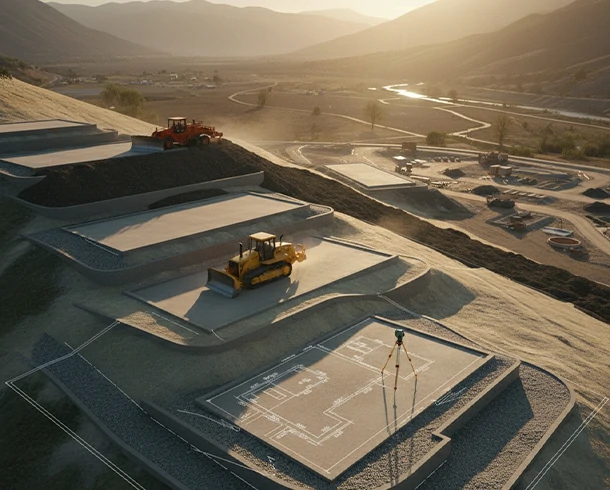
Color Grading
Color grading is applied in 3D to enhance visual impact and narrative mood. Unlike color correction, it allows designers to creatively manipulate color, contrast, saturation, and color tone, and finally establishes a cinematic look and emotional tone. After color correction, we apply color grading to 3D images to evoke emotion like happiness or nostalgia. 3D artists tell a story through warm or cool colors.
Starts From
$20-$30/hour
Vignetting
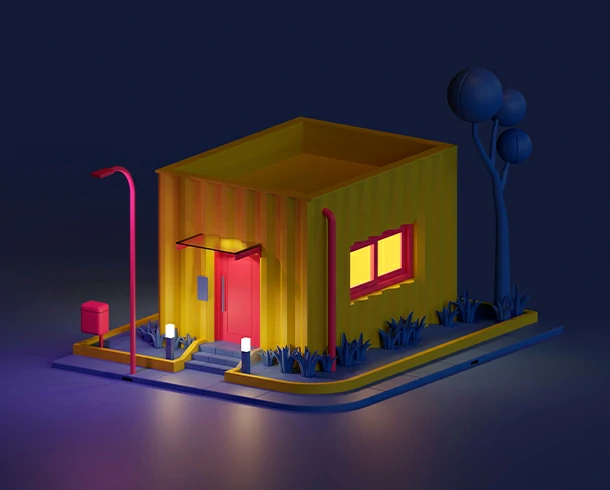
Vignetting in 3D simulates the gradual darkening of an image's corners deliberately to create a specific mood. Simple black or a more stylized hue is the color of vignette. Our 3D experts apply vignette effects for directing focus, enhancing mood and atmosphere, improving realism, imitating specific camera styles, masking imperfections, etc., that boost image quality. Try us for perfect vignette color.
Starts From
$20-$30/hour
Ambient Occlusion
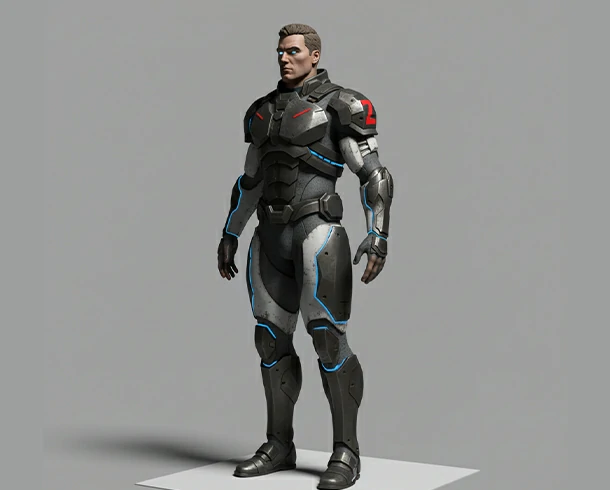
Ambient occlusion (AO) is a 3D graphics technique that creates darker shadows in crevices, holes, and other areas. AO enhances the depth of field, realism, and details in 3D models. Experts offer this post-processing effect, aka shading method, to our clients' 3D projects by utilizing Blender, Maya, and game engines to improve visual fidelity. Try high-end 3D post-processing services cost-effectively from us.
Starts From
$20-$30/hour
Anti-Aliasing
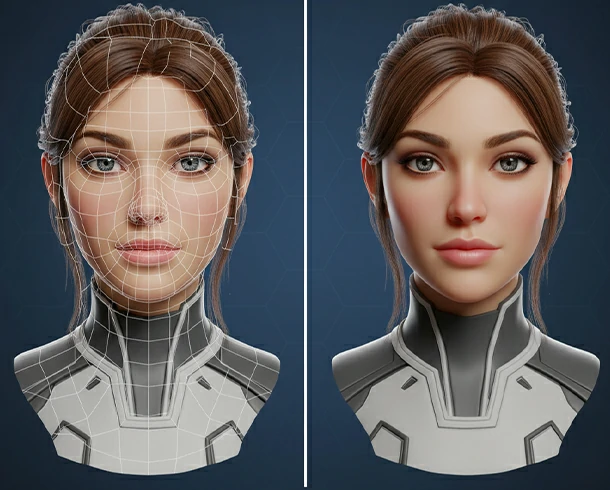
Edges in your 3D graphics often get jagged & pixelated flaws, and you need to smooth them by blending the stair-stepped edges using an anti-aliasing 3D effect. It adds to images a clean, natural, and cinematic feel. We provide our clients razor-sharp clarity, removing the jaggies, and create smooth, seamless, and professional 3D models. Anti-aliasing is ideal for 3D printing, graphics, and video games.
Starts From
$20-$30/hour
How it works

Upload a Model
Before moving forward, we collect necessary data and evaluate the project.
- Share your product photo
- Specify needed 3D solution
- Describe purpose, formats
- Share your budget, deadline
- Get a project estimation
Write an Instruction
Appropriate 3D modeling and rendering depend on proper instruction. So-
- Share written instruction
- Track the ongoing workflow
- Check intermediate results
- Feedback and send further guidelines
- Stay in touch of dedicated team
Receive Your File
In this stage, we send the files for your review and approval through the process-
- Receive preliminary results
- Match with your specifications
- Test whether the files work
- Use, and receive other’s feedback
- Have any issue? Let us know
Our Previous Project

Bowling Sports
Modeling

Furniture
Modeling

Paddling
Accessories

Interior
Design

Bird Eye
3D View

Architecture &
Construction
Pricing
100% Quality Assurance

Production QA

Post Production QA

Pre-Delivery QA

Pen Tablet

Unlimited Revision

Money Back
Happy Clients
Projects Finished
Hours of work
Files Completed
Related Design FAQ's
Post-processing in 3D is one of our most-sold graphic design services. It refers to the enhancement, tweaking, and fine-tuning of visuals. 3D post-processing is done after the initial 3D rendering is completed. Under this service, we adjust lighting, depth of field, vignetting, color grading, compositing, motion blur, and other 3D visual effects to create attractive and cinematic look.
Sometimes the best 3D renders can appear flat, dull, or unrealistic. This issue can be fixed by applying post-processing 3D effects that add realism, atmosphere, depth, cinematic look, and emotional impact to scenes. It balances light and contrast, motion blur, refining textures, and blending many other 3D elements seamlessly with live-action footage or backgrounds. For photorealistic output, there is no exception to post-processing 3D effects in 3D modeling and rendering projects.
For creating the best quality 3D modeling and rendering, we use Blender, Max, Maya, Cinema 4D, etc. But for the post-processing, 3D experts use some popular tools like Adobe After Effects, Nuke, Fusion, DaVinci Resolve, and Photoshop for still 3D renders. And for compositing, color correction, and color grading, professionals often include Redshift, V-Ray, or Octane Render tools.
We are a professional 3D post-processing service provider. Since we have a world-class 3D modeling, rendering, and post-processing team, we know the appropriate techniques of 3D post processing. Some standard techniques are as follows-
- Color grading – to adjust mood and tone of 3D images, we utilize color grading method.
- Depth of field – for realistic focus on the subjects and blur the background objects.
- Motion blur – for smoother animation and creating a hallucination-like effect.
- Ambient occlusion – to enhance contact shadows, color shades, and increasing beauty.
- Lens flares and bloom – to mimic real camera effects as if the image were taken by a camera.
- Noise reduction – to clean up rendered images, make the image sharper and attractive.
- Compositing – to combine multiple render passes (diffuse, reflection, shadows, etc.)
Rendering and post-processing are both techniques of creating professional-quality 3D visuals. The first one, rendering, is the process of generating the raw 3D image from a scene using professional 3D software. It is a tiresome work for a 3D artist. After creating a sculpture or model with perfect coloring and lighting, the rendering process comes. It demands a high-configuration hardware setup for rendering HD-quality complex types of images.
Anyway, post-processing comes after rendering and focuses on enhancing the image, similar to how photographers edit raw photos in post-production. After rendering, if the artists find any flaws, they process the image. The post-processing stage increases the aesthetics of the 3D images.
The duration depends on project size and complexity. A single still render for easy image or low poly 3d graphic might take 1 to 3 hours. But a complex 3D animation or VFX sequence could require days or weeks for compositing, color grading, tweaking, and frame-by-frame adjustments.
To some extent, post-processing can correct lighting inconsistencies, exposure issues, color balance, contrast, improving shadows, lens correction, motion blur effect or minor texture flaws. However, major modeling or rendering errors should be fixed at the 3D stage for the best results. But post-processing is unable to repair basic issues like incorrect geometry, poor camera angles, missing textures, and flawed UV mapping.
Yes, with the pace of trends, we combine traditional techniques with modern AI tools for denoising, color matching, and automated rotoscoping. AI helps speed up the 3D workflow and boost visual quality.
SOME OF OUR CLIENTS




OUR HAPPY CLIENTS
Over 15,000 photo editing clients all over the world, some of them speak for us!

Dr. Elizabeth Stevens, Medical Researcher
I approached Color Experts Inc for assistance with a medical visualization project, and they delivered outstanding results. Their expertise in 3D modeling and rendering was evident in the level of detail and accuracy they achieved. Color Experts Inc helped us present complex medical concepts in a visually compelling manner, making it easier for both professionals and patients to understand. Their team was responsive, accommodating, and a pleasure to work with. I highly recommend CEI for any project that requires exceptional 3D modeling and rendering.
John Smith, Architect
I was extremely impressed with the 3D modeling and rendering services provided by Color Experts Inc. They brought my architectural designs to life with stunning accuracy and attention to detail. The animations they created were seamless and added a whole new level of realism to my projects. Their team was professional, responsive, and delivered the final products on time. I highly recommend Color Experts Inc for any 3D modeling and rendering needs.
Emily Thompson, Interior Designer
As an interior designer, I rely heavily on accurate 3D visualizations to present my concepts to clients. Color Experts Inc exceeded my expectations with their exceptional 3D modeling and rendering services. They skillfully brought my designs to life, allowing my clients to envision the final outcome with clarity and detail. The team at Color Experts Inc was professional, collaborative, and worked closely with me to ensure the end results aligned perfectly with my vision. I highly recommend their services to any designer or architect looking for outstanding 3D modeling and rendering.
Sarah Johnson, Marketing Manager
Working with Color Experts Inc for our product animations was a game-changer for our marketing efforts. They skillfully crafted 3D models of our products, and their rendering capabilities were top-notch. The animations they produced showcased our products from every angle, capturing their features and functionality with incredible precision. The team at Color Experts Inc was a pleasure to work with, always attentive to our requirements and delivering exceptional results. I would not hesitate to recommend their services to anyone in need of high-quality 3D modeling and animation.
Michael Rodriguez, Film Director
Color Experts Inc is a true leader in the field of 3D animation. Their talent for creating captivating characters and breathtaking visual effects is unmatched. We worked with them on a complex animated project, and their team demonstrated a deep understanding of storytelling and animation techniques. The final product surpassed our expectations, and we received rave reviews from our audience. If you’re looking for top-quality 3D animation services, Color Experts Inc is the way to go.


LATEST BLOG UPDATE
Be Connected with our latest articles & tutorials to get the best things about photography, editing & creative world