

Why Top Brands Still Rely on Manual Clipping Path
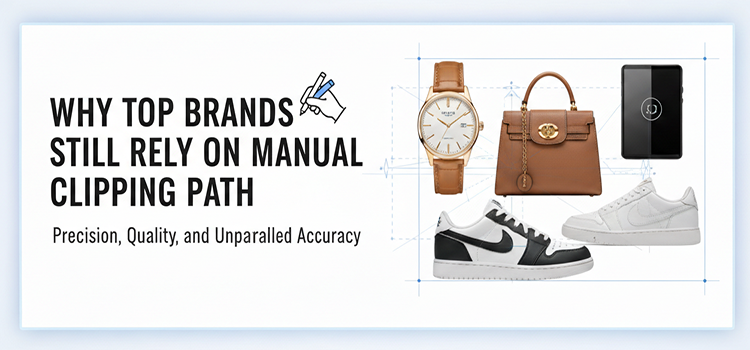
AI can remove a background in a second. So why the biggest brands do still pay real humans to draw clipping paths, refine masks, and clean edges?
Because in e-commerce, edges are money.
When your product photo is the first handshake, a sloppy cutout is like showing up with a stained shirt. Customers might not be able to explain what feels “off”, but they hesitate, bounce, or buy and return it later.
And returns are not a small problem. Retailers estimated 16.9% of annual sales would be returned in 2024 (about $890B in total returns). In 2025, NRF estimated 19.3% of online sales would be returned. In 2026, where it goes, who knows!
That is the real context behind “manual clipping path still matters.”
Below is what top brands know (and what smaller brands should copy).
Manual clipping path is not “old school.” It is quality control.
A clipping path is a production technique: a precise vector (or mask workflow) that isolates a product cleanly from its background so it can be placed consistently across:
- Marketplaces (Amazon, Walmart, etc.)
- Brand sites (PDP grids, bundles, hero placements)
- Ads (Meta, Google Shopping, display)
- Catalogs and lookbooks
- Localization variants (different backgrounds per region)
Automation is great for speed. Manual work is what brands use for consistency, compliance, and pixel-level control.
And marketplaces still enforce strict requirements that push sellers toward clean cutouts.
Amazon, for example, requires main images to have a pure white background (RGB 255,255,255) for a consistent shopping experience.
That “pure white + crisp edges” combo is exactly where automated background removal can fail in subtle ways: edge halos, fringing, lost details, and semi-transparent materials.
The buyers’ behavior data is brutal: photos decide the sale

If you are looking for a “do images really matter?” answer, multiple large surveys point the same direction:
- 90% of Etsy shoppers say photo quality is “extremely important” or “very important” to purchase decisions.
- Salsify’s consumer research reports 39% of consumers returned products because they did not match the images.
- MDG’s widely cited e-commerce infographic reports 67% of consumers say product image quality is “very important” in selecting and purchasing.
Why automation still breaks (and why brands won’t accept the risk)

Most automated cutout tools are built on segmentation. Segmentation has improved massively, but “pretty good” is not “production-grade.”
In research and industrial practice, a common theme keeps showing up: even strong models often require human intervention in real workflows, especially when errors are rare but costly. This is why “human-in-the-loop” approaches are a serious research area, not a meme.
In commercial product photography, the failure cases are predictable:
1) Hair, fur, feathers, fringe, lace
These are edge-detail nightmares. Automation either:
- chews off detail (looks “bitten”)
- leaves halos (looks pasted)
- creates weird transparency (looks fake)
Manual masking fixes this because humans understand what should be continuous detail versus background noise.
2) Semi-transparent products (glass, plastic, liquids)
Automated photo backdrop removal with AI often destroys:
- subtle reflections
- refractive edges
- realistic highlights
Manual work preserves realism.
3) White products on white backgrounds
This is the classic trap: your subject and background share similar values. Automation guesses. Humans see.
4) Shadows and grounding
Bad cutouts float. Great ones feel physically present.
Top brands often keep or rebuild:
- natural contact shadows
- controlled “grounding” shadows
- consistent directional shadows across a set
5) Scale production: the long tail of weird items
Automation performs best on common patterns (shirts, shoes, mugs). The minute you hit:
- jewelry with gaps
- intricate cutouts
- reflective packaging
- irregular shapes
…you’re back to manual correction.
The brand reasons are bigger than “clean edges”
Top brands still rely on manual clipping path because they hate AI.
They rely on it because they need the best quality outcomes:
Consistency across thousands of SKUs
If your catalog is 500 products, you can tolerate a few imperfect images.
If your catalog is 50,000 SKUs across regions, marketplaces, and seasonal campaigns, you need a repeatable standard.
This is why Baymard’s UX research keeps emphasizing product imagery sufficiency and clarity as a common site weakness (and a conversion lever).
Manual clipping path is how teams enforce a visual standard at scale.
Marketplace compliance
Amazon’s main image standards (including pure white background) are explicit.
Clean cutouts reduce rejection risk and keep listings looking consistent against competitors.
Creative flexibility
Once a product is cleanly extracted, you can:
- swap backgrounds per campaign
- create bundles
- build composites
- localize seasonality (Black Friday, Summer Sale)
- generate consistent ad variants
Automation can do this too, but manual extraction gives you reliable assets that won’t break when a designer pushes them harder.
Reduced returns from “visual mismatch”
Salsify’s research repeatedly ties purchase confidence and returns to product content accuracy and imagery.
Manual cutouts do not just “look nice.” They reduce the chance that the customer feels misled.
Manual vs AI: the real comparison (what brands actually do)

Brands do not choose “manual or AI.”
They choose a workflow.
Here is the production reality:
| Workflow | Speed | Quality | Best for | Risk |
| AI-only background removal | Fastest | Inconsistent | internal drafts, quick social, rough concepts | halos, detail loss, mismatch |
| Manual-only clipping path | Slowest | Highest | luxury, hero images, hard-edge products | cost + time |
| Hybrid (AI first + human refinement) | Fast | High | scaled catalogs, marketplaces, ads | requires process discipline |
This hybrid approach mirrors the broader “human-in-the-loop” direction seen in segmentation research: use automation for the base, then humans correct the costly edge cases.
The “returns economy” makes manual work cheaper than it looks
Let’s connect the dots.
- NRF projected $890B in returns for 2024 and a 16.9% return rate.
- NRF estimated 19.3% of online sales returns in 2025.
- Salsify reports 39% returned because product didn’t match images.
Even if imagery is only one contributor (sizing is huge in apparel, for example), brands know this:
Small improvements in “what you see is what you get” pay back fast.
Manual clipping path is often part of a broader effort:
- consistent angles
- accurate color (especially for fashion and cosmetics)
- true-to-life texture
- clean, believable silhouettes
When photos feel trustworthy, you don’t just get more conversions, rather you get fewer “surprise returns.”
Where manual clipping path still wins (practically, today)

If you want a quick rule:
Manual is still the best choice when:
- the product has fine edge detail (hair, lace, fringe, mesh)
- the product is reflective or transparent (glass, glossy packaging)
- you need marketplace-grade pure white + perfect edges
- you are producing hero images for premium pricing
- standardizing a large catalog for ads + PDP grids
- compositing bundles or multi-product layouts
Automation is “good enough” when:
- the product edge is simple (boxes, bottles, hard goods)
- the asset is temporary (stories, quick promos)
- image background is controlled and high-contrast
- minor edge artifacts won’t hurt trust
What to do if you are not a “top brand” (but want to compete like one)
If you want the same visual advantage without burning budget, copy the brand playbook:
Define an image standard
- background rules (pure white vs light gray vs lifestyle)
- shadow style (none vs soft grounding)
- edge tolerance (no halos, no jaggies)
- crop rules (fill percentage, consistent framing)
Use a hybrid workflow
- AI for the first pass
- human refinement for edge cases and hero SKUs
Prioritize the 20% that drives 80%
Manually perfect:
- best sellers
- ad creatives
- category thumbnails
- marketplace main images
QA like a brand
Zoom to 200–300% and check:
- hairlines and fine edges
- inner cutouts (handles, straps, negative space)
- white-on-white transitions
- reflections and transparency
- shadow realism
Bottom line
Top brands still rely on manual clipping path because they do not optimize for “background removed.”
They optimize for:
- trust
- consistency
- compliance
- conversion
- fewer returns
With return rates sitting in the high teens (and online returns even higher), and with research showing customers’ care deeply about photo quality and visual accuracy, manual clipping path remains one of the simplest advantages a brand can buy.
Related posts


Clipping Path Synonyms Antonyms and Multilingual Words


