Standard Flyer Size: A Practical Guide to Flyer Dimensions (US + International)
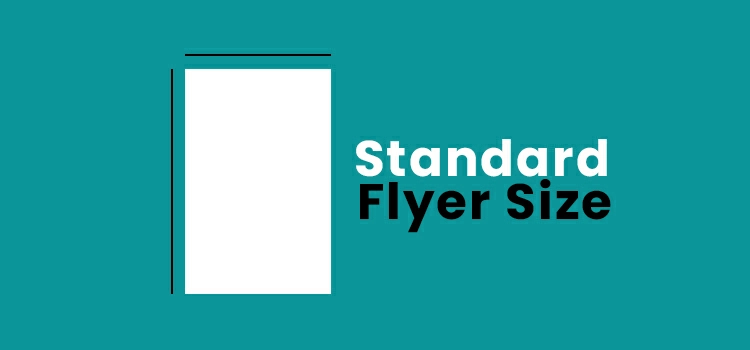
If you’re searching for the standard flyer size, here’s the reality: there isn’t one universal size. It’s different compared to the common photo sizes used on the web. “Standard” depends on where you print and how people will receive the flyer.
- In the United States, the most common standard is Letter: 8.5″ × 11″.
- In most other countries, the most common standard is A4: 210 × 297 mm.
- For handouts, the “standard” is usually smaller: Half Letter or A5.
Everything else is still “standard,” just for a specific purpose (mini promos, rack cards, detailed info sheets). This guide covers the most-used flyer sizes, their exact measurements, and how to pick the right one fast.
Common standard flyer sizes (with dimensions)
| Size name | Dimensions (inches) | Dimensions (mm) | Typical use |
| US Letter | 8.5 × 11 | 216 × 279 | General promotions, notices, menus |
| Half Letter | 5.5 × 8.5 | 140 × 216 | Handouts, street promos, quick offers |
| Quarter Letter | 4.25 × 5.5 | 108 × 140 | Coupons, mini event promos |
| US Legal | 8.5 × 14 | 216 × 356 | Schedules, longer lists, detailed info |
| A4 | 8.27 × 11.69 | 210 × 297 | International default, office boards |
| A5 | 5.83 × 8.27 | 148 × 210 | Event flyers, retail handouts |
| A6 | 4.13 × 5.83 | 105 × 148 | Pocket flyers, QR promos |
| DL | 3.90 × 8.27 | 99 × 210 | Rack cards, counter displays |
| 4×6 | 4 × 6 | 102 × 152 | Postcard-style promos, inserts |
| 5 × 7 | 5 × 7 | 127 × 178 | Premium promos, invites |
What “standard flyer size” actually means
When someone says “standard,” they usually mean:
- A print shop won’t question it.
- A designer can set up a template instantly.
- The audience recognizes it and knows how to hold it, read it, or post it.
There are two major standards in the world:
- US/Canada: Letter-based sizes (Letter, Half Letter, Legal).
- Most other regions: ISO A-series (A4, A5, A6) plus DL for rack/counter formats.
The best way to choose is simple: start with the regional standard and then adjust it based on your content and distribution.
US standard flyer sizes (most common)
If you print in the USA, these are the “default” flyer dimensions you’ll see in online printers, Word templates, and local print shops.
Letter (8.5″ × 11″)
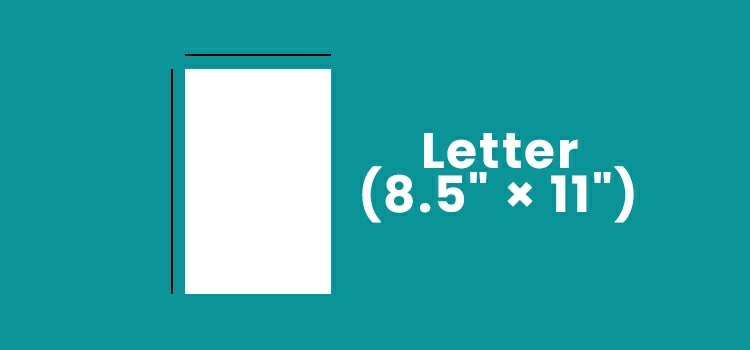
This is the classic full-sheet flyer. Use it when you need breathing room: a strong headline, one main image, and readable details. Best for:
- Business services
- Community announcements
- Real estate flyers
- Restaurant menus and specials
Half Letter (5.5″ × 8.5″)
This is the handout workhorse. It feels easy to accept and easy to keep. Best for:
- Street handouts and in-store promos
- Event invites with essential details
- Local deals (gyms, salons, cafes, clinics)
Quarter Letter (4.25″ × 5.5″)
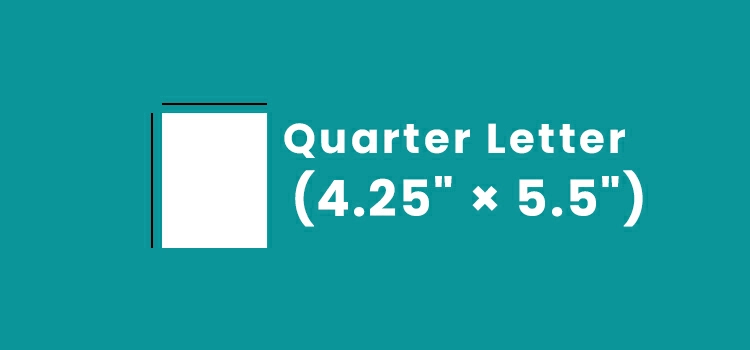
Think of this as a “big coupon” format. Great when your message is simple and your goal is high-volume distribution. Best for:
- Coupons and discount codes
- QR-based flyers (menu, booking, WhatsApp, website)
- Mini announcements
Legal (8.5″ × 14″)
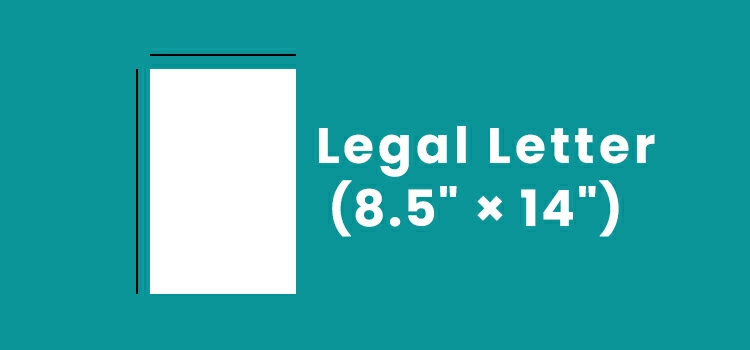
Legal is underrated. Use it when you need more vertical space without reducing the size of your text. Best for:
- Schedules and timetables
- Longer service lists
- Multi-offer flyers (several packages on one page)
International standard flyer sizes (A4, A5, A6, DL)
If you’re in the UK, EU, Middle East, South Asia (including Bangladesh), or most parts of the world, A-sizes are the standard.
A4 (210 × 297 mm)
A4 is the global “safe” choice. It’s perfect for notice boards, reception desks, and situations where people read the flyer calmly. Best for:
- Office and lobby displays
- Service flyers that feel brochure-like
- Information-led promotions
A5 (148 × 210 mm)
A5 is the international handout standard. If your main plan is distribution (not pinning), A5 is usually the best starting point. Best for:
- Events, openings, retail promos
- Restaurants promoting one offer
- Local service marketing
A6 (105 × 148 mm)
A6 is compact and “keepable.” It works when you have one message and one clear action. Best for:
- Pocket flyers and inserts
- QR + short headline + one offer
- Mini promos near checkout counters
DL (99 × 210 mm)
DL is the long format often used as rack cards or counter displays. Best for:
- Step-based service flyers (1-2-3 process)
- Clinics, hotels, showrooms, travel promos
- “Packages” layouts that read vertically
Flyer size in inches vs mm (avoid confusion)
You’ll often see the same question in different forms: “standard flyer size in inches,” “flyer size in cm,” or “A4 flyer size in mm.” The key is matching your measurement system to your printer.
Use inches when:
- You print in the USA/Canada.
- Your templates are built for Letter sizes.
Use millimeters when:
- You print in A4/A5/A6 regions.
- Your printer quotes and templates are ISO-based.
Helpful anchors:
- A4 is similar to Letter, but not identical (slightly narrower and taller).
- A5 is close to Half Letter, but not the same.
- A6 is close to 4×6, but not the same.
If a designer and printer are in different countries, pick one system early and stick to it. Mixed units are where layouts get messy.
How to choose the right standard flyer size (the fast way)
Match the size to your message density and your distribution plan.
Letter or A4 when:
- You have multiple sections (offer, benefits, details, map, list of services).
- You need bigger images to build trust.
- You expect people to read it slowly (reception, office, notice board).
Half Letter or A5 when:
- You’re handing it out or placing it on counters.
- Your flyer is “one offer + a few supporting points.”
- You want a higher take-rate during distribution.
Quarter Letter or A6 when:
- You want volume distribution and quick scanning.
- Your CTA is one action (scan, call, visit).
- You want it to feel like a coupon, not a brochure.
DL when:
- Your layout is process-based or package-based.
- You’re using racks/counter holders where long formats look intentional.
4×6 or 5×7 when:
- You want a postcard-style promo that’s image-first.
- You’re inserting it into bags/boxes or handing it out as a “card.”
- You want the flyer to feel less like a sheet and more like a branded piece.
Portrait vs Landscape: What Works Better
Orientation changes how people process the flyer.
A portrait is usually better when:
- The flyer is information-led (details, schedule, service list).
- You’ll post it on walls/boards.
Landscape is usually better when:
- The flyer is visual-first (products, food, event vibe).
- You want a modern “wide” layout for packages or comparisons.
If you’re unsure: portrait for clarity, landscape for impact.
Design tips that make any flyer size look clean
You don’t need a fancy design. You need structure.
- One message, one action: Most flyers fail because they try to sell five things at once. Choose one primary offer and one primary CTA. If you want multiple offers, lead with one “hero” offer and place the rest as small supporting options.
- Keep the reading path obvious: A strong flyer flows like this: Headline → visual → 3–5 key points → CTA When in doubt, put the CTA in two places: near the middle and again at the bottom.
- Use fewer words, larger type: Flyers are read at arm’s length. If your body text looks tiny on screen, it will look tiny in hand too. For small sizes (A6/Quarter Letter), keep it brutally simple: short headline, 2–3 points, one CTA.
- Make your brand visible in 2 seconds: Include logo, business name, and one trust cue (rating, years, clients served, guarantee). Don’t bury who you are.
- Use alignment like a pro: Even basic flyers look premium when everything lines up. Pick a simple grid (one column for small flyers, two columns for large flyers) and stick to it.
Where to find “standard flyer size” templates (Canva, Word, Adobe)
If you’re building fast, templates save hours. Look for templates by size, not by style.
- In Microsoft Word or Google Docs: start with “Letter” or “A4” pages, then build your flyer layout.
- In Canva/Adobe Express: search “A4 flyer,” “A5 flyer,” “Letter flyer,” or “DL flyer” and choose based on your region.
- In Illustrator/InDesign/Figma: create a custom frame using the exact dimensions from the table above.
The goal is consistency. If your template size matches your print size from day one, your layout stays stable.
Digital flyer sizes vs print flyer sizes
Print and digital aren’t the same job. A print flyer is held or pinned; a digital flyer is scrolled.
If you want your flyer to work online too, create a separate digital version using common platform sizes:
- 1080 × 1350 px for Instagram portrait posts
- 1080 × 1920 px for Stories/Reels
- 1200 × 628 px for many ad placements
Best practice: use the same headline, offer, and CTA, but redesign the layout for the screen. Digital flyers need bigger text, fewer words, and a clear focal point.
Choosing flyer size by goal (real-world picks)
Event promotion: Use A5/Half Letter for handouts. Use A4/Letter for boards and shops.
Retail discounts and limited-time offers: Use A5/Half Letter for general promos. Use A6/Quarter Letter for coupon-style distribution.
Restaurant promos: Use A4/Letter for menus or detailed specials. Use A5/Half Letter for one clear offer plus a QR.
Real estate flyers: Use Letter (US) or A4 (international). Bigger photos and readable details win.
Corporate and B2B services: Use A4/Letter for information-led flyers. Use DL for process-led, step-by-step service flyers.
Local services (gym, salon, clinic, repair): Use A5/Half Letter for distribution and counters. Use A4/Letter for reception display.
FAQ: Standard flyer size questions
What is the most standard flyer size?
USA: 8.5″ × 11″ (Letter). Most other countries: A4 (210 × 297 mm).
What is the standard flyer size in cm?
A4 is 21 × 29.7 cm. A5 is 14.8 × 21 cm. A6 is 10.5 × 14.8 cm.
Is A5 a standard flyer size?
Yes. A5 is one of the most common standard flyer sizes globally, especially for handouts.
Is 4×6 considered a flyer size?
Yes. 4×6 is often used as a small flyer or postcard-style promo, especially for simple offers and QR codes.
What size is best for handing out flyers?
A5 or Half Letter is usually the best balance of readability and “take-it” comfort.
What size is best when I have lots of details?
Letter or A4. These sizes let you keep text readable and images clear.
Does the standard flyer size change by country?
Yes. US printing defaults to Letter; most other regions default to A4 and A5.
To Conclude: the best “standard flyer size” is the one people will read
If you want the safe default, go with the regional standard: Letter in the USA, A4 almost everywhere else.
If you’re handing flyers out, A5/Half Letter is usually the smarter standard because it’s easy to accept and quick to scan.
And, if you tell me your country and your flyer goal (handout, board display, counter rack, or both print + digital), I can recommend the exact size and a clean layout structure for it.