What Is a Clipping Path Service?
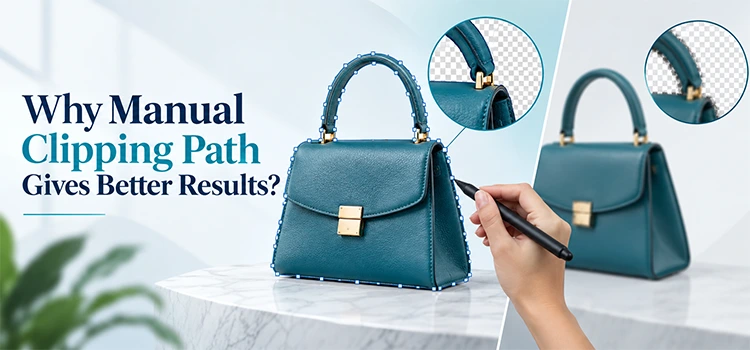
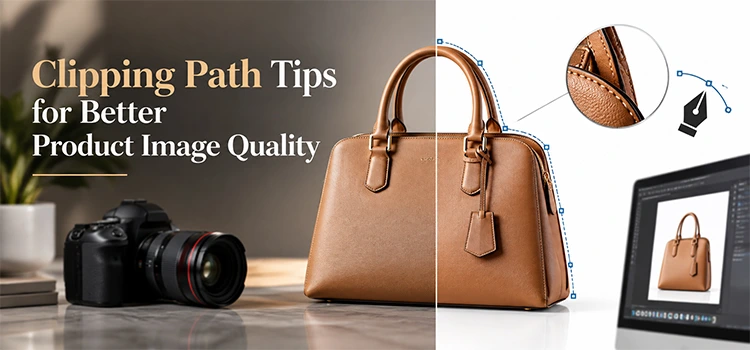
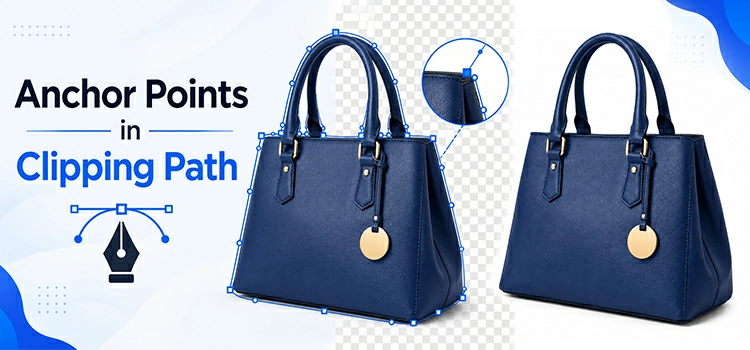
A clipping path service creates precise vector outlines around an object by placing anchor points along every edge and curve, isolating the object with pixel-level accuracy for flawless background removal, high-quality image compositing, and print production.
What Types of Clipping Path Services Are Available?
To offer top-notch service, we have classified this particular service into 6 categories depending on the products' complexity. Based on the category, they apply different clipping path techniques to bring out immaculate output. Have a look at the categories underneath-


Basic Clipping Path
Basic clipping path is mainly applied on products appearing straight, rectangular, square, round, and oval. It’s an elementary category in which products don’t contain any hole. Among the products that come under this category, book, cup, monitor, mobile, ball, egg, etc. are worth mentioning.
Starts From
$ 0.49
Images/24Hr
5000


Simple Clipping Path
Simple clipping path is utilized on straight, square, rectangular, round, and oval products. But the core difference between simple and basic clipping path is in the existence of hole. In simple clipping path, products like Shirt, pants, watch, glass, ring show up with holes.
Starts From
$ 0.99
Images/24Hr
4000


Medium Clipping Path
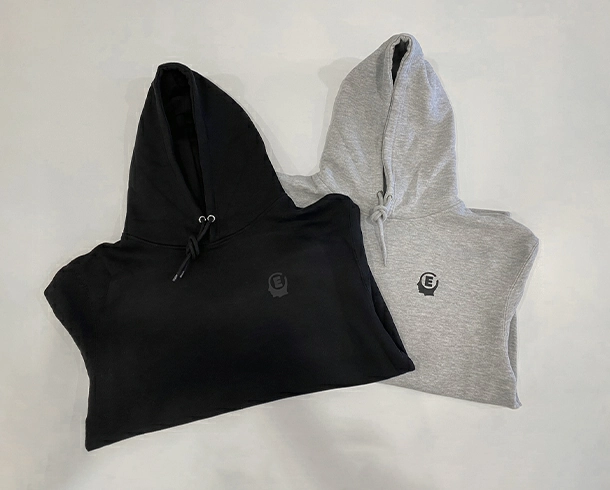
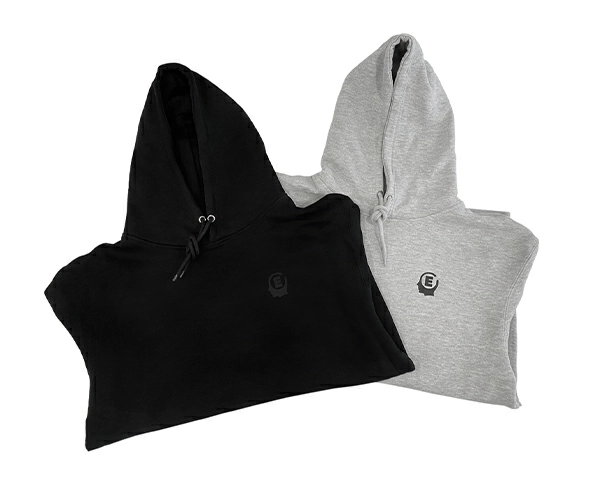
In medium clipping path, products contain several holes, unlike simple clipping path. The products also show up with a higher number of anchor points, meaning the curves and twists are more. Products like bracelet, shoe, knick-knack, engine parts, set of watches, etc. come under this category.
Starts From
$ 1.49
Images/24Hr
3000


Complex Clipping Path
Complex clipping path as the name appears is used for products having complex shapes and designs. Generally, products having many holes (Over 10) and many closed paths fall under this category. Products under this method include necklace, chain, net, furry doll, chandelier, tree, building, etc.
Starts From
$ 4.49
Images/24Hr
2000


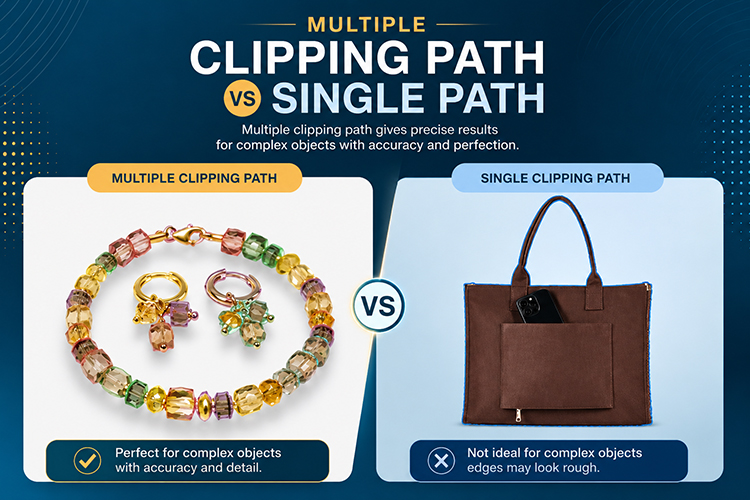
Multiple Clipping Path
Multiple clipping path is for those types of images that require creating multiple or many paths. This method also allows outlining the patterns and edges giving the customers an opportunity to create multiple images of the same product. For instance, if there is a model wearing shirt, pants, cap, and a pair of shoes, we will create a separate path for each of the items.
Starts From
$ 7.49
Images/24Hr
1500


Super Complex Clipping Path
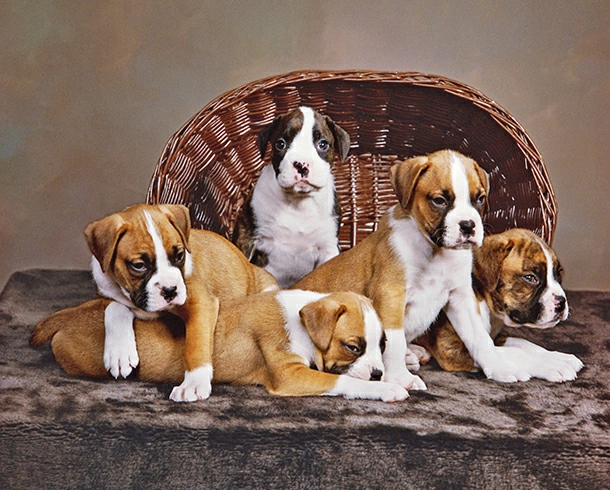
Many images appear having countless anchor points and paths. This is exactly where super-complex clipping path is applied. Bicycle, motorbike, motor car, group of people, collection of food items, set of jewelry, etc. can be considered some of the examples. This method is very laborious and time-consuming to apply due to the excessive intricacies of products.
Starts From
$ 10.49
Images/24Hr
1000
When Should You Use
Clipping Path vs. Image Masking?
image masking for soft, fuzzy, or translucent edges such as hair, fur, gauze, and glass, where vector paths
cannot capture the fine detail required.
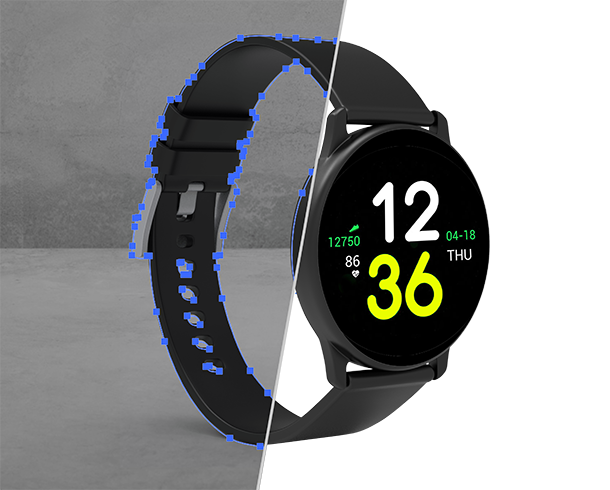
CLIPPING PATH
- ◉ Hard, rigid product boundaries
- ◉ Electronics, furniture, packaging
- ◉ Fully reusable vector paths
- ◉ Fastest for solid-edged items
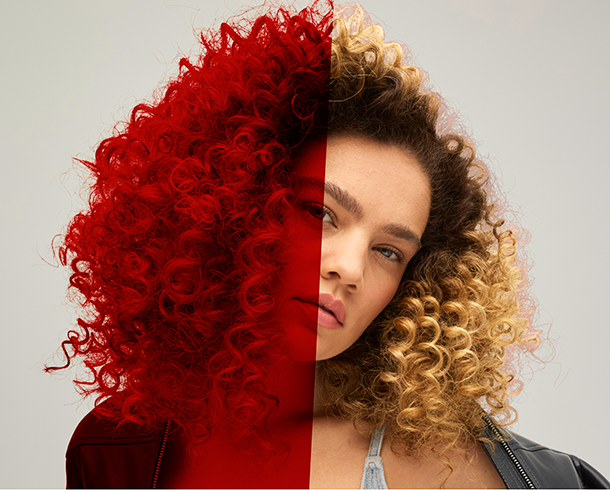
Image Masking
- ◉ Soft, fuzzy or transparent edges
- ◉ Hair, fur, gauze, glass
- ◉ Advanced Wacom tablet tools
- ◉ Superior for translucent subjects
How Much Does
Clipping Path Service Cost?


Basic Clipping Path
$0.49


Simple Clipping Path
$0.99
Medium Clipping Path
$1.49


Complex Clipping Path
$4.49
Multiple Clipping Path
$7.49


Super Complex Clipping Path
$10.49
Why Outsource Clipping Path Instead of Editing In-House?
In-House Editing
- ◉ Editor salaries, software, and training overhead
- ◉ Capacity capped by your team's size
- ◉ Turnaround slows during peak catalog seasons
- ◉ Quality varies between staff members
Outsourcing to CEI
- ◉ 250+ in-house editors, no overhead for you
- ◉ Up to 5,000 images a day, scales on demand
- ◉ Consistent output through a 6-step QA pipeline
- ◉ Predictable per-image pricing from $0.49
Services That Pair With Clipping Path
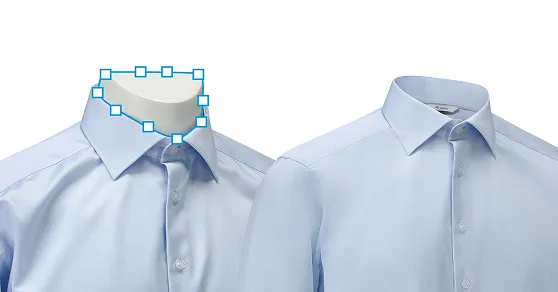
Ghost Mannequin
A clipping path first separates the garment from the mannequin; the hollow neck, cuffs, and inner label are then reconstructed from a second shot to create the invisible-mannequin effect.
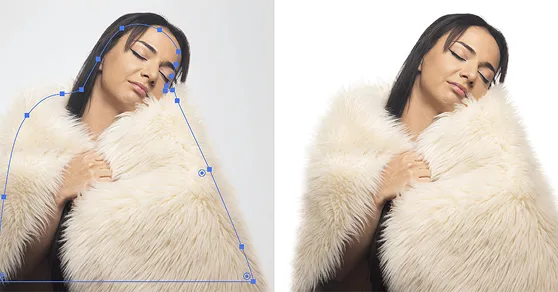
Image Masking
Masking handles hair, fur, and soft edges — but a clipping path still outlines the model's solid body first, with masking applied only to the flyaway areas. Most real jobs use both.
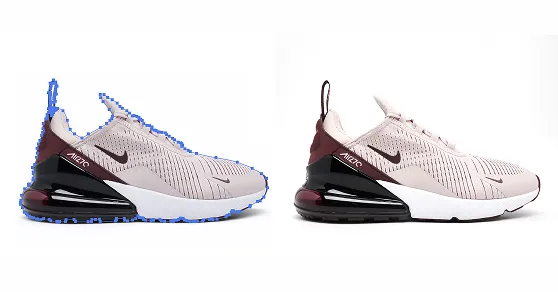
Shadow Creation
Every shadow starts with a clipping path to isolate the product, then a natural, drop, or reflection shadow is built beneath the cutout.
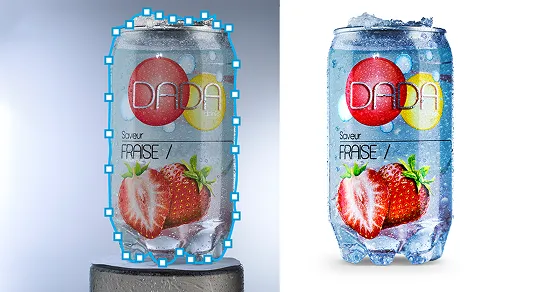
Color Correction
Changing a product or garment's color needs a precise selection to protect the rest of the image — and that selection is the clipping path.
Background Removal
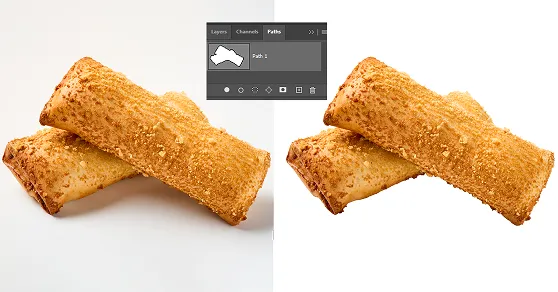
Background removal starts with a precise clipping path that separates the product from its surroundings. The background is then removed or replaced with white or transparent background, ready for Amazon or Shopify.
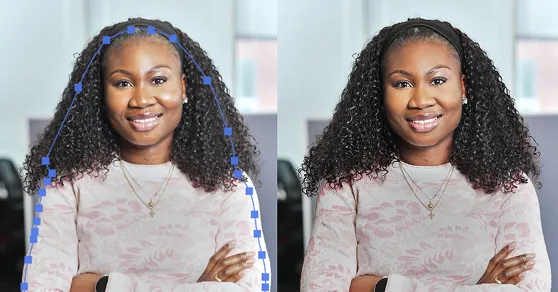
Photo Retouching
Retouching removes dust, blemishes, and imperfections after the subject is isolated. The clipping path ensures all edits remain within the product, keeping the background and surrounding image untouched.
Why Choose Color Experts International
Over Other Providers?
30+ Years in the Business
Decades of hands-on expertise, built around the needs of professional photographers, studios, retailers, and brands.
250+ in-house editors
A real team under one roof means consistent quality and true 5,000-image daily capacity.
Hybrid, not AI-only
We combine automation with expert human judgment to achieve speed without sacrificing edge quality or detail.
6-step QA pipeline
Every image is checked before delivery, so every orders stay consistent edge to edge.
What Is the Turnaround Time for Bulk
Clipping Path Orders?
How Is a Clipping Path Created Step by Step?
points along every curve until the path closes. The completed path is saved, then applied to isolate the subject and
remove its background. Let's introduce with some methods we follow -
Using Hand-Drawing Photoshop Pen tool
In the process of clipping path, we cut out a 2D image using the pen tool from Photoshop to bring out a perfect output.
At first, our professional photo editors draw a path around the edge of a subject. Once the path drawing is complete, the image background is removed and the subject remains as part of the image.
Clipping path is generally applied to the photographs that contain objects having hard and smooth edges like table, chair, mannequin, etc. For the sake of providing better output, we categorize this into different parts based on product difficulty.


Apply Path Around 2 Pixels Inside from Product Edge
When clipping path technique isn’t adequate to maintain perfection in background cut-out, image masking is the go-to one then. Image masking is a strategy we apply in objects having soft and rough edges using pen tablet (Wacom) that enables hand-drawing and selecting images with accuracy. The remaining portions having a hard edge are drawn and selected by the pen tool of Adobe Photoshop.
Depending on the needs of an image, we apply different sorts of image masking techniques, including layer masking, alpha channel masking, fur and hair masking, transparent masking, refine edge masking, and color masking to cut out the background.
What Industries Benefit
Most from Clipping Path?
E-commerce retailers, product photographers, advertising agencies, graphic design firms, and catalog publishers rely on pixel-perfect background removal to meet strict platform requirements and drive purchasing decisions. Major platforms enforce white background standards. Amazon, Shopify, and eBay mandate these specifications, and our team ensures every output is compliant.
👗
Fashion & Apparel
📱
Electronics
🧃
Food & Beverage
📰
Publishing
✨
Advertising
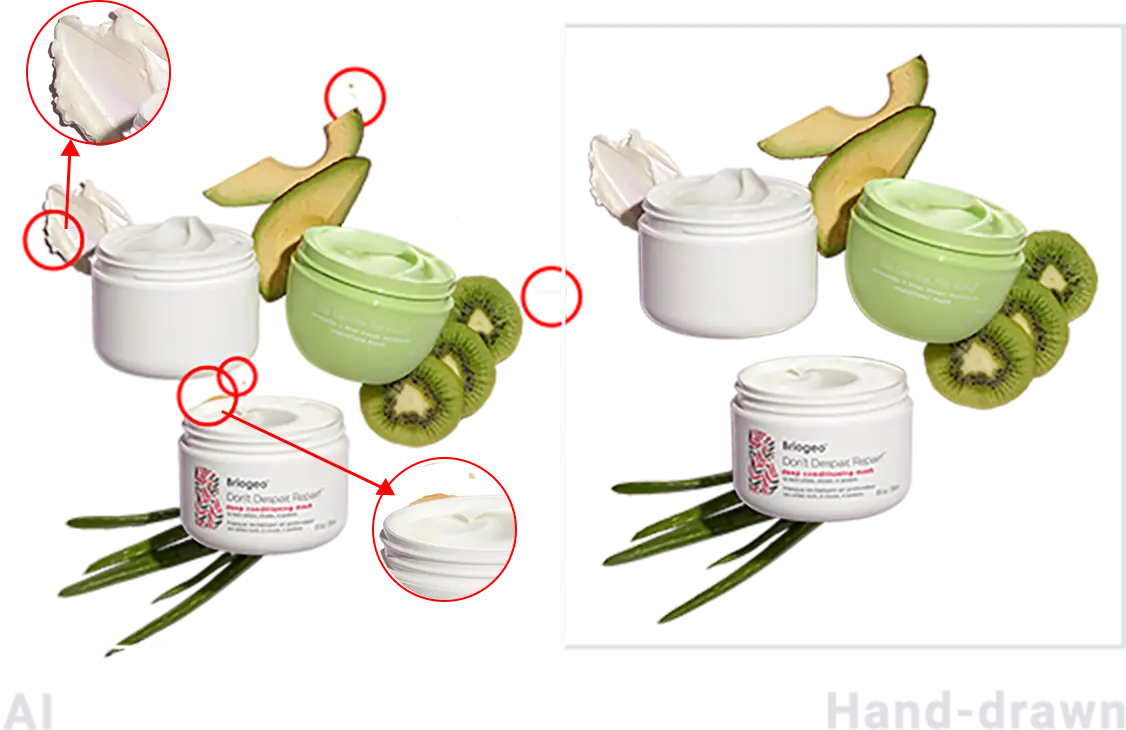
Why Choose Hand-Drawn Clipping Path Over AI Background Removal?
Hand-drawn clipping path delivers edge precision automated AI tools cannot match on complex products. Manual pen-tool paths produce clean, reusable vector outlines and preserve fine detail, whereas AI removal often damages intricate edges and loses quality on detailed images.
How Do You Place a
Clipping Path Service Order?
To place an order, request a quote or upload your images through our Upload Files page, sending
bulk images in a single zip file. Confirm your editing instructions and return format,
and our team delivers the finished files on schedule.

Upload your images
Upload images individually or as a ZIP file. Supports 10 files at a time, 500 MB each. Larger batches can be shared via Google Drive or Dropbox.

Confirm your instructions
Fill out the quote form with your contact details, project instructions, preferred delivery format, and service type.

Submit order
Submit your quote request to place your clipping path order. We usually reply in less than 30 minutes.
FREQUENTLY ASKED QUESTIONS(FAQ)
- If you need to remove or cut out background from an image, clipping path is the way to go.
- In the case of selecting a portion of an image to color-correct that part, clipping path tactic does the trick.
- When you need to modify the shape of a portion of an image, you can select that portion with clipping path.
- You can even remove unwanted object from an image applying clipping path around the edge of that object.
Ans: It's simple. Go to our "Upload Files" page and upload your images individually or as a ZIP file. You can upload 10 files at a time, up to 500 MB each. So if you have bulk images, send them in a zip file.
For larger batches, you can share your images via Google Drive or Dropbox. Fill out the quote form with your instructions and preferred delivery format, and we usually reply in under 30 minutes.
TESTIMONIALS
Over 15,000 photo editing clients all over the world, some of them speak for us!

Michael Nicholson, E-commerce, Product Seller
I use Color Experts on a regular basis to clip my images and place them on a white background ready for use on my website. I am always impressed by the quality of the work, which helps show my website at its best. The quick turnaround time is vital in keeping our online product catalogue fresh and up to date.
Erik Lindqvist, Retailer, Helsingborg, Sweden
Color Experts has been providing me clipping path services for a long time. The quality and turnaround time are second to none. I recommend Color Experts for superior clipping path and top-notch image manipulation services at a very reasonable cost.
Jon Van Gorder, Van Gorder Studios, Fairfield, CT USA
As a digital photographer, I’ve relied on Color Experts many times for high-quality clipping path, completed and delivered overnight. My clients demand fast service, and Color Experts helps me deliver it.
Laurie G., Photographer
I had shot some peewee league football players and was going to select them all out individually to make one big team collage. Color Experts’ clipping service was awesome and saved me many hours of work — especially since selecting out isn’t typically what I do and takes me far longer than an expert.
Caroline, Dropshipping Supplier
Hello to you and your wonderful staff! Your company has provided excellent service to me at an excellent price for many years. I want to let you know how much I appreciate your professionalism and the quality of work you provide.


LATEST BLOG UPDATE
Be Connected with our latest articles & tutorials to get the best things about
photography, editing & creative world